


Custom alerts and data visualization let you quickly identify and prevent network issues like bandwidth bottlenecks or security vulnerabilities.
Compare Paessler PRTG to other tools.
Unlike PRTG, pure network scanners and mapping tools require significant time-consuming, manual work to provide valuable maps of complex networks.
Although they detect the network with all its components and deliver results in the form of a list, this information must be manually applied to create dynamic network charts and maps.
Moreover, you can build only static network diagrams that function as a pure network overview. Network topology mappers like PRTG, on the other hand, let you display a live diagram of your physical network elements.
Other network monitoring tools with the mapping option fall short of the optimized troubleshooting and network planning functionality of PRTG. Many do deliver information on the availability and condition of detected components, as well as network traffic and performance.
They also promise further assistance with an auto-mapping functionality that displays network devices identified through a network scan (such as switches, routers, firewalls, servers, or applications) in automatically generated network maps. However, the outcome of such auto-generated maps is often not very satisfactory at all.
Auto-mapping tools scan your network and place the discovered devices directly into network diagrams and maps. That saves real time compared to drawing maps by hand.
As standalone tools, however, they leave a gap: the generated maps show you what exists, but not how it is performing. Without monitoring behind the map, you still cannot see which device on the diagram is causing the problem right now.
The issue is not automation. It is automation without live status data and without a monitoring platform attached to it.
Integrated network mapping solutions like Paessler PRTG UVexplorer are superior to the combination of network scanners and mapping tools when it comes to usability and delivering data on the actual status of devices. And where automated Layer 2 topology is needed, especially for large or fast-changing networks, PRTG UVexplorer generates accurate, always-current maps through scheduled discoveries and surfaces them inside PRTG (more below).
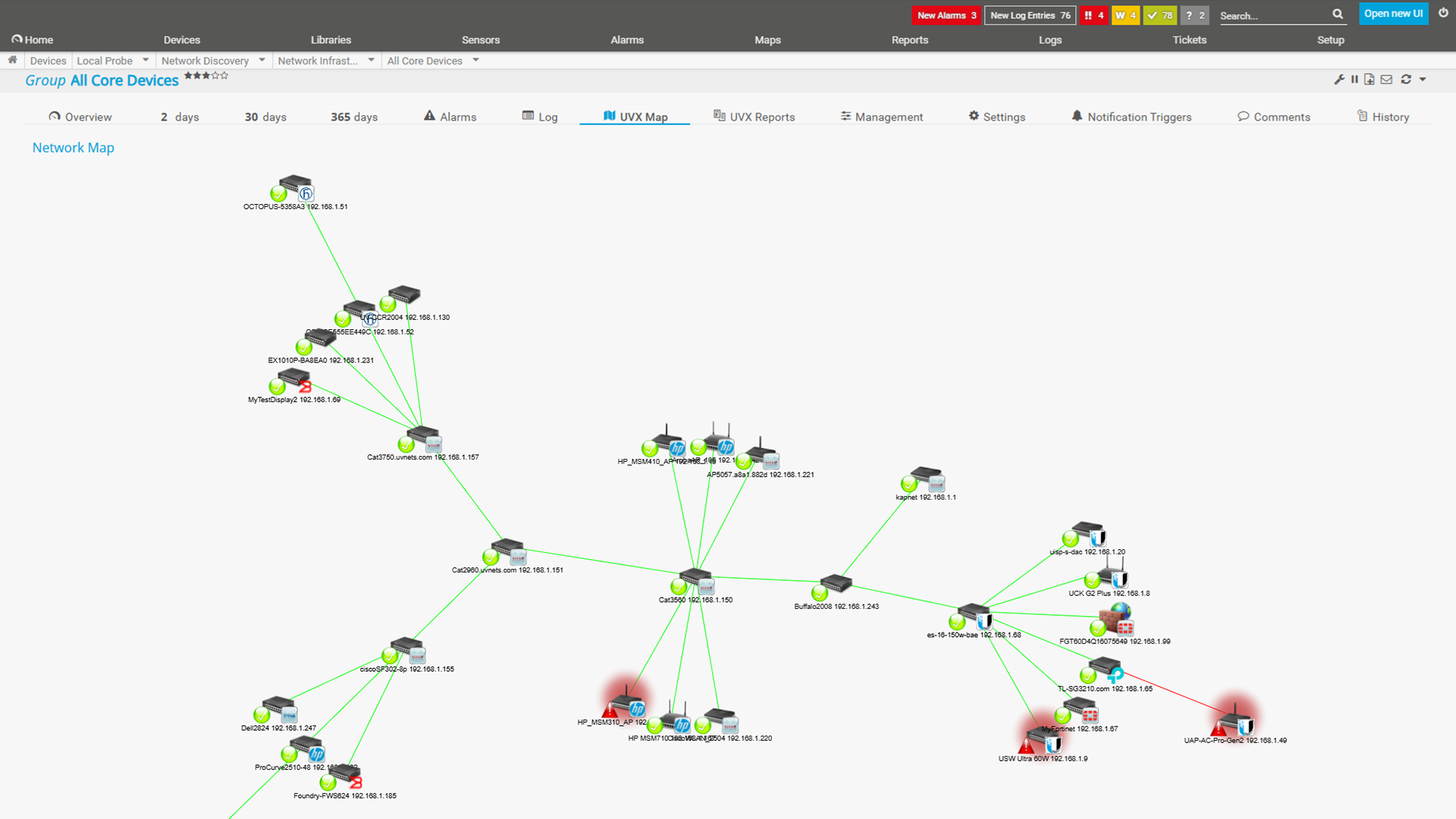
Example of a network topology map created with Paessler PRTG UVexplorer
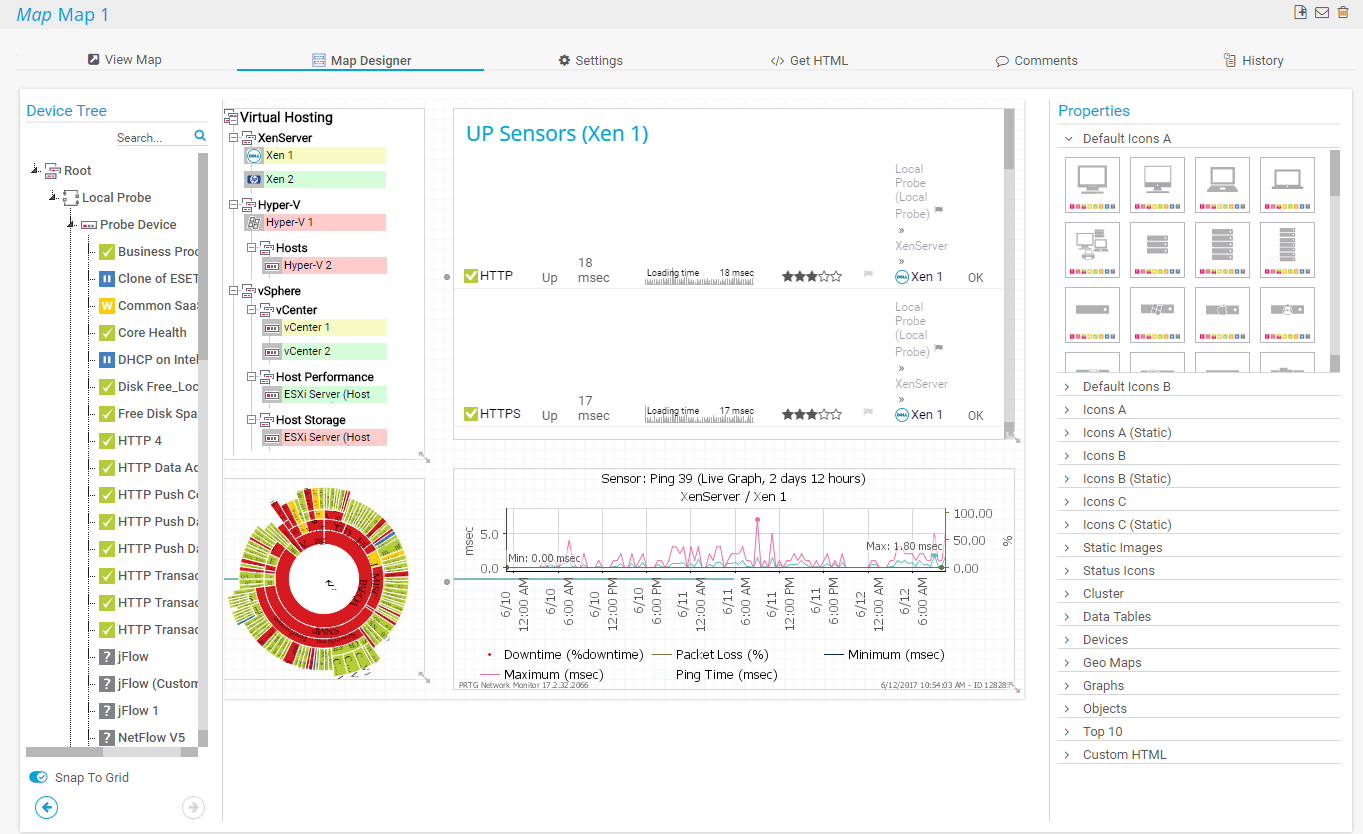
Easily create a map that meets your needs.
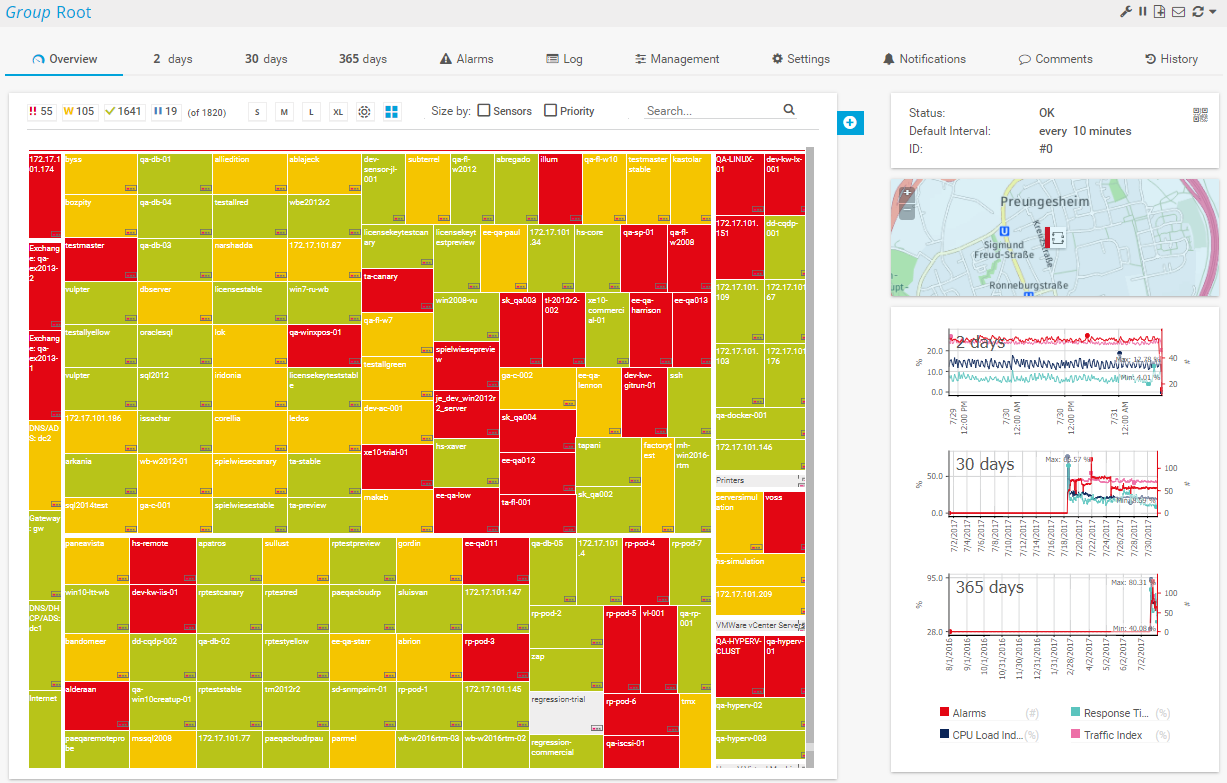
PRTG device tree in tree map view

“All-around winning
network monitor”

“The real beauty of PRTG is the endless possibilities it offers”

“PRTG Network Monitor
is very hard to beat”
Custom alerts and data visualization let you quickly identify and prevent network issues like bandwidth bottlenecks or security vulnerabilities.
Partnering with innovative IT vendors, Paessler unleashes synergies to create
new and additional benefits for joined customers.

By integrating PRTG with Martello iQ, you can add a fast analytics layer to improve uptime, visualize your IT environment, and integrate all of your IT systems into a single pane of glass.

Paessler and Plixer provide a complete solution adding flow and metadata analysis to a powerful network monitoring tool.

Siemon and Paessler bring together intelligent building technology and advanced monitoring and make your vision of intelligent buildings and data centers become reality.
Real-time notifications mean faster troubleshooting so that you can act before more serious issues occur.
Network Monitoring Software – Version 26.3.124.1727 (September 16, 2026)
Download for Windows and cloud-based version PRTG Hosted Monitor available
English, German, Spanish, French, Portuguese, Dutch, Russian, Japanese, and Simplified Chinese
Network devices, bandwidth, servers, applications, virtual environments, remote systems, IoT, and more
Choose the PRTG Network Monitor subscription that's best for you


Network mapping is the process of visually representing a network's physical and logical connections. It allows network administrators to see how devices and systems interact and helps in organizing and analyzing network data and optimizing the network infrastructure.
Network mapping enhances network management by providing a visual representation of the network's structure, which helps in identifying and resolving network issues quickly. It improves monitoring and troubleshooting by allowing administrators to identify problems, understand data flow and thus optimize the overall network performance.
Using both network mapping and network monitoring helps admins visualize network dependencies and track important performance metrics, leading to more efficient troubleshooting and minimized downtime. This synergy ensures a comprehensive view of the network and enables a proactive management and quicker resolution of issues.
Yes. PRTG's automatic network discovery detects the devices in your subnets, and the drag & drop map editor lets you turn them into structured maps quickly. For fully automated Layer 2 and Layer 3 topology maps, Paessler PRTG UVexplorer generates them through scheduled discoveries and displays them within PRTG.
PRTG maps are dashboards you design yourself, showing the live monitoring status of your devices. Paessler PRTG UVexplorer maps are generated automatically from discovery data and add dependency context, configuration backup, and change tracking between scheduled discovery runs. Together, they combine live status with topology context.
In PRTG, “sensors” are the basic monitoring elements. One sensor usually monitors one measured value in your network, for example the traffic of a switch port, the CPU load of a server, or the free space on a disk drive. On average, you need about 5-10 sensors per device or one sensor per switch port.
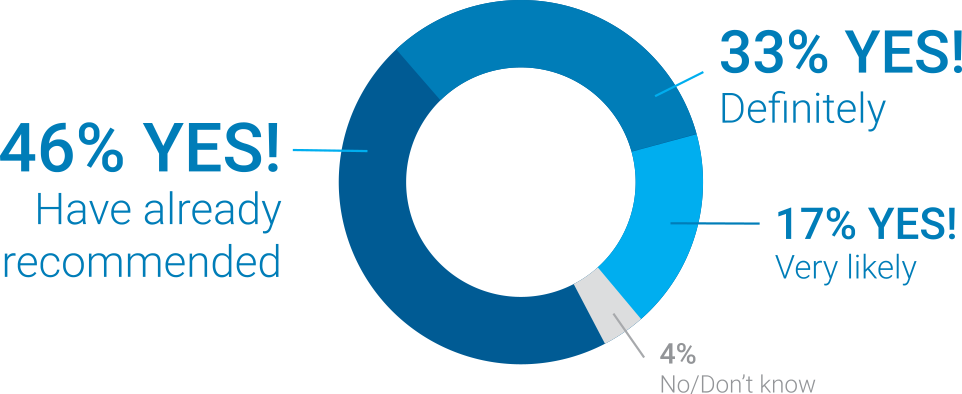
Paessler conducted trials in over 600 IT departments worldwide to tune its network monitoring software closer to the needs of sysadmins. The result of the survey: over 95% of the participants would recommend PRTG – or already have.
Paessler PRTG is used by companies of all sizes. Sysadmins love PRTG because it makes their job a whole lot easier.
Bandwidth, servers, virtual environments, websites, VoIP services – PRTG keeps an eye on your entire network.
Everyone has different monitoring needs. That’s why we let you try PRTG for free.