
- English
- Deutsch
- Español
- Français
- Italiano
- Português
PRTG analyzes network traffic using two methods: flow monitoring and packet sniffing. With flow monitoring, routers, switches, and firewalls export flow data (NetFlow, jFlow, sFlow, or IPFIX) directly to PRTG, giving you continuously updated traffic breakdowns by IP address, connection pair, and protocol. The packet sniffer covers local segments on devices that don't support flow export, analyzing packet headers on the PRTG probe's network interface.
Together, the two methods give you the packet analysis and protocol-level visibility to turn "the network feels slow" into a specific host, connection, or protocol that's degrading network performance. Something you can actually act on, rather than a vague complaint with no clear starting point.
PRTG supports: NetFlow v5/v9, jFlow, sFlow, IPFIX on routers, switches, and firewalls (Cisco, Juniper, Palo Alto, Fortinet, and others) · Packet Sniffer on Ethernet and Wi-Fi interfaces on the PRTG probe system · Traffic classified by TCP, UDP, ICMP, HTTP/S, DNS, FTP, and other well-known protocols and port assignments · Single sites and distributed environments via remote probes

Bandwidth spikes without context. Total throughput numbers tell you something changed, but not which host caused it, which connection is responsible, which protocol is involved, or where the bottlenecks are. Every network troubleshooting session starts from scratch with incomplete information and manual captures that only cover a single point in time. PRTG collects flow data from your existing routers, switches, and firewalls and breaks traffic down by IP address, connection pair, and protocol in continuously updated Toplists. Toplists show exactly what's consuming bandwidth, specific enough to act on and available without manual intervention.
Networks are living environments. Applications get added, protocols accumulate, and traffic patterns shift over time as infrastructure changes. Keeping a clear picture of what's actually running across every segment is part of staying on top of a network, not a reactive task. PRTG's flow monitoring categorizes all traffic by protocol across every monitored interface. The full protocol mix stays visible at all times, including traffic from older applications or services that have since been superseded. Unexpected entries surface in the Top Protocols view continuously, giving you the full picture without manual scanning.

Live graphs, real-time performance data
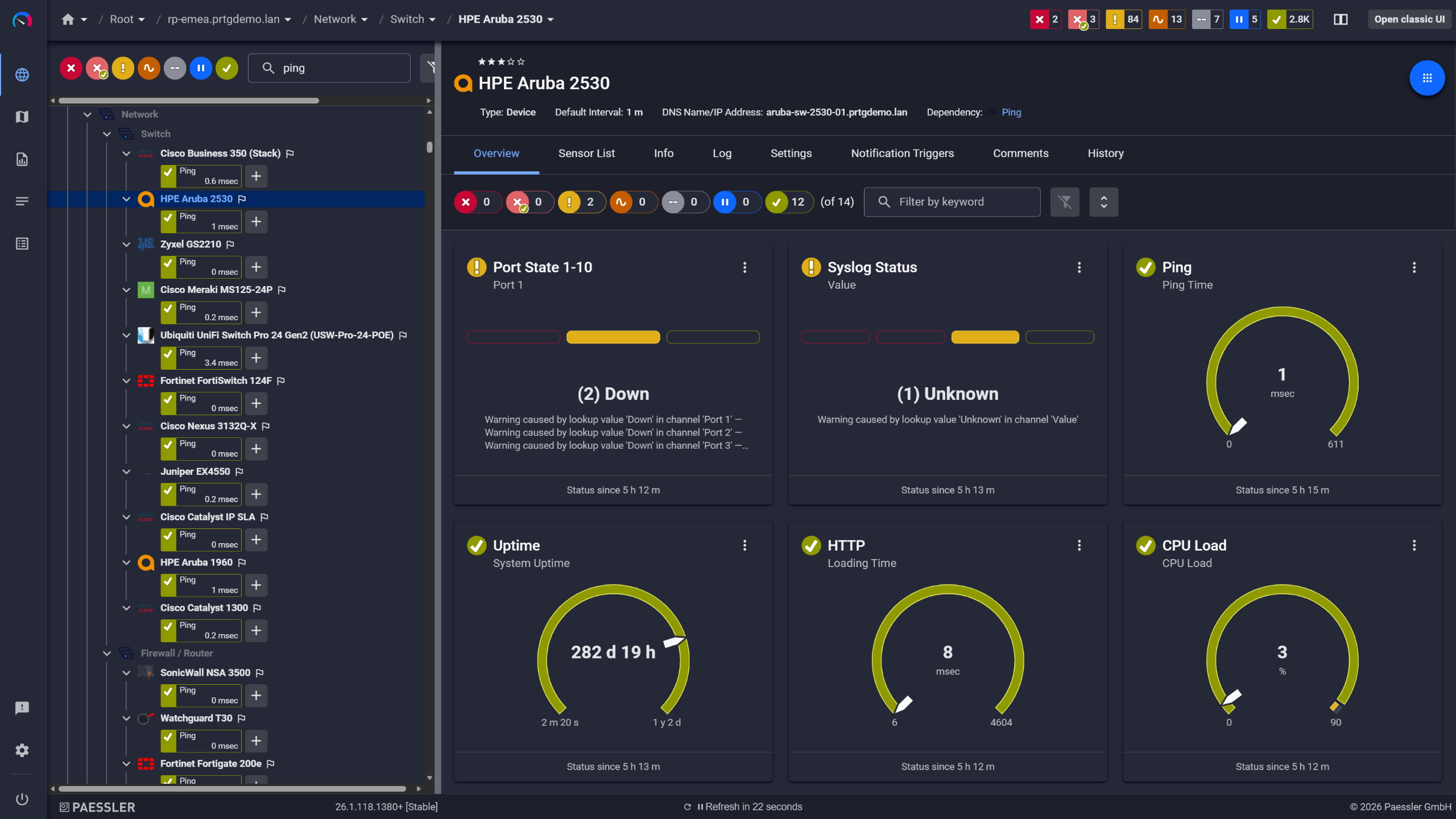
Network switches monitored across vendors

Full device list, instant overview
Useful alert thresholds are built on real data. Traffic patterns vary by interface, time of day, and the mix of applications running on a given segment, and knowing what normal actually looks like for your environment is the foundation for alerts that mean something. PRTG stores historical traffic and protocol data so you can review actual behavior before setting limits. Once you know what normal looks like for a given interface or protocol, you configure thresholds based on that. Notifications go out only when something actually warrants attention. Email, SMS, push, Teams, HTTP actions to third-party tools.
Start monitoring your infrastructure in minutes. No professional services, no complex configuration, no risk.
Capacity decisions carry more weight when backed by data. Whether you're making the case for a bandwidth upgrade or demonstrating that existing capacity is sufficient, concrete traffic history is a stronger foundation than estimates or manually assembled samples. PRTG retains weeks or months of traffic history depending on your data retention configuration, broken down by protocol, interface, and bandwidth consumption. That's enough to back up either argument. Scheduled reports let you share a clear summary with stakeholders who need the numbers but won't go digging through dashboards.
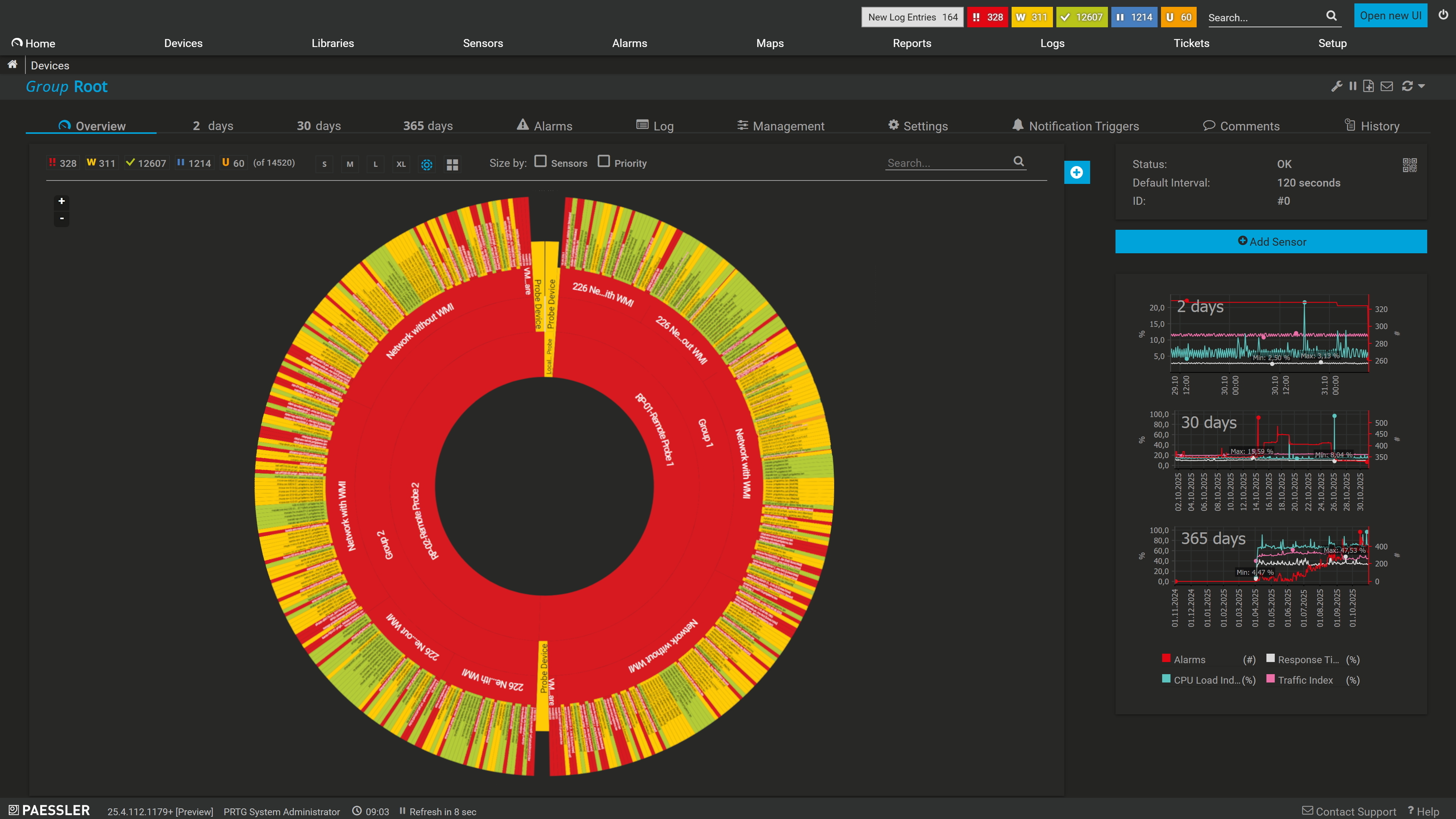
Your entire network, visualized instantly
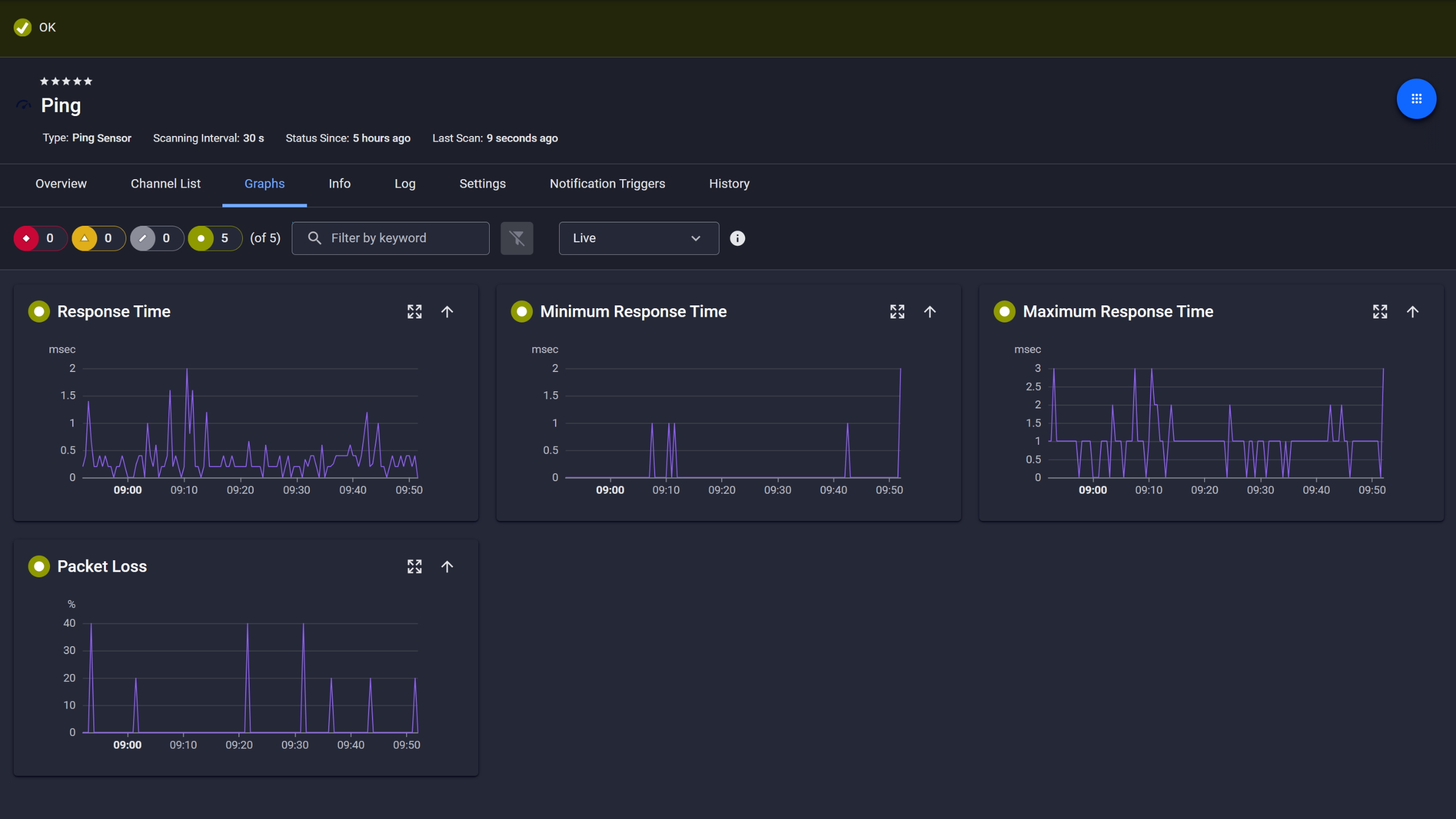
Ping response and packet loss

Scheduled reports, always on time
PRTG uses two distinct methods to capture and analyze protocol-level traffic data. The right choice depends on whether your network devices support flow export and what segment of traffic you need to cover. Here's what each method does and where it applies.
FEATURE | Without PRTG Without PRTG | With PRTG With PRTG |
|---|---|---|
Traffic breakdown by IP, connection, protocol | Without PRTG On-demand Wireshark captures, manual, point-in-time only | With PRTG Continuous Toplists: Top Talkers, Top Connections, Top Protocols |
Protocol distribution | Without PRTG Per-session analysis, manually triggered | With PRTG Always-on protocol breakdown across all monitored interfaces |
Historical traffic trends | Without PRTG Stored capture files, if someone remembered to run them | With PRTG Persistent time-series data, configurable weeks or months of history |
Alerting on traffic behavior | Without PRTG Manual polling or custom scripts, and no alerting unless you built it yourself | With PRTG Threshold-based alerts per sensor channel |
Capacity planning data | Without PRTG Spreadsheets assembled from manual samples | With PRTG Scheduled reports generated automatically and exportable |
Choose the PRTG Network Monitor subscription that's best for you.
| License Name | License description | Price | License Details | Get started | Pricing Details | |
|---|---|---|---|---|---|---|
| PRTG 500 | $200 | per month paid annually | Buy nowBuy now | Enough to monitor multiple aspects of 50 devices | ||
| PRTG 1000 | $358 | per month paid annually | Buy nowBuy now | Enough to monitor multiple aspects of 100 devices | ||
| PRTG 2500 | $742 | per month paid annually | Buy nowBuy now | Enough to monitor multiple aspects of 250 devices | ||
| PRTG 5000 | $1,300 | per month paid annually | Buy nowBuy now | Enough to monitor multiple aspects of 500 devices | ||
| PRTG 10000 | $1,642 | per month paid annually | Buy nowBuy now | Enough to monitor multiple aspects of 1000 devices |

Both give you traffic breakdowns by IP address, connection pair, and protocol, but they work differently. Flow monitoring relies on your network devices exporting flow records (NetFlow, sFlow, jFlow, IPFIX) to PRTG. It covers all traffic those devices handle and is the right starting point for most environments. The Packet Sniffer sensor monitors traffic on the PRTG probe's own network interface and works best for local segment coverage when flow export isn't an option. If your devices support flow export, start there.
They serve different purposes. Wireshark is an open-source packet analyzer built for deep, manual inspection: decoding individual network packets, examining payload content, and debugging specific protocol behavior. PRTG is a network monitoring tool and traffic analyzer that runs continuously across your infrastructure without decoding payloads or storing raw captures. Use PRTG to identify network issues and locate the source; use Wireshark to go deeper once you know where to look.
Any router, switch, or firewall that can export NetFlow v5/v9, jFlow, sFlow, or IPFIX will work. This covers most enterprise equipment from Cisco, Juniper, Palo Alto, Fortinet, and others. You configure the flow exporter on the device to send data to the PRTG probe's IP address and port, then add the corresponding sensor in PRTG. The Packet Sniffer covers the probe's local segment if flow export isn't an option.
Yes. Flow monitoring works on Wi-Fi networks as long as your wireless infrastructure (access points, controllers, or the upstream switches and firewalls) supports flow export. The Packet Sniffer sensor can also monitor Wi-Fi interfaces on the PRTG probe system directly. What's available depends on your specific hardware and whether it supports a flow protocol.
PRTG analyzes flow metadata, not packet content, so encryption doesn't block traffic pattern analysis. You can still see which IP addresses are communicating, which ports and protocols are in use, and how much bandwidth is consumed, even when the payload is encrypted. PRTG can't inspect or decode the contents of encrypted sessions. For troubleshooting and traffic analysis, flow-level data is typically sufficient.
PRTG uses remote probes for distributed monitoring. Each probe collects data locally, including flow data from devices at that site, and reports back to the central PRTG server. This makes it practical for multi-site setups, data centers, and remote locations without routing all traffic to a central collection point. Scalability is tied to your license tier, which is based on sensor count.
If an IoT device or non-standard endpoint is on a segment where flow data is being collected and it generates network traffic, it'll appear in the flow data as a source or destination. PRTG doesn't require an agent on the endpoint for traffic analysis. For more specific monitoring of IoT or embedded systems, PRTG also supports SNMP and other protocols, depending on what the device exposes on the network.
In PRTG, a sensor monitors one specific data source or metric. For protocol analysis, you typically need one flow sensor per interface or device you want to collect data from, for example, one NetFlow sensor per router interface that exports flow data. Most environments use a handful of sensors per device across all monitoring use cases; the exact count depends on what you're monitoring. PRTG is licensed by sensor count, so the number of flow and Packet Sniffer sensors you add affects your license tier directly. Current pricing is available at paessler.com/pricing.
Network Monitoring Software – Version 26.3.124.1727 (September 16, 2026)
Download for Windows and cloud-based version PRTG Hosted Monitor available
English, German, Spanish, French, Portuguese, Dutch, Russian, Japanese, and Simplified Chinese
Network devices, bandwidth, servers, applications, virtual environments, remote systems, IoT, and more
Choose the PRTG Network Monitor subscription that's best for you



