• Company
    • About Us
    • Case Studies
    • Press Center
    • Careers
    • Blog
    • Contact us
  • Contact us
  • Login
 
  • English
    • Deutsch
    • Español
    • Français
    • Italiano
    • Português
Paessler
                    - The Monitoring Experts
  • Products
    • Paessler PRTG
      Paessler PRTGMonitor your whole IT infrastructure
      • PRTG Network Monitor
      • PRTG Enterprise Monitor
      • PRTG Hosted Monitor
      • PRTG UVexplorer
      • PRTG extensionsExtensions for Paessler PRTGExtend your monitoring to a new level
    • Icon Features
      FeaturesExplore all monitoring features
      • Maps & dashboards
      • Alerts & notifications
      • Multiple user interfaces
      • Distributed monitoring
      • Customizable reporting
  • Solutions
    • By TeamFor your organization size
      • Small Business IT
      • Mid-Market IT
      • Enterprise IT
      • MSP Network Monitoring
    • Industries
      By IndustryFor your business sector
      • Industrial
      • Healthcare
      • Government
      • Education
      • Data Center
      • Finance
    • IT Topics
      By Use CaseFor every technical scenario
      • Network Monitoring
      • Server Monitoring
      • OT Monitoring
      • Distributed Monitoring
      • Network Topology Mapping
      • SNMP Monitoring
      • Bandwidth Monitoring
  • Pricing
  • Resources
    • Getting Started
      Getting StartedModules for self-paced learning
    • How-to Guides
      How-to GuidesGet the most out of PRTG
    • Videos & Webinars
      Videos & WebinarsLearn from Paessler experts
    • IT  Knowledge
      IT KnowledgeExpand your IT knowledge
    • PRTG Manual
      PRTG ManualFull documentation
    • Knowledge Base
      Knowledge BaseShare community knowledge
    • PRTG Sensor Hub
      PRTG Sensor HubGet sensors, scripts & templates
    • Trainings
      PRTG TrainingLearn how to work with PRTG
  • Partners
    • Icon Handshake
      Become a PartnerFor resellers and channel partners
    • Icon MSP
      Become an MSPDeliver monitoring as a managed service
    • icon partner
      Partner PortalLog in to your partner account
    • Deal Registration
      Deal RegistrationRegister your sales opportunities
    • icon search
      Find a PartnerFind partners selling Paessler products
    • icon technology
      Technology AlliancesSee Paessler technology partnerships
    • Partner HubTools for Your Success
  • Company
    • About Us
    • Case Studies
    • Press Center
    • Careers
    • Blog
    • Contact us
  • Contact us
  • Login
  • English
    • Deutsch
    • Español
    • Français
    • Italiano
    • Português
  • Get a quote
  • Free trial
  1. Home>
  2. Company>
  3. Case Studies>
  4. Bosch Rexroth

Industry 4.0 Needs Monitoring Too: How Bosch Rexroth Keeps Networked Manufacturing Running with PRTG

Challenge: Monitoring a fully networked, paperless production environment where IT failure directly stops manufacturing output

download PDF
Logo Company XY

COMPANY
Bosch Rexroth

INDUSTRY
Manufacturing

COMPANY SIZE
Enterprise

COUNTRY
Germany

SCALE
Two production sites, 200,000+ product variants, Industry 4.0 environment

Icon location

Two production sites monitored from a single PRTG instance via remote probes

Icon devices

Environmental, infrastructure, and production-critical systems all covered

Icon maths

Custom Sensor Factories enable complex, formula-based alerting

The problem

At Bosch Rexroth's LoP2 plant, production is fully networked. A digital image of each product is created at the start of manufacturing by linking ERP and MES systems. That virtual product then controls all production steps, paperlessly and without setup times. With more than 200,000 product variants, this level of automation is what makes the operation efficient.

But it also means IT is no longer a support function. It is the production line. If the network goes down, manufacturing stops.

Christian Miceli, internal expert and co-designer of the networked production environment, needed a monitoring solution that could cover two distributed locations from a single instance, map complex dependencies between components, store historical data for trend analysis, and deliver role-specific dashboards to different teams.

What changed with PRTG

After evaluating several tools, Bosch Rexroth selected PRTG Network Monitor. Remote probes monitor both sites from one central Windows-based installation. No specialist knowledge was required for setup.

PRTG monitors physical and virtual servers, PCs, NAS storage, UPS systems, office printers, and label printers integrated via custom sensors. Temperature and humidity data from environmental sensors is collected via SNMP and combined in PRTG Sensor Factories, which allow complex conditions to trigger precisely defined alerts using custom formulas.

PRTG maps give each team a tailored dashboard showing only the data relevant to them, delivered as a web service. Historical data is stored continuously, enabling long-term trend analysis and production environment optimization.

PRTG offers the right combination of predefined queries and flexible options for customized add-ons. This makes PRTG ideal for comprehensively and reliably monitoring the complex IT infrastructure of Industry 4.0 environments.


Christian Miceli, Internal Expert and Co-creator of Networked Manufacturing
Bosch Rexroth
PRTG Logo

PRTG monitors industrial IT, OT infrastructure, and Industry 4.0 environments from one platform.

CONTACT SALES
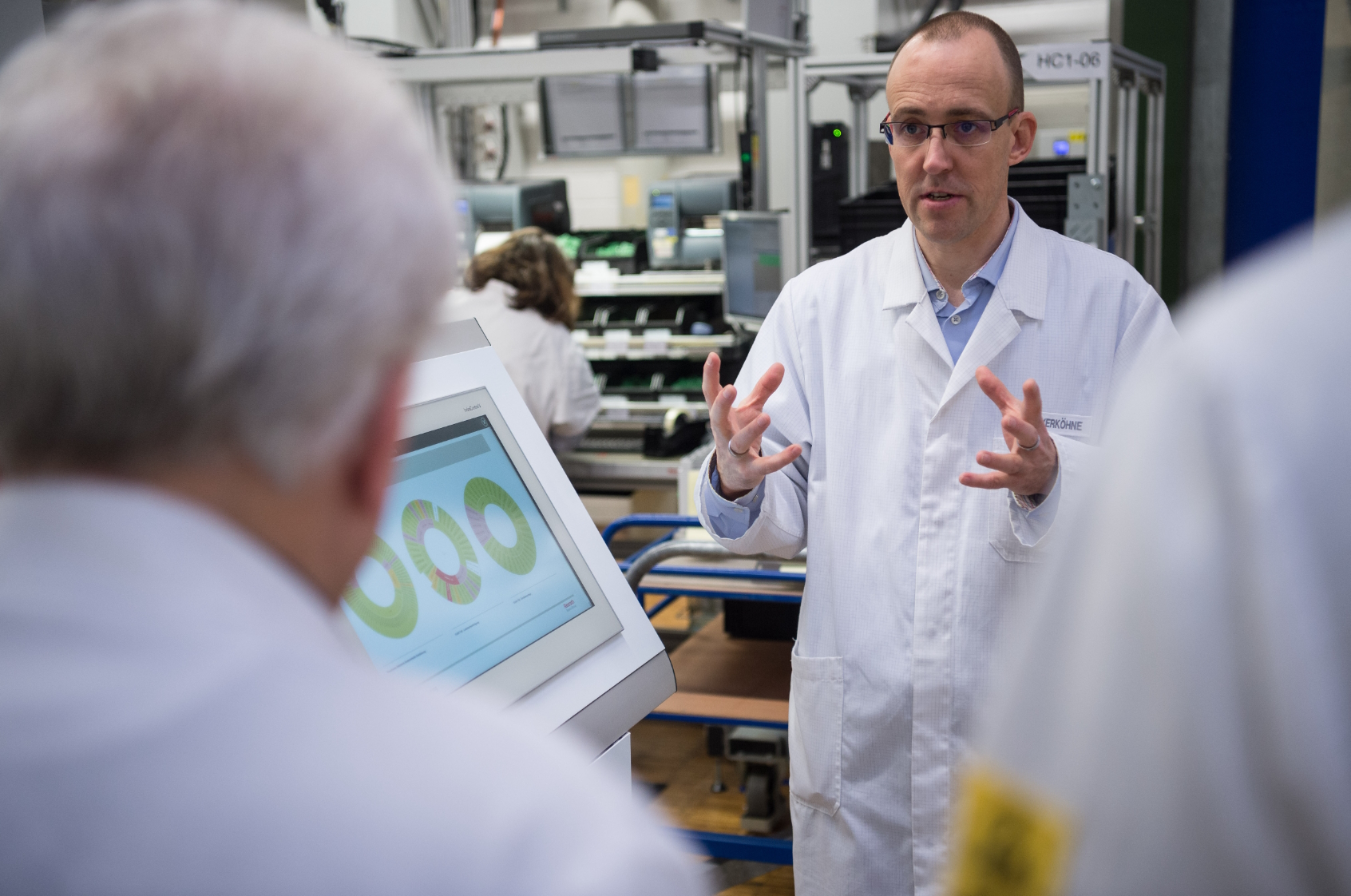
Two Bosch Rexroth digitalization experts at the LoP2 plan
Monitoring industrial environments at Bosch Rexroth with PRTG

Discover more monitoring insights and stories

Solution illustration

Solutions for all your monitoring needs

  • OT Cybersecurity Strategy Monitoring
  • Modbus Monitoring
  • OPC UA Monitoring
Content illustration

Powerful stories from the monitoring world

  • Customer success stories - Paessler
  • PRTG supports intelligent manufacturing at Bosch Rexroth
  • ENGIE Solutions improves monitoring of its large IT and IoT ...
Support illustration

Resources to master your monitoring challenges

  • How can I speed up PRTG—especially for large installations?
  • Device and Sensor Setup
  • How can I move or migrate a PRTG installation to a different system or server?
Explore All Case Studies

Products

  • Paessler PRTG
    Paessler PRTGMonitor your whole IT infrastructure
    • PRTG Network Monitor
    • PRTG Enterprise Monitor
    • PRTG Hosted Monitor
    • PRTG UVexplorer
    • PRTG extensions
      Extensions for Paessler PRTGExtend your monitoring to a new level
  • Icon Features
    FeaturesExplore all monitoring features

Monitoring with PRTG

  • Network monitoring
  • Bandwidth monitoring
  • SNMP monitoring
  • Network mapping
  • Wi-Fi monitoring
  • Server monitoring
  • Network traffic analyzer
  • NetFlow monitoring
  • Syslog server

Useful Links

  • PRTG Manual
  • Knowledge Base
  • Customer Success Stories
  • About Paessler
  • Subscribe to newsletter
  • PRTG Support
  • PRTG Consulting
  • PRTG Feedback & Roadmap

Contact

Paessler GmbH
Thurn-und-Taxis-Str. 14, 
90411 Nuremberg 
Germany

[email protected]

+49 911 93775-0

  • Contact us
©2026 Paessler GmbHTerms & ConditionsPrivacy PolicyImprintReport VulnerabilityDownload & InstallSitemap
Imprint Imprint Imprint