
- English
- Deutsch
- Español
- Français
- Italiano
- Português
Every SNMP-enabled device ships with a Management Information Base (MIB) that defines what it can report: interface counters, CPU load, temperatures, storage, fan speeds. Monitoring those values means knowing which OIDs to query, and that starts with importing and navigating the vendor's MIB file. The Paessler PRTG MIB Importer is a free, standalone Windows application that reads these files, lets you browse the full MIB tree, and converts selected OIDs to .oidlib format that PRTG picks up directly for sensor creation. SNMPv1, SNMPv2c, and SNMPv3 are all supported, including authentication and encryption.
⚠️ Platform note: The MIB Importer and PRTG core server both require Windows. Neither runs on Linux or macOS. PRTG remote probes can run on Linux for distributed setups, but the core server stays Windows-based. PRTG monitors SNMP devices from Cisco, Juniper, Dell, SonicWall, QNAP, Synology, Rittal, and any vendor that provides a standard MIB file: routers, switches, firewalls, servers, UPS systems, and more.

Finding the right OID in a MIB tree is step one. Getting it into continuous monitoring usually means switching tools and starting a separate configuration from scratch. The Paessler MIB Importer browses the full MIB tree, converts selected OIDs to an .oidlib file, and PRTG picks that file up directly to create sensors. Channel names come from the MIB definition: actual object names and units, not raw strings like 1.3.6.1.4.1.x.x.x. One workflow from MIB import to live sensor. The channel names are readable by anyone on the team, not just whoever ran the initial import.
If a device speaks SNMP and ships with a MIB file, all the data you need is already defined. Download the vendor MIB from the manufacturer's support portal (Cisco, Juniper, Dell, SonicWall, and most others publish them), import it into the MIB Importer, and the SNMP Library sensor maps every OID the file defines into a monitorable channel. For common vendors, PRTG's built-in MIB libraries cover this without any import step. Niche hardware, older product generations, proprietary appliances: virtually any device with SNMP support and a valid MIB file works, using the same import process.
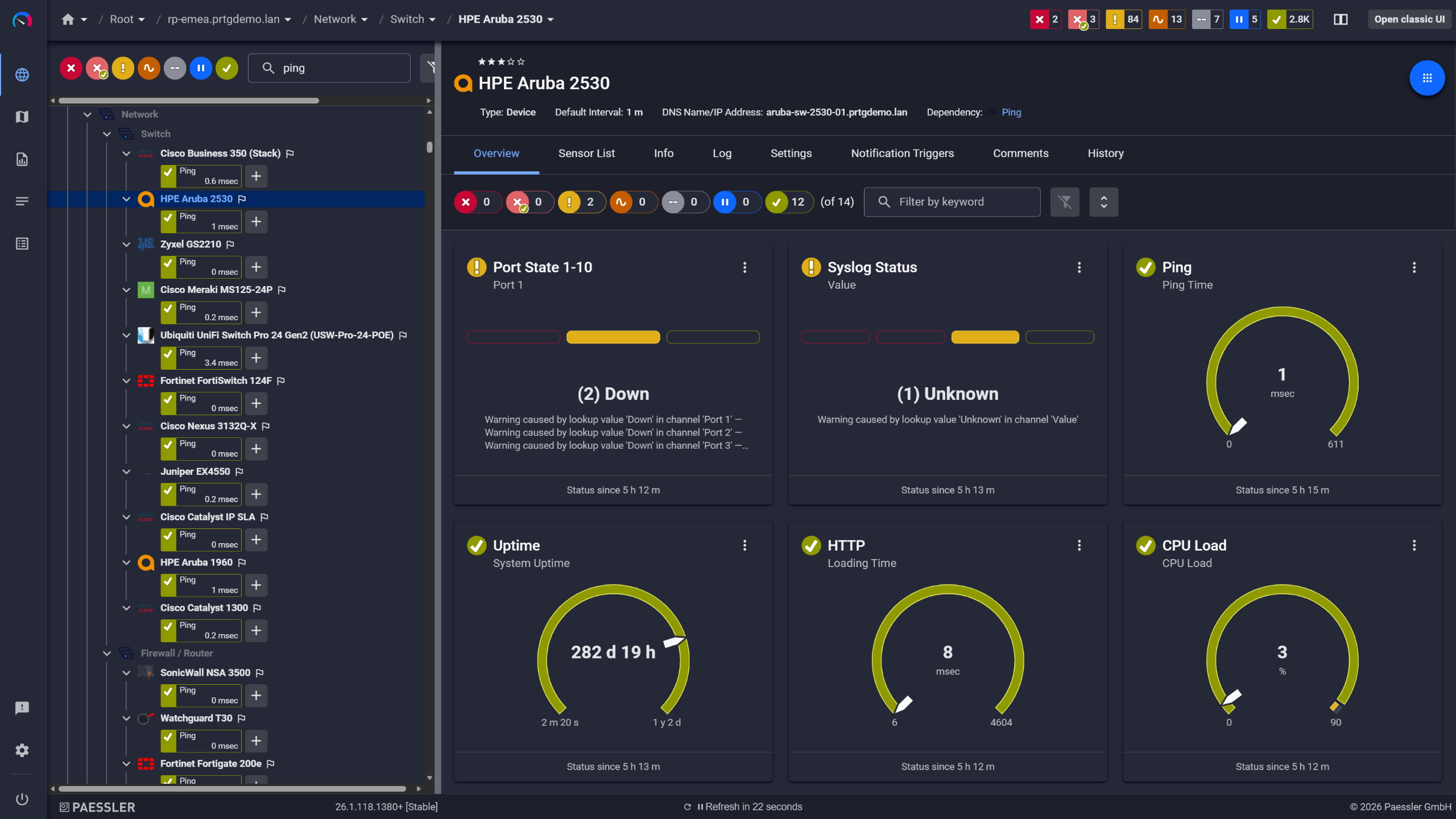
Network switches monitored across vendors

Full device list, instant overview
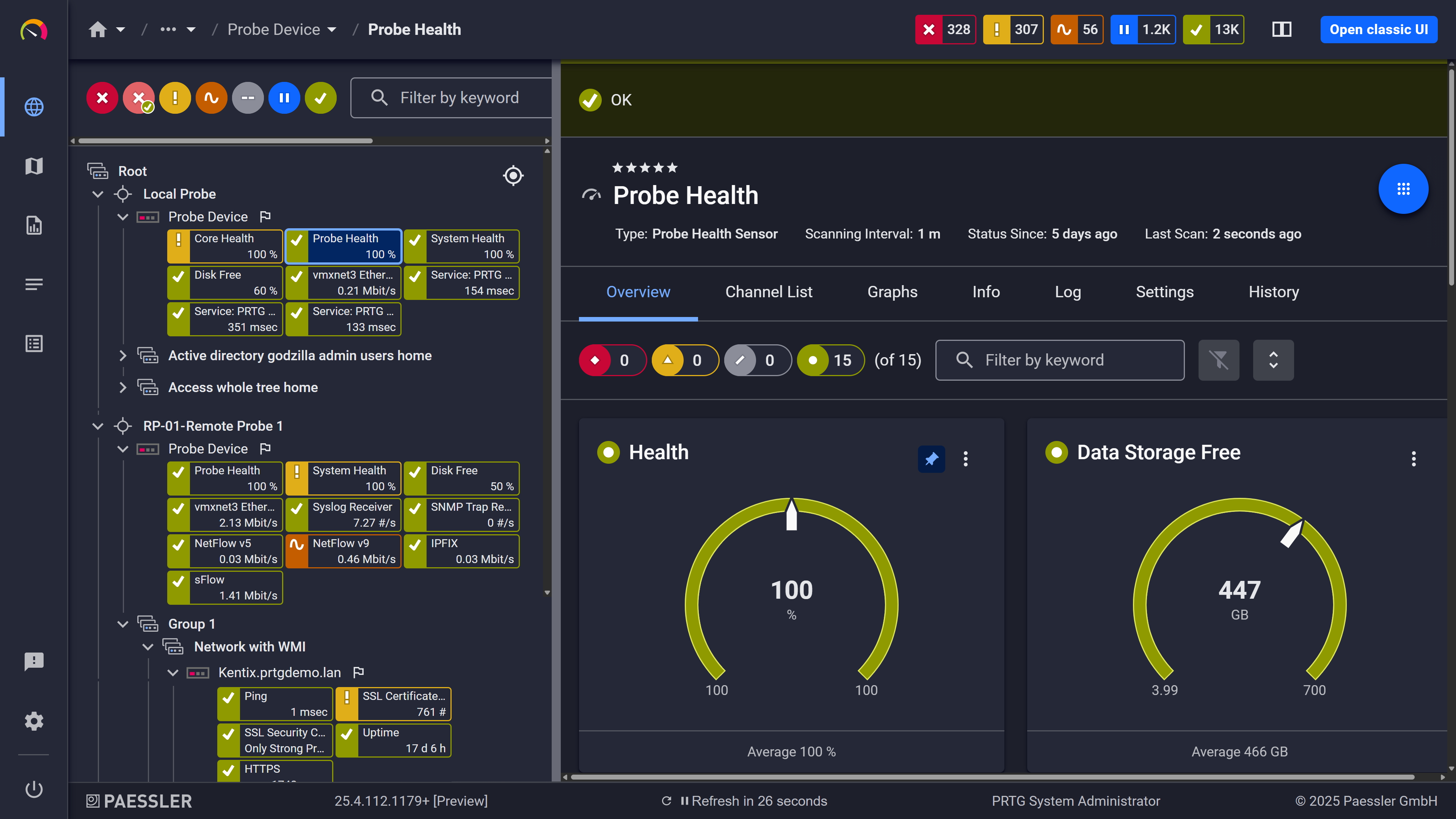
Probe health at a glance
Continuous polling captures every value a device reports over time. Each reading is stored, evaluated against your thresholds, and available as historical trend data. SNMP sensors in PRTG poll on a schedule you set (minimum every 60 seconds) and evaluate each returned value against upper and lower thresholds you define. When a value goes out of range, PRTG sends a notification via email, SMS, push, or webhook. All data is stored as historical trend graphs, so you can see exactly what a device was doing before a problem showed up. Dashboards give you a live view across all monitored devices.
Start monitoring your infrastructure in minutes. No professional services, no complex configuration, no risk.
SNMPv3 support is common on paper. PRTG makes configuration straightforward: authentication protocol, encryption protocol, and credentials are set once at the device level, and every sensor inherits them. It supports SNMPv1, SNMPv2c, and SNMPv3 across all SNMP sensor types. SNMPv3 is configured at the device level: authentication protocol (MD5, SHA, and SHA variants), privacy/encryption protocol (DES, AES, and AES variants), and credentials. Every sensor on that device inherits those settings automatically. Mixed environments, where some devices run v2c and others require v3, are handled within the same PRTG installation. PRTG's own documentation flags v1 and v2c as unencrypted and unsuitable for unsecured networks. Use v3 where your security policies require it.

Live graphs, real-time performance data

Scheduled reports, always on time
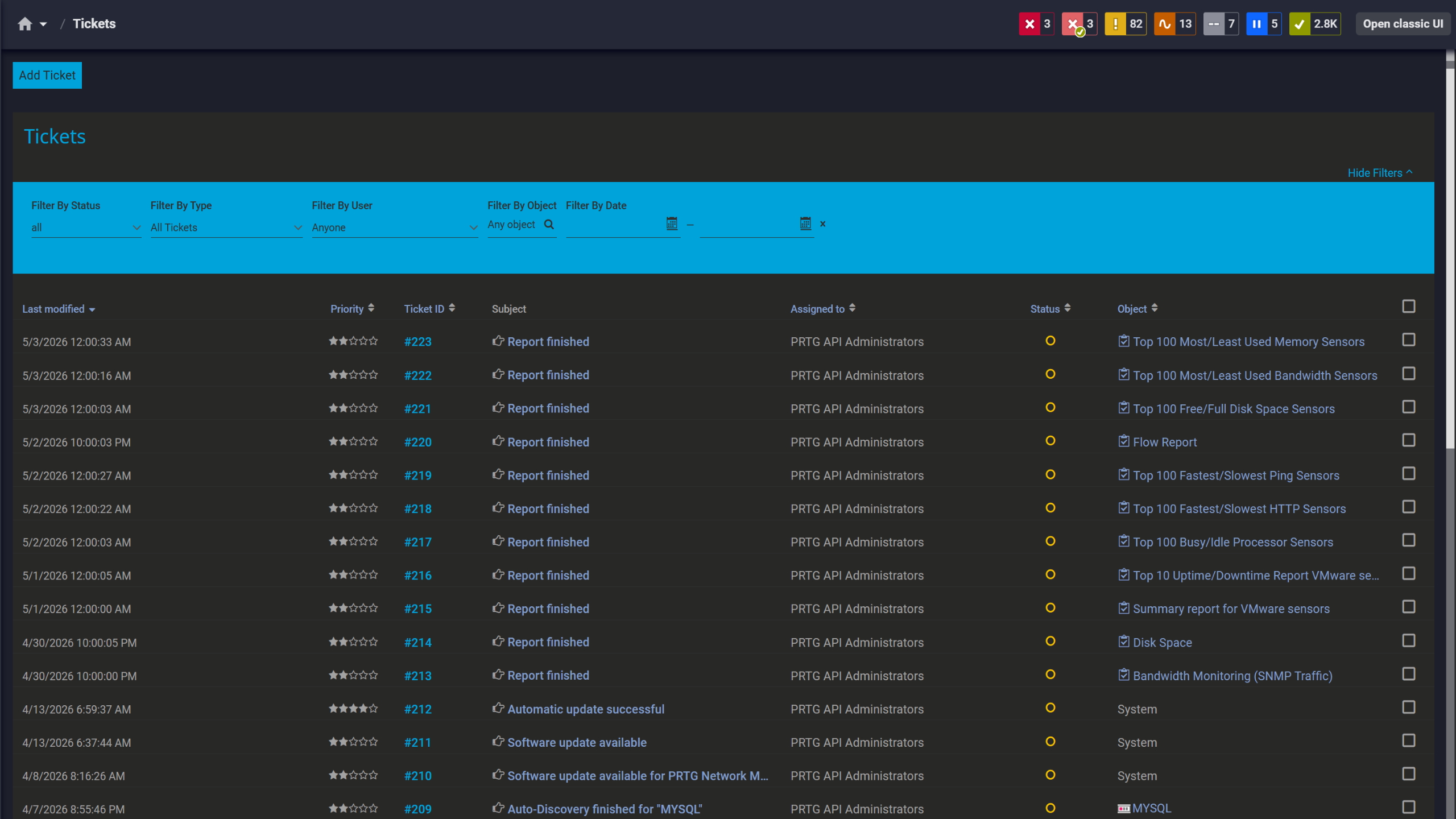
Tickets keep your team aligned
The tabs below introduce you to the technical mechanics: how the MIB Importer converts files, which SNMP sensor type fits which scenario, and how trap monitoring and auto-discovery work alongside the import workflow.
FEATURE | Without PRTG Without PRTG | With PRTG With PRTG |
|---|---|---|
MIB file import and OID browsing | Without PRTG Tools like iReasoning MIB Browser or ManageEngine handle this, but the process ends at identifying the OID. No path to monitoring from the same tool. | With PRTG The .oidlib from the MIB Importer feeds directly into PRTG sensor creation. No tool-switching required. |
Continuous SNMP polling | Without PRTG Query-on-demand only. The device is invisible between active sessions. | With PRTG PRTG polls each sensor on a configurable schedule and logs every value. |
Threshold alerting | Without PRTG Not available. Catching a problem requires someone actively reviewing query results. | With PRTG PRTG alerts via email, SMS, or push notification the moment it detects a threshold breach. |
Historical data and trend graphs | Without PRTG No data retention. Past values are gone once the session ends. | With PRTG All sensor data stored as historical trend graphs, available for post-incident review and capacity planning. |
Multi-device dashboards | Without PRTG Single-device tools. Visibility across many devices means separate queries each time. | With PRTG All monitored devices aggregated into dashboards showing full environment status. |
Choose the PRTG Network Monitor subscription that's best for you.
| License Name | License description | Price | License Details | Get started | Pricing Details | |
|---|---|---|---|---|---|---|
| PRTG 500 | $200 | per month paid annually | Buy nowBuy now | Enough to monitor multiple aspects of 50 devices | ||
| PRTG 1000 | $358 | per month paid annually | Buy nowBuy now | Enough to monitor multiple aspects of 100 devices | ||
| PRTG 2500 | $742 | per month paid annually | Buy nowBuy now | Enough to monitor multiple aspects of 250 devices | ||
| PRTG 5000 | $1,300 | per month paid annually | Buy nowBuy now | Enough to monitor multiple aspects of 500 devices | ||
| PRTG 10000 | $1,642 | per month paid annually | Buy nowBuy now | Enough to monitor multiple aspects of 1000 devices |

The Paessler MIB Importer and PRTG are two separate products built to work together. The MIB Importer is a free Windows application that reads MIB files, lets you navigate the MIB tree via a GUI, and converts OIDs to .oidlib format. It doesn't monitor anything on its own. PRTG is the monitoring platform that uses the .oidlib output to create sensors that poll devices, store data, and send alerts. Download and run the MIB Importer independently. It feeds into PRTG's sensor setup.
PRTG supports SNMPv1, SNMPv2c, and SNMPv3. SNMPv1 and SNMPv2c use community strings for authentication and transmit data in plain text. PRTG's own documentation notes these are not suitable for unsecured networks. SNMPv3 uses the User-based Security Model (USM) with configurable authentication (MD5, SHA, and SHA variants) and encryption (DES, AES, and AES variants). If your security policies restrict unencrypted protocols, or if devices are monitored across an untrusted network segment, use SNMPv3. SNMP version and credentials are configured at the device level. All sensors on that device inherit the settings.
GET retrieves the value of a specific OID. GETNEXT retrieves the next OID in the MIB tree, which is the basis of SNMP Walk: it traverses a subtree by repeatedly issuing GETNEXT requests. GETBULK is the SNMPv2 and v3 equivalent and retrieves multiple OIDs in a single request, which is more efficient for bulk data collection. PRTG uses GET and GETBULK internally for sensor polling and doesn't expose GETNEXT or SNMP Walk as user-facing operations. The MIB Importer is not a live query tool. It works with MIB files only and doesn't perform any SNMP operations against devices.
No. Both the PRTG core server and the MIB Importer require Windows. Neither runs natively on Linux or macOS. Remote probes can run on Linux for distributed setups, but the core server still needs to be Windows-based. No component of the PRTG stack supports macOS.
With standard SNMP polling, PRTG initiates a request to the device on a schedule and retrieves the current value. SNMP traps work the other way: the device sends a message to the trap receiver when a specific condition is met on its end, without being asked. PRTG includes an SNMP Trap Receiver sensor that listens for these inbound messages, logs them, and can trigger alerts based on their content. When a MIB file has been imported and configured for trap use, PRTG translates the numeric OIDs in received traps into the human-readable names from the MIB. Readable without manual lookup.
iReasoning MIB Browser and ManageEngine's free MIB browser are interactive SNMP query tools: load a MIB, connect to a device, issue GET or Walk operations, see the results. They're useful for troubleshooting, OID discovery, and ad-hoc inspection, but the session ends there. PRTG handles the ongoing side: sensors polling on a schedule, threshold alerting, historical trend graphs, and dashboards across all devices. Both tool types are often used alongside each other. A free MIB browser for exploration and validation, PRTG for monitoring. Pricing is based on sensor count. A free tier is available for you to check out the product before commiting. See the pricing page for current details.
Yes. PRTG includes a REST-based API that lets you retrieve sensor data, status information, and historical values programmatically. Useful for integrating PRTG data into external systems, building custom dashboards, or automating sensor management. For MSPs managing multiple client environments, the API supports workflows like automated reporting, sensor provisioning, and integration with ticketing or service management tools.
Network Monitoring Software – Version 26.1.116.1532 (February 9th, 2026)
Download for Windows and cloud-based version PRTG Hosted Monitor available
English, German, Spanish, French, Portuguese, Dutch, Russian, Japanese, and Simplified Chinese
Network devices, bandwidth, servers, applications, virtual environments, remote systems, IoT, and more
Choose the PRTG Network Monitor subscription that's best for you



