• Company
    • About Us
    • Case Studies
    • Press Center
    • Careers
    • Blog
    • Contact us
  • Contact us
  • Login
 
  • English
    • Deutsch
    • Español
    • Français
    • Italiano
    • Português
Paessler
                    - The Monitoring Experts
  • Products
    • Paessler PRTG
      Paessler PRTGMonitor your whole IT infrastructure
      • PRTG Network Monitor
      • PRTG Enterprise Monitor
      • PRTG Hosted Monitor
      • PRTG UVexplorer
      • PRTG extensionsExtensions for Paessler PRTGExtend your monitoring to a new level
    • Icon Features
      FeaturesExplore all monitoring features
      • Maps & dashboards
      • Alerts & notifications
      • Multiple user interfaces
      • Distributed monitoring
      • Customizable reporting
  • Solutions
    • By TeamFor your organization size
      • Small Business IT
      • Mid-Market IT
      • Enterprise IT
      • MSP Network Monitoring
    • Industries
      By IndustryFor your business sector
      • Industrial
      • Healthcare
      • Government
      • Education
      • Data Center
      • Finance
    • IT Topics
      By Use CaseFor every technical scenario
      • Network Monitoring
      • Server Monitoring
      • OT Monitoring
      • Distributed Monitoring
      • Network Topology Mapping
      • SNMP Monitoring
      • Bandwidth Monitoring
  • Pricing
  • Resources
    • Getting Started
      Getting StartedModules for self-paced learning
    • How-to Guides
      How-to GuidesGet the most out of PRTG
    • Videos & Webinars
      Videos & WebinarsLearn from Paessler experts
    • IT  Knowledge
      IT KnowledgeExpand your IT knowledge
    • PRTG Manual
      PRTG ManualFull documentation
    • Knowledge Base
      Knowledge BaseShare community knowledge
    • PRTG Sensor Hub
      PRTG Sensor HubGet sensors, scripts & templates
    • Trainings
      PRTG TrainingLearn how to work with PRTG
  • Partners
    • Icon Handshake
      Become a PartnerFor resellers and channel partners
    • Icon MSP
      Become an MSPDeliver monitoring as a managed service
    • icon partner
      Partner PortalLog in to your partner account
    • Deal Registration
      Deal RegistrationRegister your sales opportunities
    • icon search
      Find a PartnerFind partners selling Paessler products
    • icon technology
      Technology AlliancesSee Paessler technology partnerships
    • Partner HubTools for Your Success
  • Company
    • About Us
    • Case Studies
    • Press Center
    • Careers
    • Blog
    • Contact us
  • Contact us
  • Login
  • English
    • Deutsch
    • Español
    • Français
    • Italiano
    • Português
  • Get a quote
  • Free trial

Reliable SSL Certificate Monitoring

Automate SSL certificate expiration tracking across every TLS-secured endpoint. Get notified before certificates cause outages.

Free download
PRODUCT OVERVIEW

What does effective SSL certificate monitoring actually cover?   

Most environments have more SSL certificates than anyone's actively tracking. They expire on a fixed date, and when one gets missed, there's no grace period. Services go down, and the root cause isn't always obvious right away. Effective SSL certificate monitoring covers more than expiry dates: misconfiguration detection, any TLS port, and centralized visibility across your environment. 

Paessler PRTG is an infrastructure monitoring tool that handles SSL/TLS certificate monitoring natively, alongside servers, networks, and applications. No separate certificate management tool required. Coverage includes HTTPS (port 443), LDAPS (636), IMAPS (993), SMTPS (465), and custom HTTPS ports like 8443, with web servers, internal APIs, Windows and Linux services, and Microsoft/Azure-hosted endpoints all in scope. Also part of broader website monitoring and uptime monitoring.

Download PRTG Trial

What you will find on this page

  • What SSL Monitoring Covers
  • How to Monitor SSL Certificates
  • Manual SSL Monitoring vs. PRTG
  • FAQs

PRTG is compatible with all major vendors, products, and systems

compatible with all major vendors, products, and systems

What PRTG's SSL Monitoring Covers For You

Know Before Certificates Expire 

Systematic SSL certificate expiry tracking keeps your services running and your users unaffected. Automated monitoring replaces spreadsheets and calendar reminders with configurable thresholds that alert the right person at the right time. Consistent certificate visibility protects user experience directly. PRTG watches expiration dates across all your configured endpoints and sends alerts based on thresholds you define: warn at 30 days, escalate at 7, or whatever fits your renewal process. All monitored certificates show up in one dashboard with current status and days remaining, covering external sites, internal services, APIs, and non-standard ports, for any validity window. 

  • Configurable warning and critical thresholds per certificate. Defaults are 90 days (warning) and 30 days (error)
  • Notifications via email, SMS, and push, triggered automatically when a threshold is breached
  • Stack multiple triggers at different lead times and route each to a different contact or team. Useful when renewals are split across groups
  • Built to keep up as cert lifetimes shrink: more renewals per year means tighter windows for anything manual to miss
  • Automated monitoring on every polling cycle

More Than Expiry Dates 

Expiration gets most of the attention, but it's not the only way a certificate causes problems. Catching a revoked cert, a name mismatch after a server rename, or a self-signed certificate on an internal service early gives you a specific signal to act on rather than a generic connection failure to trace back. PRTG checks multiple health dimensions per endpoint simultaneously: revocation status, name validation, self-signed detection, trust chain status, and public key strength. That gives you specific signals rather than a generic error to dig into. 
  • CN and SAN validation against host or SNI. SAN is checked first; CN is the fallback if no SAN is present. 
  • Revocation status check 
  • Certificate authority trust verification 
  • Self-signed certificate detection. Worth flagging these separately from expired certificates, since the fix is different. 
  • Public key length monitoring 
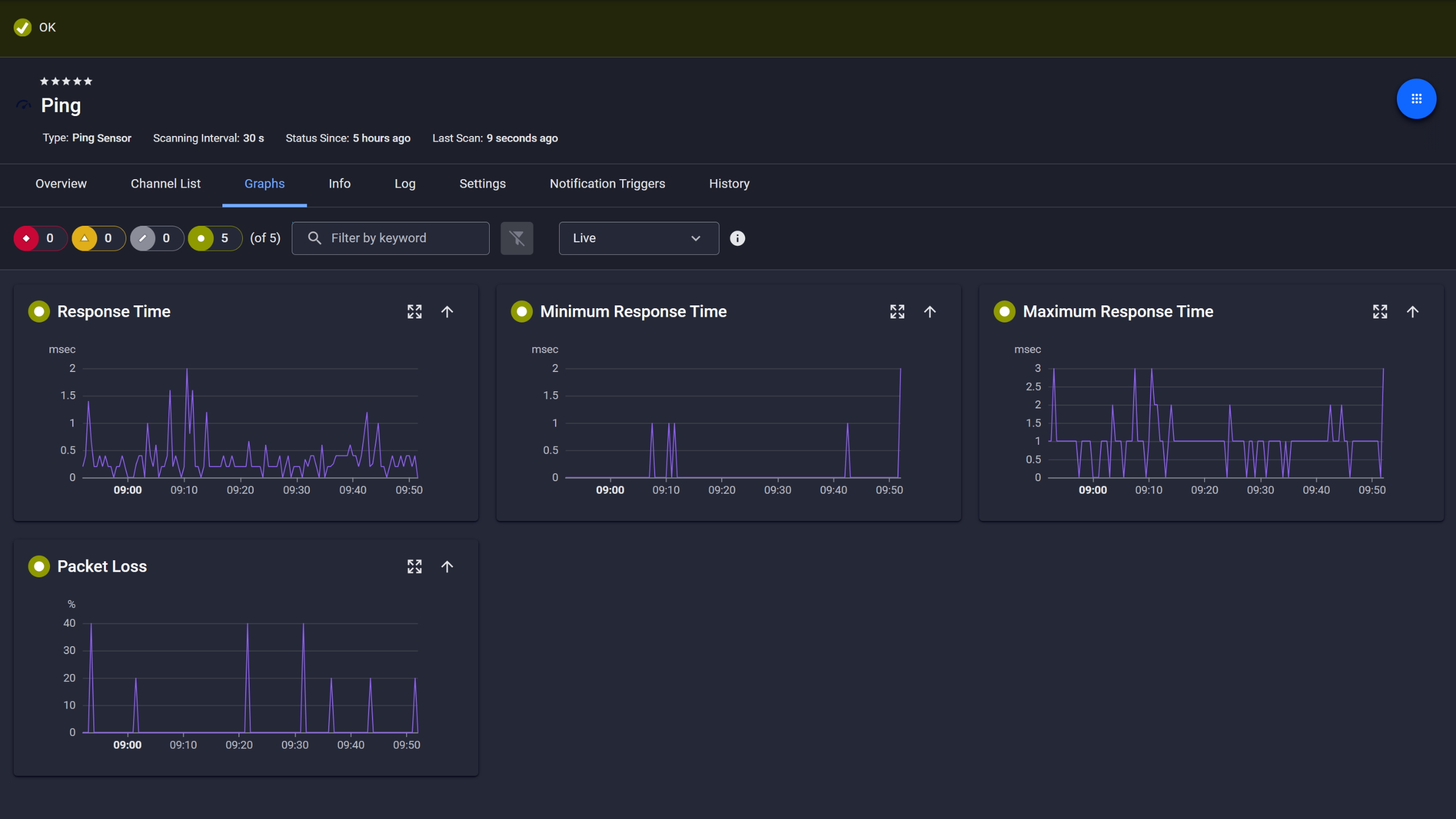
PRTG Ping sensor graphs showing response time, min, max, and packet loss over time

Ping response and packet loss

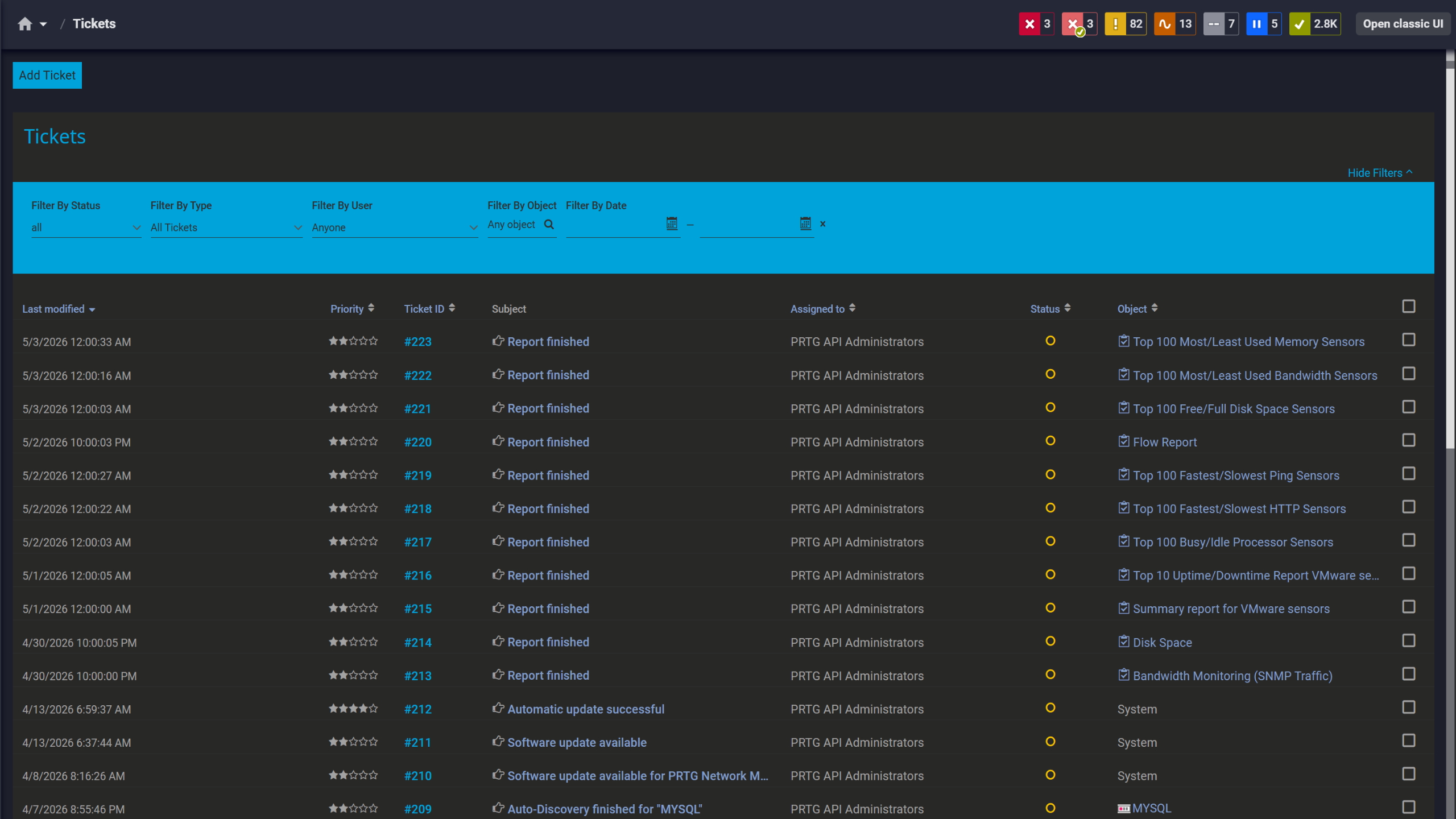
PRTG tickets list showing system notifications, report completions, and update alerts

Tickets keep your team aligned

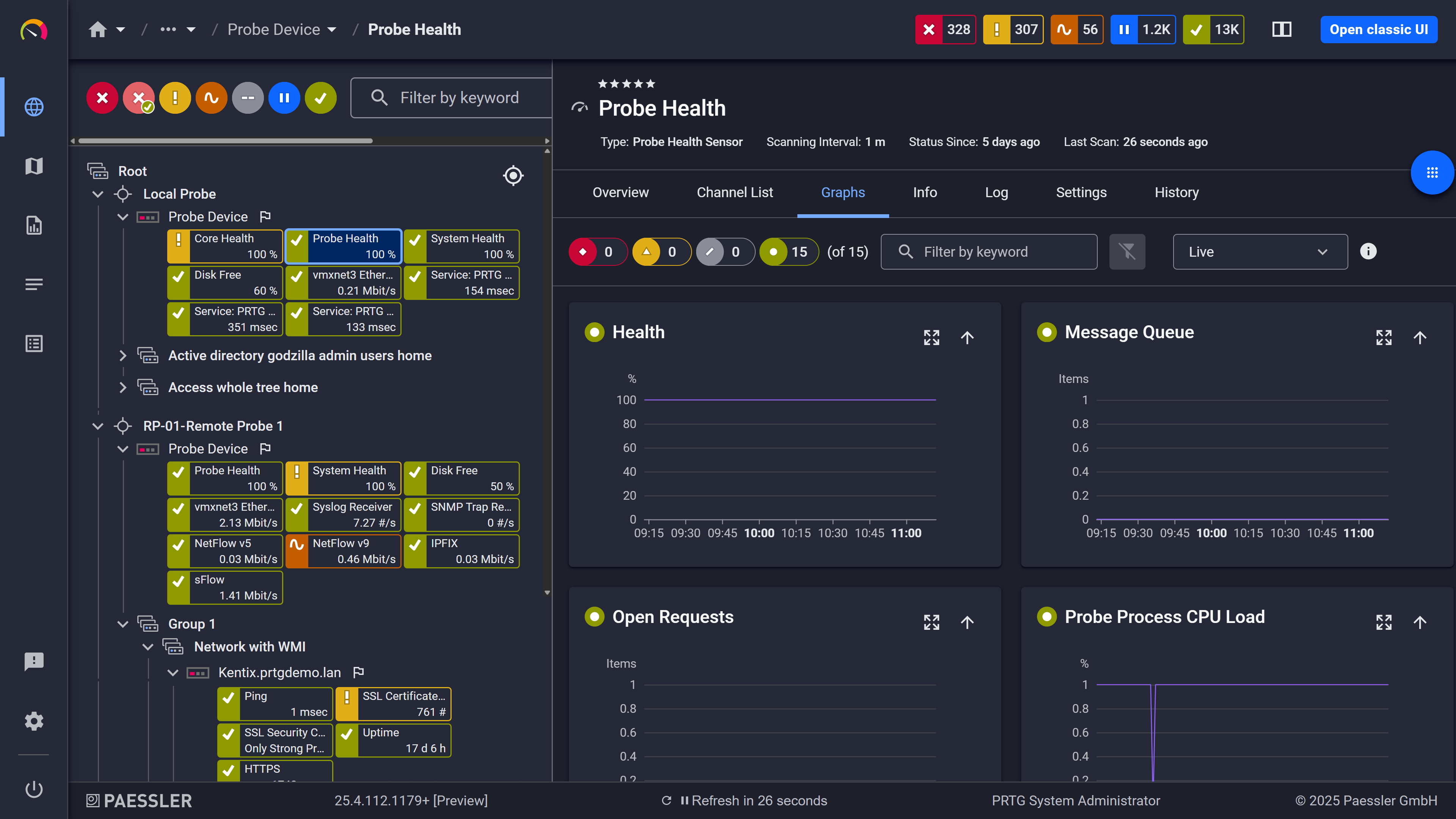
PRTG web interface showing live performance graphs for a Probe Health sensor

Live graphs, real-time performance data

Your Full TLS Footprint in View 

A clean TLS migration means confirming that only the protocol versions you want are still active across every port. Scheduled checks across your environment show you exactly which devices accept SSLv3, TLS 1.0, or TLS 1.1, so you can verify compliance proactively. PRTG runs scheduled protocol checks per device, per port, and shows you exactly which SSL/TLS versions are accepted or denied across your environment. You define what counts as compliant, and PRTG alerts you when something drifts from that policy on the next scheduled check, with no separate security scanner required.  

  • Any configurable TCP/IP port, not limited to 443
  • LDAPS (636), IMAPS (993), SMTPS (465), custom ports like 8443. STARTTLS ports (587, etc.) are not compatible.
  • Internal web servers, APIs, and cloud endpoints covered alongside public-facing services
  • Linux and Windows, on-premises or SaaS via PRTG Hosted Monitor, including Azure

See Why IT Professionals Trust PRTG

Start monitoring your infrastructure in minutes. No professional services, no complex configuration, no risk.

Free download
PRODUCT OVERVIEW

All Your Certificate Status, One Place 

Certificate validity periods are getting shorter. Google is moving toward 90-day maximums for public TLS certificates, and proposals currently in progress would reduce that further to 47 days by 2029. A monitoring setup built around annual renewals doesn't translate directly to that cadence, but adjusting alert thresholds in PRTG is a one-setting change. The actual renewal happens in whatever workflow you already use, whether manual, ACME-based, or a dedicated CLM tool, with no changes to that process required. 
  • Centralized certificate status across all configured endpoints, updated at each polling interval
  • Dashboard with expiry countdowns and alert states
  • Historical data and status records, exportable in XML or CSV for reporting pipelines or audit documentation
  • Dashboards customizable per team or site
  • Fits alongside existing server, network, and application monitoring in PRTG
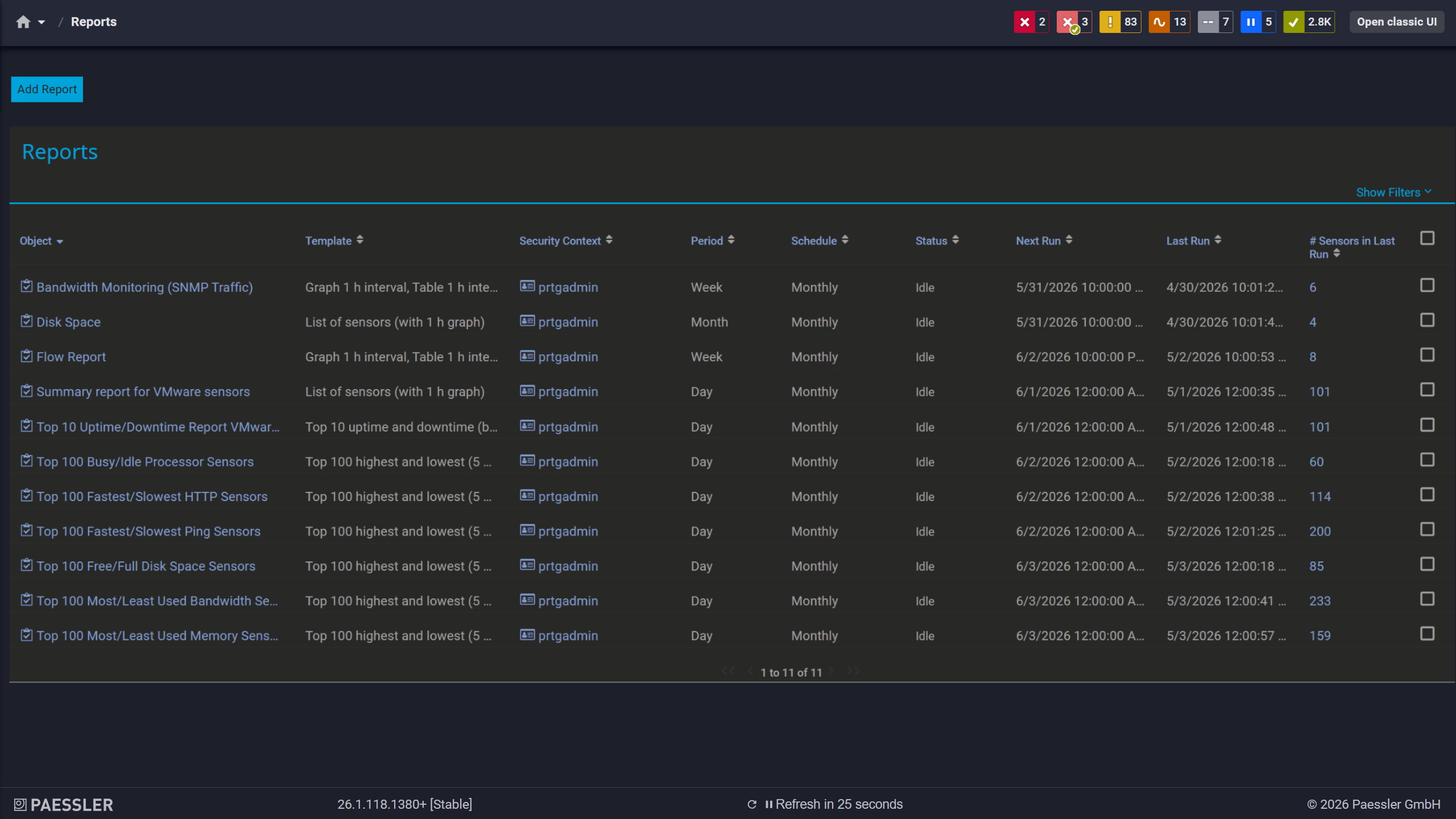
PRTG reports list showing scheduled monitoring reports with run times and sensor counts

Scheduled reports, always on time

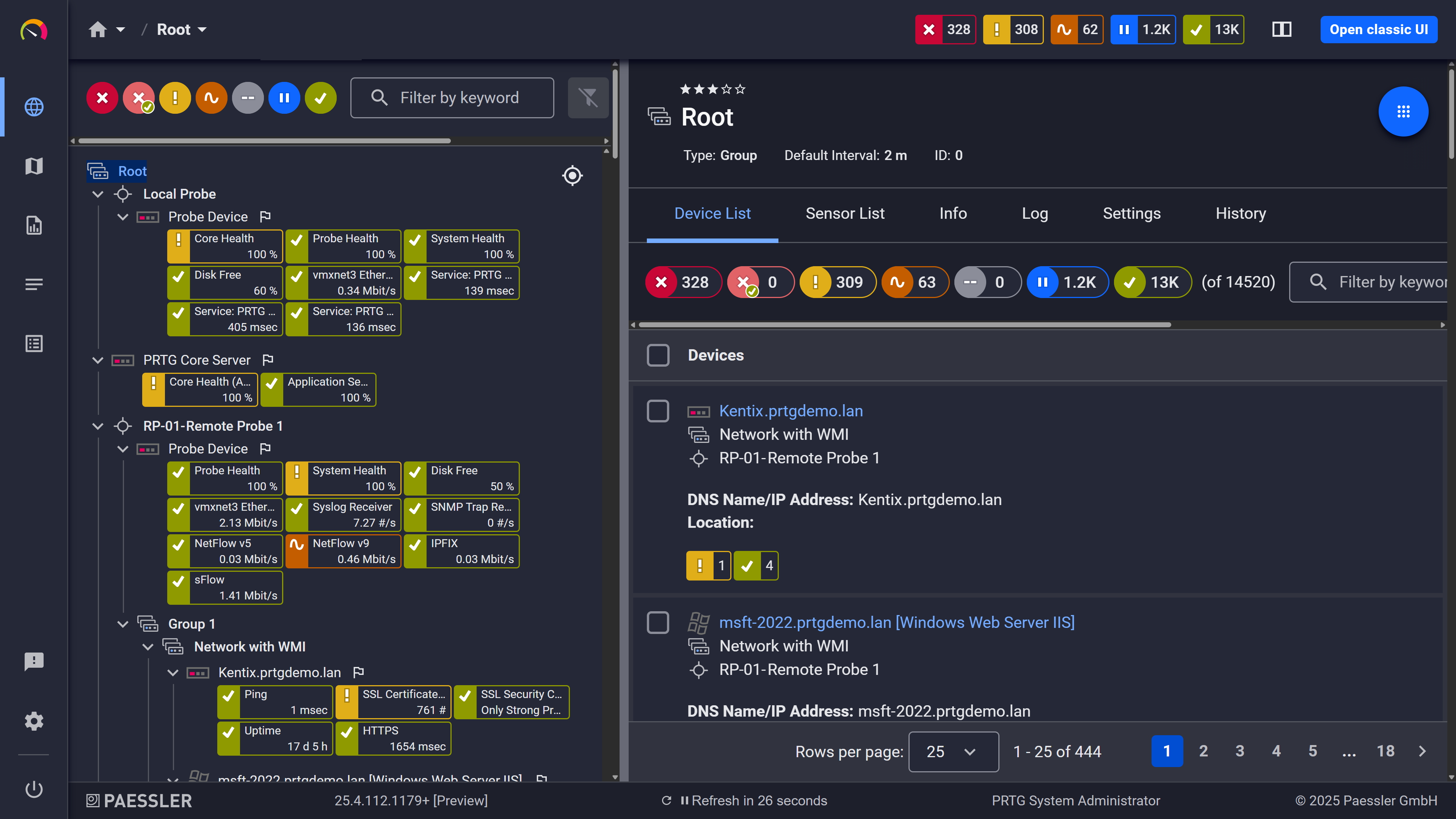
PRTG web interface showing device tree and full device list with sensor status badges

Full device list, instant overview

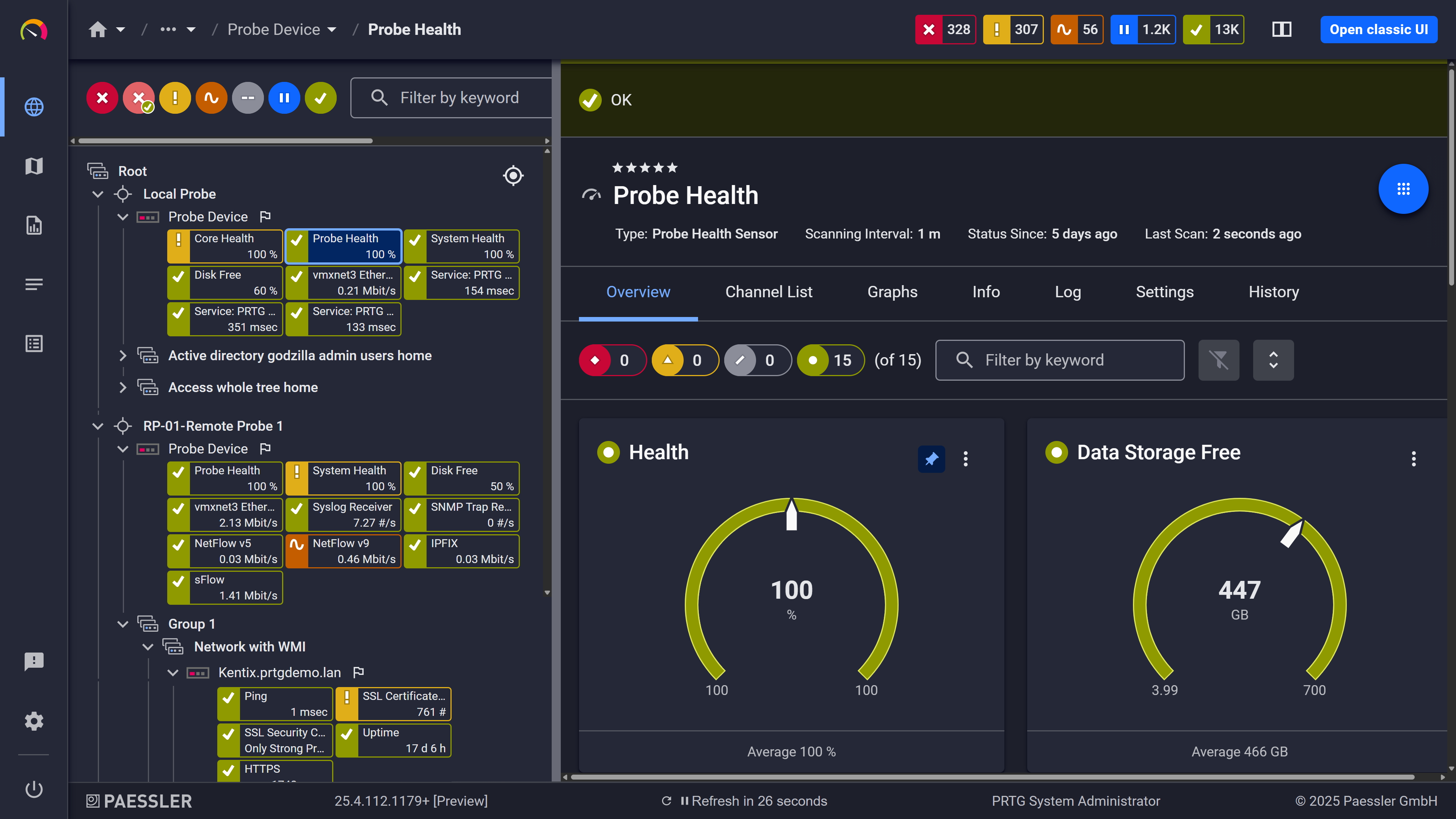
PRTG web interface showing Probe Health sensor with health and storage gauge widgets

Probe health at a glance

How PRTG Monitors SSL/TLS Certificates 

Here's how the technical side works: the sensor types PRTG uses for SSL/TLS certificate monitoring, how they connect to endpoints, what they measure, how alerting is configured, and what reporting covers.

SSL Certificate Sensor

The SSL Certificate sensor opens a TLS connection to the target endpoint, retrieves the certificate, and parses its properties. The sensor message includes the certificate's common name and thumbprint. For servers hosting multiple certificates on a single IP, the Virtual Host (SNI Domain) setting lets you specify which certificate to check. Hourly polling is common for certificate monitoring, frequent enough to catch issues well before they escalate, without unnecessary load. 

When a service uses implicit TLS, where TLS starts at the beginning of the connection, that works fine. When it uses STARTTLS, where the connection starts unencrypted and upgrades, the sensor won't connect. Worth checking your target ports before deploying.

SSL Security Check

The SSL Security Check sensor probes a specified TCP/IP port using multiple SSL/TLS protocol versions and reports which the endpoint accepts. Default expectations: TLS 1.2 and 1.3 must be accepted; SSL 3.0, TLS 1.0, and TLS 1.1 must be denied. Any deviation triggers an alert. 

This is separate from certificate validity monitoring. It tells you which protocol versions an endpoint will negotiate, which is useful for identifying endpoints still accepting deprecated versions. PRTG reports the accepted/denied status per protocol version; remediation is handled outside of PRTG.

BETA Sensors

PRTG includes BETA versions of both sensors: SSL/TLS Certificate and SSL/TLS Security Check. Both are available under PRTG's Beta Sensors: enable this in your PRTG settings before use, and factor that into any production deployment decision. 

The SSL/TLS Security Check BETA adds configurable per-protocol expected results. Instead of fixed pass/fail defaults, you define whether each TLS/SSL version should be accepted or denied for a given endpoint. That's useful if your environment intentionally accepts something the defaults would flag. The SSL/TLS Certificate BETA is an extended version of the stable sensor with a slightly different channel structure. Specific differences beyond the stable version aren't fully documented yet, so evaluate it against your environment before relying on it in production.

Alert Trigger Configuration

Threshold triggers in PRTG let you define separate warning and error states on the "Days to Expiration" channel. The defaults are 90 days (warning) and 30 days (error), both adjustable. You can stack multiple triggers at different thresholds and route each to different contacts or teams, which helps when renewals are split across people or groups. 

Native notification delivery options are email, SMS, and push notifications on Android and iOS. If you want to route alerts to Slack or Microsoft Teams, PRTG's HTTP Action notification type supports incoming webhook URLs. That requires manual setup. It's not a pre-built integration.

Data & Reporting

PRTG logs sensor metrics over time, including historical expiry tracking and status history. Historic sensor data exports in XML or CSV format, which feeds into external reporting pipelines, ticketing systems, or audit documentation. Reports can also be generated directly from PRTG to track certificate posture across a period. Formatting for formal compliance documentation happens outside PRTG.

free downLoad

PRTG SSL Certificate Monitoring vs. Manual Tracking at a Glance

TASK

Without PRTG

Without PRTG

With PRTG

With PRTG

Tracking expiry dates

Without PRTG
not included

Manual calendar reminders, spreadsheets

With PRTG
included

Automated monitoring with configurable threshold alerts (defaults: 90-day warning / 30-day error)

Checking for misconfigurations

Without PRTG
not included

Manual inspection or when something breaks

With PRTG
included

CN/SAN, revocation, key length, self-signed, checked on every polling cycle

Covering internal/non-443 services

Without PRTG
not included

Often not tracked at all

With PRTG
included

Any TCP/IP port (implicit TLS): LDAPS (636), IMAPS (993), SMTPS (465), custom ports

Getting visibility across all certs

Without PRTG
not included

Scattered across admin panels and systems

With PRTG
included

Centralized dashboard, certificate status per endpoint updated at each polling interval

Knowing which TLS versions are accepted

Without PRTG
not included

Manual probe tools, run on demand

With PRTG
included

SSL Security Check sensor, continuous per endpoint

free downLoad

”PRTG helps us monitor critical security systems to give customers the peace of mind that their devices are operational and protecting their valuable assets.”

Rob Jackson, President
Integrated Precision Systems

“When it comes to security, we do of course use classic tools such as firewalls, virus scanners, and intrusion detection systems. However, these are no longer enough today. PRTG provides for additional security by detecting unusual behavior which may be a sign that a hacker has outsmarted our security systems.”

Damir Karacic, IT Administrator
Noris Inklusion

“Monitoring with PRTG is crucial for security. Today’s threats can move low and slow, so in addition to looking at the usual suspects, you also need to keep tabs on other indicators. For example, if a server is running a peak capacity for no apparent reason, you want to know so you can take a look and see what’s up – for example an open connection that is being used to extract data in a ransomware attack.”

Jon Larsen, CIO
Richweb

“The best thing about PRTG is that it provides for simple and effective monitoring, all the while respecting the security requirements of manufacturers. PRTG is so easy to use, that many of our monitoring tasks are now handled by our interns. We will definitely expand our use of the software in the future.”

Karsten Boettger, Head of IT
LAKUMED Clinics

Paessler PRTG Network Monitor licenses & pricing

Choose the PRTG Network Monitor subscription that's best for you.

License NameLicense descriptionPriceLicense DetailsGet startedPricing Details
PRTG 500$200per month paid annuallyBuy nowBuy now

Enough to monitor multiple aspects of 50 devices

PRTG 1000$358per month paid annuallyBuy nowBuy now

Enough to monitor multiple aspects of 100 devices

PRTG 2500$742per month paid annuallyBuy nowBuy now

Enough to monitor multiple aspects of 250 devices

PRTG 5000$1,300per month paid annuallyBuy nowBuy now

Enough to monitor multiple aspects of 500 devices

PRTG 10000$1,642per month paid annuallyBuy nowBuy now

Enough to monitor multiple aspects of 1000 devices

Over 100,000 Customers Worldwide Love Paessler  

customer success stories

SSL Certificate Monitoring: Frequently Asked Questions


What does PRTG's SSL Certificate sensor actually check?

The "Days to Expiration" channel is where most people start, and where you configure warning and error thresholds. PRTG defaults to 90 days (warning) and 30 days (error). You can stack multiple triggers on the same channel if different teams handle renewals at different lead times. 

Beyond expiry, the sensor checks Certificate Name Validation (CN/SAN match against host or SNI), Revocation Status, Signed By, Self-Signed detection, Public Key Length, Public Key Strength, and Downtime. For name validation, SANs are checked first; CN is the fallback if no SAN is present.

How early can I set up expiry alerts in PRTG?

As early as you want. The "Days to Expiration" channel accepts any threshold value you set. PRTG defaults are 90 days (warning) and 30 days (error), but if your renewal workflow needs 120 days of lead time, set it there. Stack multiple triggers to send a first notification at 60 days and escalate to a second contact at 30.

Does PRTG monitor certificates on non-standard ports like LDAPS or SMTPS?

Yes, though there's one constraint to know before you start: the sensor requires an immediate TLS handshake (implicit TLS). Services that use STARTTLS, where the connection starts unencrypted and upgrades, aren't compatible. Port 587 is the typical example of a port that won't work. For everything else: LDAPS on 636, IMAPS on 993, SMTPS on 465, custom ports like 8443. All fine.

Does PRTG renew certificates automatically?

No. PRTG monitors certificates, it doesn't manage or renew them. Renewal stays with your existing process or tooling. What PRTG does is give you enough lead time to act before the SSL certificate expiration date becomes a problem, and make sure nothing slips through unnoticed in the meantime. The monitoring part is covered. Renewal stays with your existing process.

What TLS protocol versions does the SSL Security Check sensor test?

The stable SSL Security Check sensor probes a specified port using SSL 3.0, TLS 1.0, TLS 1.1, TLS 1.2, and TLS 1.3, and reports which versions the endpoint accepts. By default, TLS 1.2 and 1.3 must be accepted and the older versions must be denied. Any deviation triggers an alert. That covers most environments without configuration. 

Still, if your environment intentionally accepts something the defaults would flag, the SSL/TLS Security Check BETA adds configurable expected results per protocol version. You define what "pass" means for each version on a given endpoint. Enabling it requires PRTG's Beta Sensors to be turned on. Go to your PRTG settings and enable Beta Sensors before deploying.

Does PRTG work for SSL certificate monitoring on Linux and Windows servers?

Yes. The sensor connects over the network to a TCP/IP endpoint. No agent needed on the host. Works with services on Linux or Windows, on-premises or cloud-hosted, including Azure.

How does pricing work for SSL certificate monitoring in PRTG?

PRTG is licensed by sensor count. Each SSL Certificate or SSL Security Check sensor uses one sensor from your license. No separate module, no add-on. Certificate monitoring is part of the standard feature set. 

You can try PRTG free for 30 days, no credit card required. Full access to all features, including SSL certificate monitoring.

Paessler PRTG

Paessler PRTG

Network Monitoring Software – Version 26.1.116.1532 (February 9th, 2026)

Hosting icon

Hosting

Download for Windows and cloud-based version PRTG Hosted Monitor available

Languages icon

Languages

English, German, Spanish, French, Portuguese, Dutch, Russian, Japanese, and Simplified Chinese

test

Monitor everything

Network devices, bandwidth, servers, applications, virtual environments, remote systems, IoT, and more

test

Pricing

Choose the PRTG Network Monitor subscription that's best for you

Discover more monitoring insights and stories

Content illustration

Powerful stories from the monitoring world

  • Installing a Trusted SSL Certificate for PRTG Network Monitor
  • The ultimate guide to monitoring your cloud IT and hybrid IT ...
  • Monitoring Certificates and Availability of Devices - Paessler Blog
Support illustration

Resources to master your monitoring challenges

  • PRTG Manual: SSL Certificate Sensor - Paessler
  • Monitoring SSL certificates with PRTG
  • PRTG Manual: HTTP SSL Certificate Expiry Sensor - Paessler
Solution illustration

Solutions for all your monitoring needs

  • Reliable SSL Certificate Monitoring - PRTG - Paessler
  • BYOD Monitoring
  • Anomaly Detection Monitoring
PRTG Logo

Start Monitoring with PRTG and see how it can make your network more reliable and your job easier.

Free download
PRODUCT OVERVIEW

Products

  • Paessler PRTG
    Paessler PRTGMonitor your whole IT infrastructure
    • PRTG Network Monitor
    • PRTG Enterprise Monitor
    • PRTG Hosted Monitor
    • PRTG UVexplorer
    • PRTG extensions
      Extensions for Paessler PRTGExtend your monitoring to a new level
  • Icon Features
    FeaturesExplore all monitoring features

Monitoring with PRTG

  • Network monitoring
  • Bandwidth monitoring
  • SNMP monitoring
  • Network mapping
  • Wi-Fi monitoring
  • Server monitoring
  • Network traffic analyzer
  • NetFlow monitoring
  • Syslog server

Useful Links

  • PRTG Manual
  • Knowledge Base
  • Customer Success Stories
  • About Paessler
  • Subscribe to newsletter
  • PRTG Support
  • PRTG Consulting
  • PRTG Feedback & Roadmap

Contact

Paessler GmbH
Thurn-und-Taxis-Str. 14, 
90411 Nuremberg 
Germany

[email protected]

+49 911 93775-0

  • Contact us
©2026 Paessler GmbHTerms & ConditionsPrivacy PolicyImprintReport VulnerabilityDownload & InstallSitemap
How to buy How to buy How to buy