• Company
    • About Us
    • Case Studies
    • Press Center
    • Careers
    • Blog
    • Contact us
  • Contact us
  • Login
 
  • English
    • Deutsch
    • Español
    • Français
    • Italiano
    • Português
Paessler
                    - The Monitoring Experts
  • Products
    • Paessler PRTG
      Paessler PRTGMonitor your whole IT infrastructure
      • PRTG Network Monitor
      • PRTG Enterprise Monitor
      • PRTG Hosted Monitor
      • PRTG UVexplorer
      • PRTG extensionsExtensions for Paessler PRTGExtend your monitoring to a new level
    • Icon Features
      FeaturesExplore all monitoring features
      • Maps & dashboards
      • Alerts & notifications
      • Multiple user interfaces
      • Distributed monitoring
      • Customizable reporting
  • Solutions
    • By TeamFor your organization size
      • Small Business IT
      • Mid-Market IT
      • Enterprise IT
      • MSP Network Monitoring
    • Industries
      By IndustryFor your business sector
      • Industrial
      • Healthcare
      • Government
      • Education
      • Data Center
      • Finance
    • IT Topics
      By Use CaseFor every technical scenario
      • Network Monitoring
      • Server Monitoring
      • OT Monitoring
      • Distributed Monitoring
      • Network Topology Mapping
      • SNMP Monitoring
      • Bandwidth Monitoring
  • Pricing
  • Resources
    • Getting Started
      Getting StartedModules for self-paced learning
    • How-to Guides
      How-to GuidesGet the most out of PRTG
    • Videos & Webinars
      Videos & WebinarsLearn from Paessler experts
    • IT  Knowledge
      IT KnowledgeExpand your IT knowledge
    • PRTG Manual
      PRTG ManualFull documentation
    • Knowledge Base
      Knowledge BaseShare community knowledge
    • PRTG Sensor Hub
      PRTG Sensor HubGet sensors, scripts & templates
    • Trainings
      PRTG TrainingLearn how to work with PRTG
  • Partners
    • Icon Handshake
      Become a PartnerFor resellers and channel partners
    • Icon MSP
      Become an MSPDeliver monitoring as a managed service
    • icon partner
      Partner PortalLog in to your partner account
    • Deal Registration
      Deal RegistrationRegister your sales opportunities
    • icon search
      Find a PartnerFind partners selling Paessler products
    • icon technology
      Technology AlliancesSee Paessler technology partnerships
    • Partner HubTools for Your Success
  • Company
    • About Us
    • Case Studies
    • Press Center
    • Careers
    • Blog
    • Contact us
  • Contact us
  • Login
  • English
    • Deutsch
    • Español
    • Français
    • Italiano
    • Português
  • Get a quote
  • Free trial
  1. Home>
  2. Company>
  3. Case Studies>
  4. Truma

No more Monday morning surprises: how Truma monitors production, SAP, and IT with PRTG and Derdack

Challenge: No automated alerting for critical failures; on-call gaps left outages undiscovered

download PDF
Logo Company Truma

COMPANY
Truma

INDUSTRY
Manufacturing

COMPANY SIZE
Midsized Company

COUNTRY
Germany

SCALE
Global sites, production lines, IT and OT infrastructure

Icon Unified

IT, production, building technology, and SAP monitored from one PRTG platform

Icon Probe

Remote probes cover global sites in the US, UK, and Italy under a single license

Icon Alarm

Derdack Enterprise Alert ensures automatic escalation with no manual intervention

The problem

One weekend, the air conditioning system in Truma's server room failed. By Monday morning, temperatures had climbed to 80 °C. No one knew until staff arrived and found the room on the edge of a hardware disaster.

Truma manufactures heating, air conditioning, and energy systems for recreational vehicles, with over 600 employees and sites across Germany, the US, the UK, and Italy. Production, business processes, and IT all depend on SAP.

The team needed a solution covering IT, production, building technology, and SAP, with automated alerting that reached the right person even on weekends.

What changed with PRTG

PRTG became the central monitoring platform across all Truma sites. Remote probes poll locations in Italy, the UK, and the USA, sending TLS-encrypted data to the central installation. One license covers all probes.

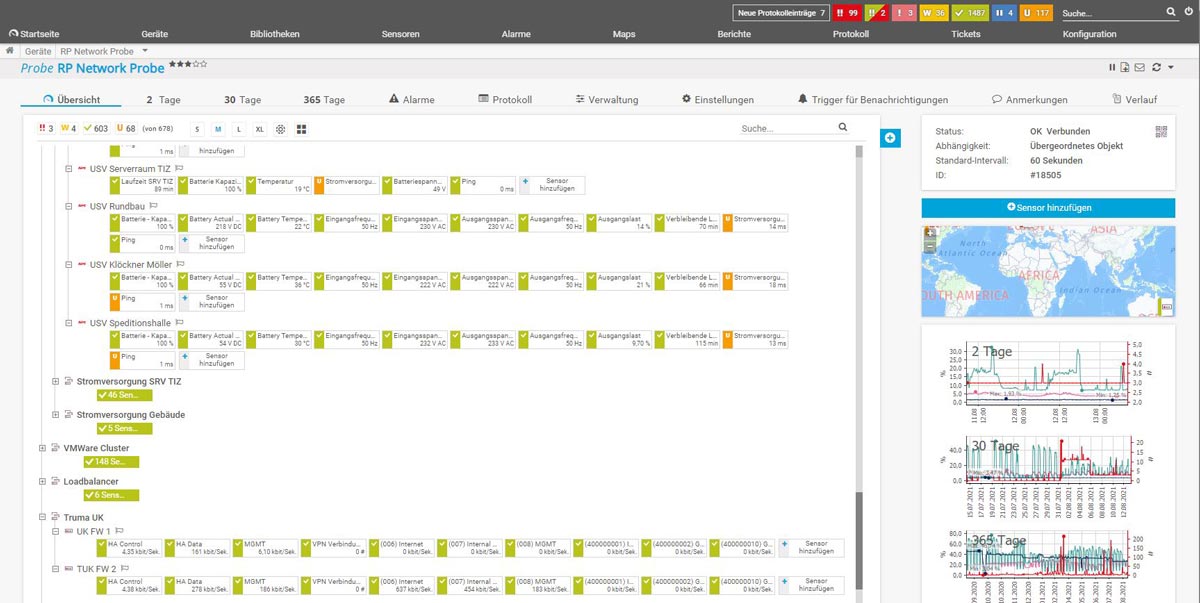
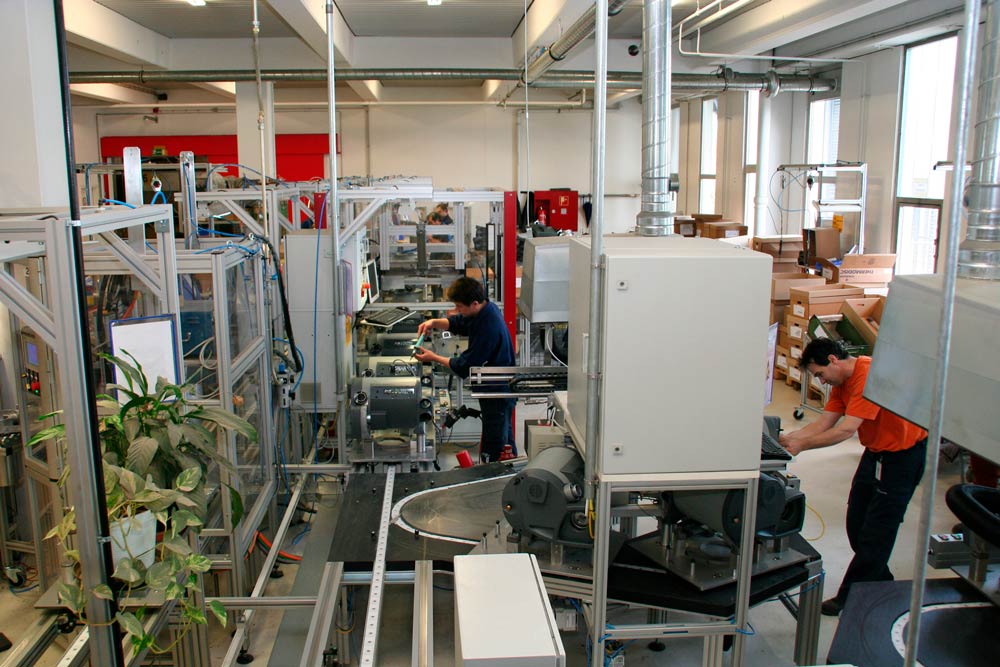
IT monitoring covers WAN links, DNS hijacking checks, UPS systems, and power supplies. Production uses a dedicated probe to track machines, IPCs, and network availability. SAP monitoring runs through Scansor, surfacing system and database parameters directly in PRTG.

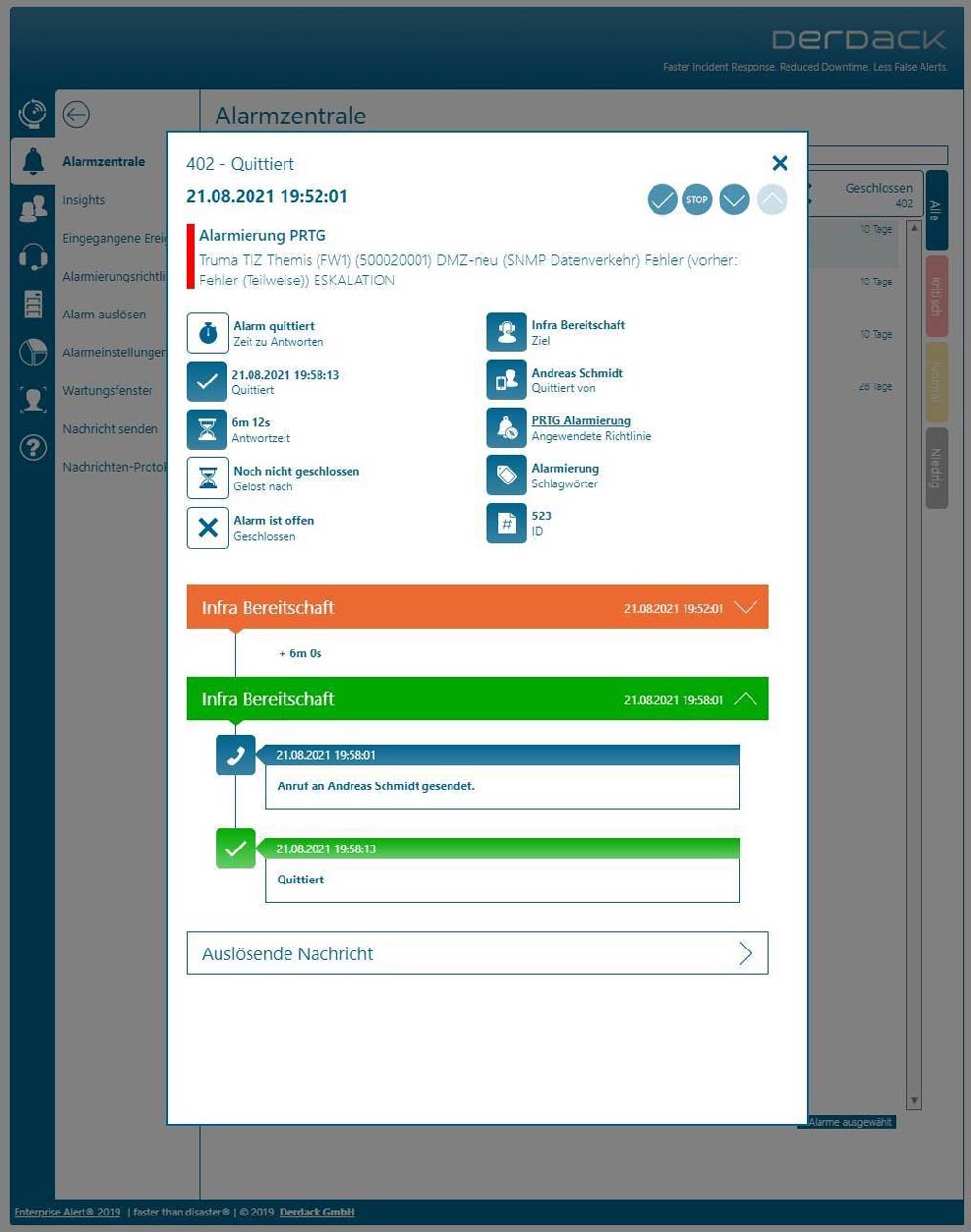
Derdack Enterprise Alert manages escalations. When a threshold is crossed, it routes the alert by phone, SMS, email, or app to the on-call engineer. No response triggers automatic escalation up the chain.

Since we started using PRTG and Derdack, the company has enjoyed real peace of mind. We know that if a problem occurs, we’ll be notified at once. Above all, we no longer dread Monday mornings. Gone are the days of unpleasant surprises and having to painstakingly go over each and every detail to make sure nothing happened over the weekend. With PRTG, we can see the current status of all systems at a glance and can identify correlations and causes for any problems much more easily.

Andreas Schmidt, Senior Systems Engineer
Truma
PRTG Logo

PRTG and Derdack give manufacturing teams the monitoring depth and alert reliability to protect production and IT around the clock.

CONTACT SALES
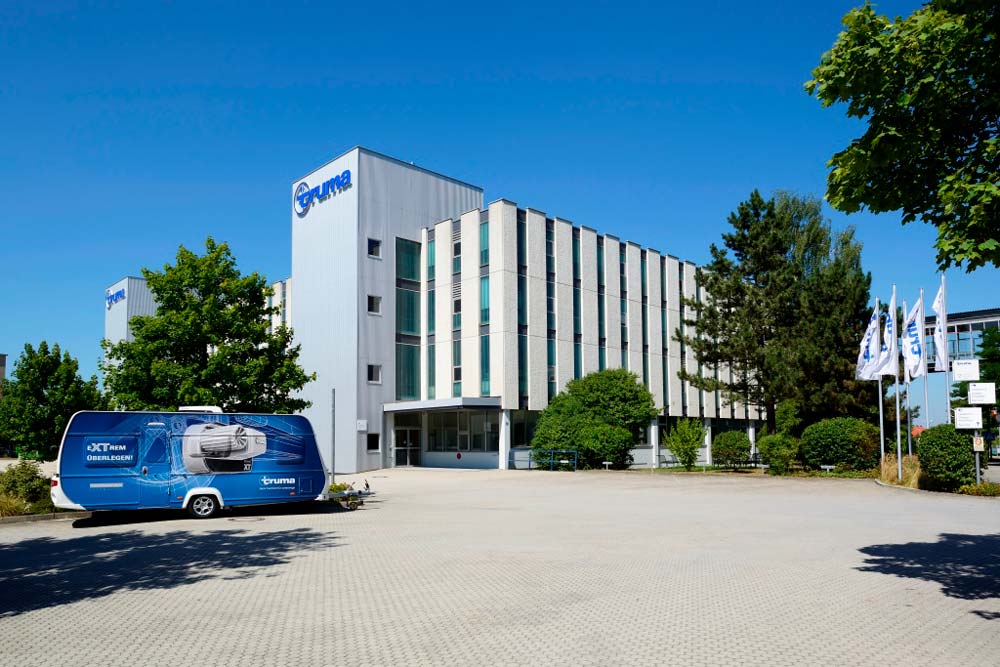
Truma's headquarters in Putzbrunn
Monitoring power supplies with PRTG at Truma
Truma's modern production facilities are also monitored with PRTG
Paessler PRTG and Derdack Enterprise Alerts working together

Discover more monitoring insights and stories

Solution illustration

Solutions for all your monitoring needs

  • OT Cybersecurity Strategy Monitoring
  • NetFlow Traffic Analyzer
  • OPC UA Monitoring
Content illustration

Powerful stories from the monitoring world

  • Customer success stories - Paessler
  • How Truma uses PRTG to monitor their factory floor - Paessler Blog
  • Foxtons benefits from clearer visibility and a deeper insight into its ...
Support illustration

Resources to master your monitoring challenges

  • How can I use the PRTG Application Programming Interface (API)?
  • Understanding Basic Concepts
  • How can I speed up PRTG—especially for large installations?
Explore All Case Studies

Products

  • Paessler PRTG
    Paessler PRTGMonitor your whole IT infrastructure
    • PRTG Network Monitor
    • PRTG Enterprise Monitor
    • PRTG Hosted Monitor
    • PRTG UVexplorer
    • PRTG extensions
      Extensions for Paessler PRTGExtend your monitoring to a new level
  • Icon Features
    FeaturesExplore all monitoring features

Monitoring with PRTG

  • Network monitoring
  • Bandwidth monitoring
  • SNMP monitoring
  • Network mapping
  • Wi-Fi monitoring
  • Server monitoring
  • Network traffic analyzer
  • NetFlow monitoring
  • Syslog server

Useful Links

  • PRTG Manual
  • Knowledge Base
  • Customer Success Stories
  • About Paessler
  • Subscribe to newsletter
  • PRTG Support
  • PRTG Consulting
  • PRTG Feedback & Roadmap

Contact

Paessler GmbH
Thurn-und-Taxis-Str. 14, 
90411 Nuremberg 
Germany

[email protected]

+49 911 93775-0

  • Contact us
©2026 Paessler GmbHTerms & ConditionsPrivacy PolicyImprintReport VulnerabilityDownload & InstallSitemap
Cisco Router Monitoring Cisco Router Monitoring Cisco Router Monitoring