
- English
- Deutsch
- Español
- Français
- Italiano
- Português
Agentless monitoring collects performance data from devices without installing software on them. It works through native protocols already running in your environment: SNMP for network devices, WMI for Windows servers, SSH for Linux systems, and Flow protocols for traffic analysis. Most infrastructure already supports these protocols out of the box, which is what makes the approach practical at scale.
Paessler PRTG builds on this foundation with 250+ preconfigured sensors and auto-discovery that identifies devices and creates appropriate sensors automatically. Remote probes extend coverage to distributed infrastructure without opening per-device firewall rules. In practice, you're looking at live data within minutes rather than planning a multi-week rollout across your environment.
PRTG monitors via: SNMP (v1, v2c, v3), WMI, SSH/CLI, NetFlow/sFlow/jFlow/IPFIX, HTTP/HTTPS APIs, IPMI/Redfish, Modbus, MQTT, OPC UA, POP3/IMAP/SMTP, and more.

Routers, switches, firewalls, none of them run monitoring agents. Industrial equipment, PLCs, SCADA systems, IoT sensors, either lacks an operating system entirely or prohibits third-party software installation for warranty and security reasons. Agent-based monitoring tools simply can't reach this layer. PRTG uses native protocols including SNMP, Modbus, and MQTT to monitor these devices without modification or access to an OS, which in practice covers the parts of your infrastructure that tend to go unmonitored longest.
Having to install agents on hundreds of servers isn't just time-consuming. It's a project: deploying software, configuring credentials, testing connectivity, coordinating with application owners, managing updates afterward. Lean IT teams don't have weeks to spend on monitoring setup, especially when something needs watching now. PRTG auto-discovery finds devices and creates sensors from preconfigured templates automatically. Enter credentials once at the group level and monitoring starts across your entire IT infrastructure without per-device configuration.

Full device list, instant overview
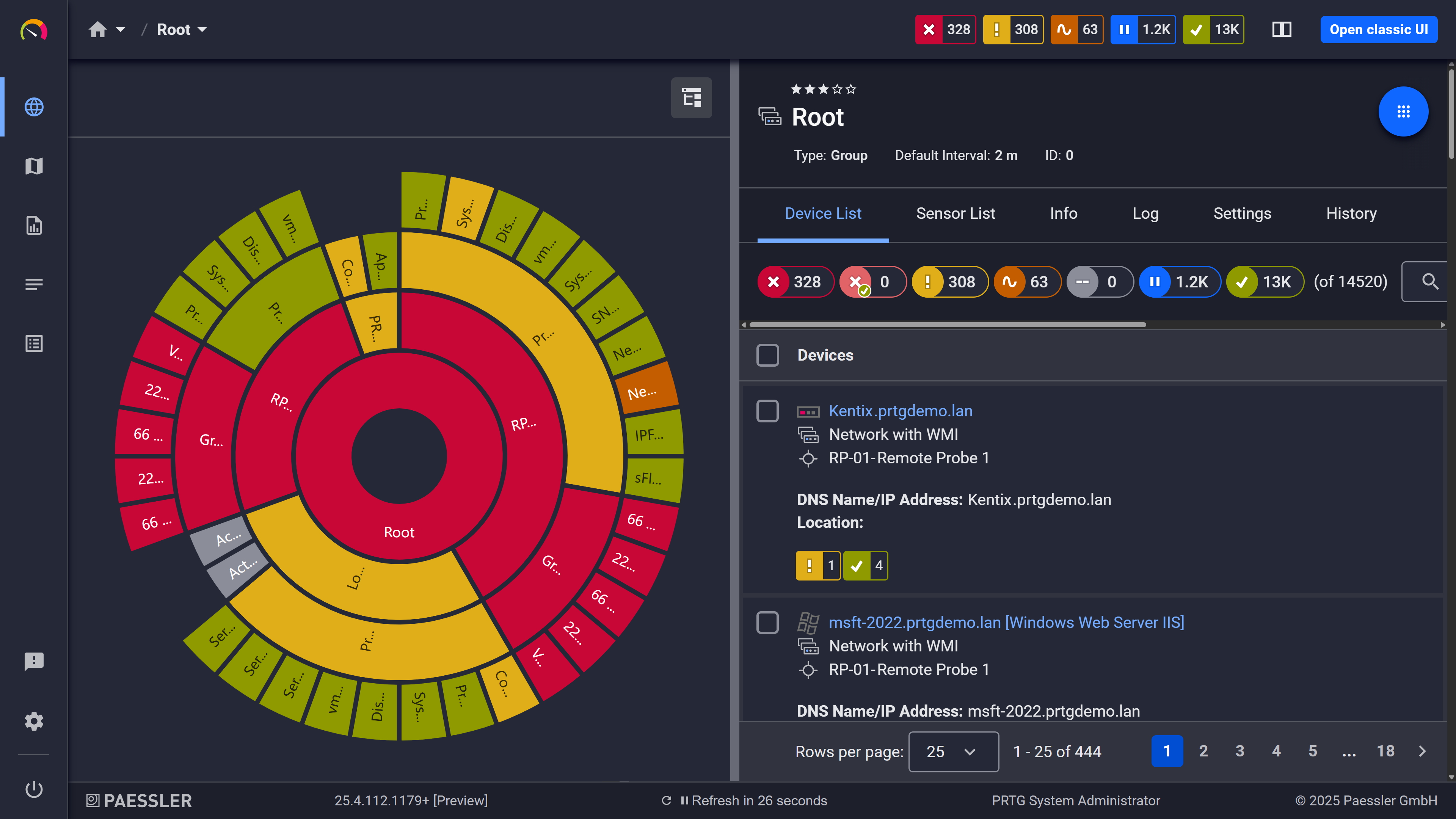
Your entire network, visualized instantly
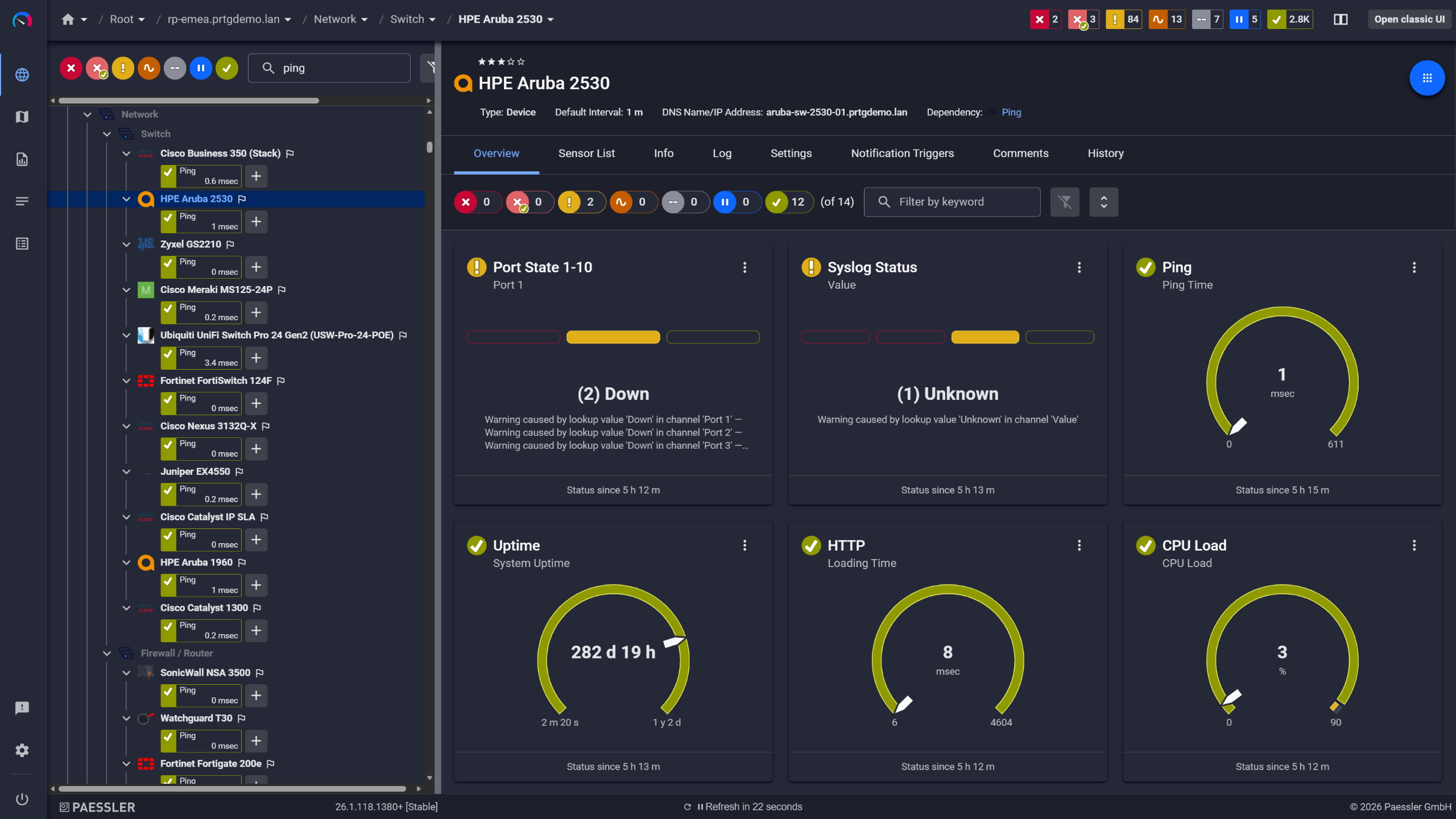
Network switches monitored across vendors
Production databases, payment processing servers, and real-time OT controllers run with tight performance margins. Even modest CPU or memory overhead from a monitoring agent shows up in environments like these, and running multiple software agents simultaneously impacts performance. PRTG places all processing load on the PRTG server or remote probes, not on the monitored devices. SNMP, Flow, and Ping sensors are lightweight by design. Flow monitoring specifically uses data your routers and switches already generate, so there's no additional overhead on the device side at all.
Start monitoring your infrastructure in minutes. No professional services, no complex configuration, no risk.
Multi-site infrastructure with network segmentation creates a specific problem: local data collection is necessary but opening dozens of firewall ports per monitored device isn't practical. Plus managing agent updates across WAN links and coordinating with distributed teams adds overhead that compounds over time. PRTG remote probes sit at each site, monitor locally using agentless protocols, and send aggregated monitoring data to your central PRTG server over a single TLS-encrypted connection. One connection per site, not one per device.
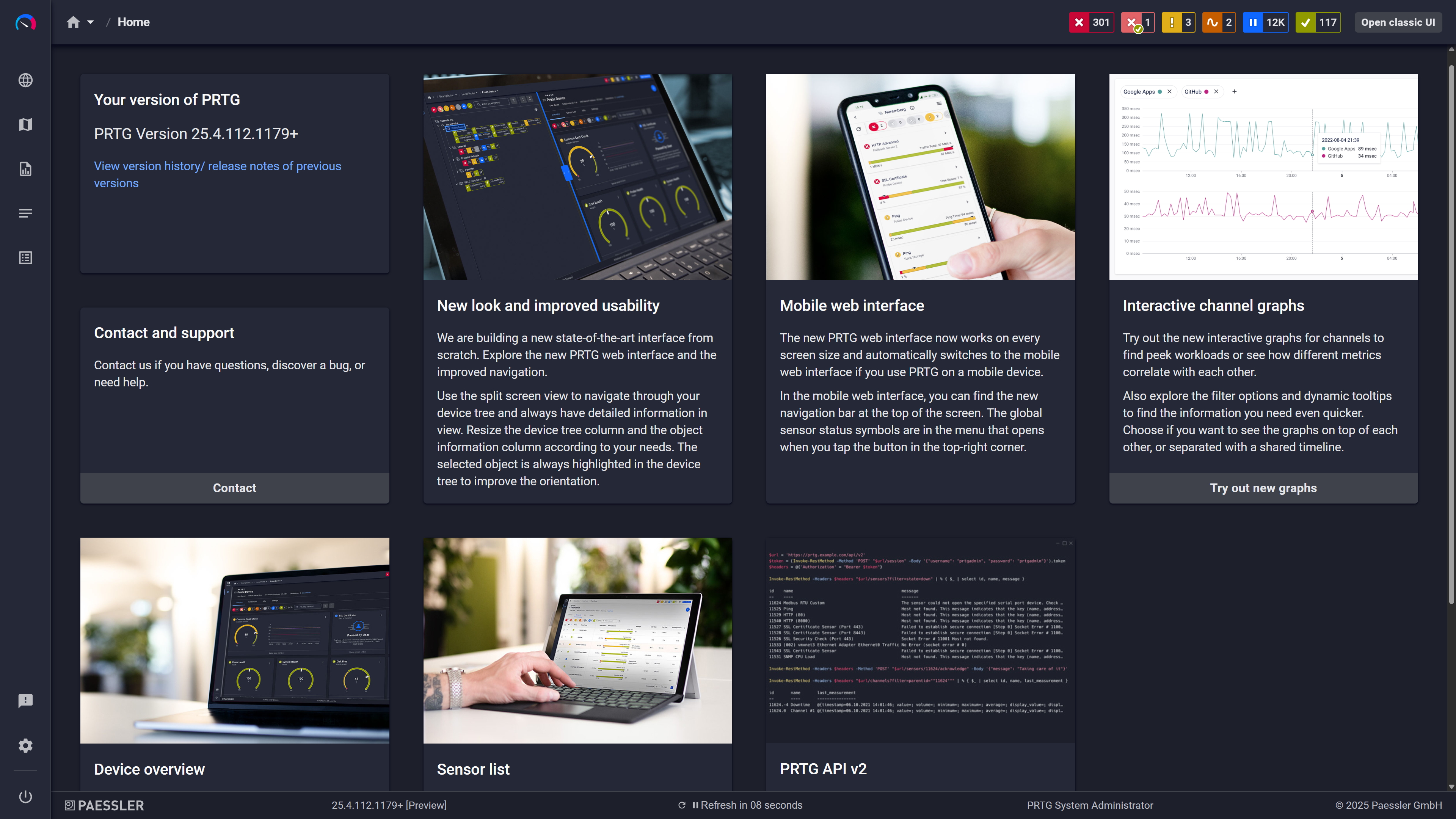
Modern interface, everything within reach
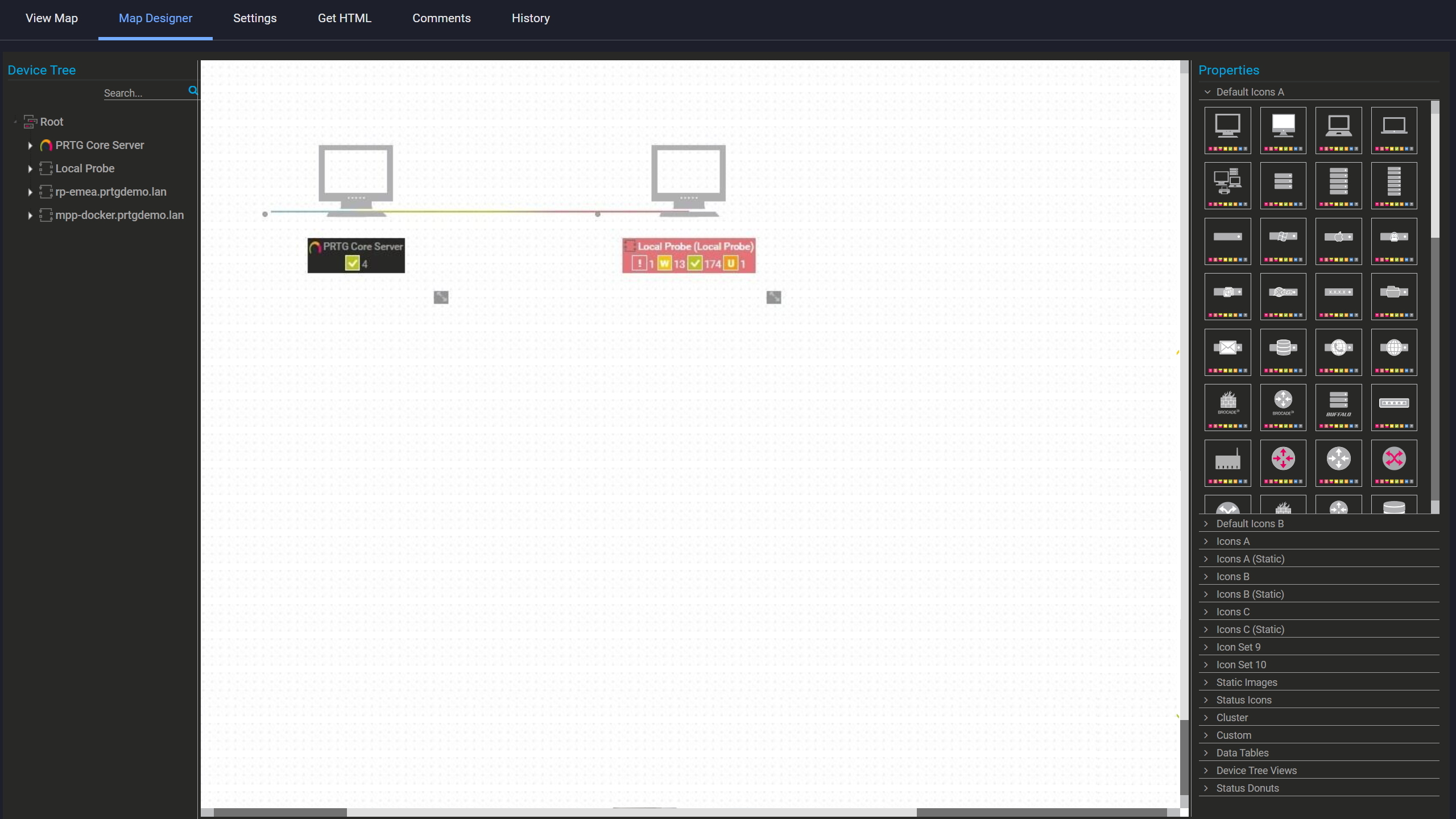
Build your own network map

Scheduled reports, always on time
Troubleshooting an active incident can't wait for change control approvals and agent deployment windows. Neither can capacity responses or evaluating new infrastructure. This agentless monitoring solution removes that dependency entirely. No software installation on production systems means no change requests, no approval delays, no service restarts required. Point PRTG at the device, enter credentials, and data collection starts within minutes. For urgent situations that's the relevant difference between agent-based approaches and agentless monitoring tools.
PRTG's agentless monitoring uses native protocols and APIs already available in your infrastructure. Here's an overview of how PRTG's monitoring capabilities work without installing software on monitored devices.
Capability | Manual / Ad-Hoc Monitoring Manual / Ad-Hoc Monitoring | PRTG Agentless Monitoring PRTG Agentless Monitoring |
|---|---|---|
Setup Time | Manual / Ad-Hoc Monitoring Hours per device: manual CLI or GUI checks | PRTG Agentless Monitoring Minutes for entire network: auto-discovery creates sensors automatically |
Ongoing Management | Manual / Ad-Hoc Monitoring Repetitive manual checks, no alerting | PRTG Agentless Monitoring Continuous automated polling with configurable alerting |
Performance Impact | Manual / Ad-Hoc Monitoring Varies (heavy if using manual scripts repeatedly) | PRTG Agentless Monitoring Very low (SNMP, Flow, Ping) to minimal (WMI, SSH) |
Historical Data | Manual / Ad-Hoc Monitoring Must manually log and store | PRTG Agentless Monitoring Automatic data retention with configurable intervals |
Multi-Site Visibility | Manual / Ad-Hoc Monitoring Separate checks per location | PRTG Agentless Monitoring Centralized dashboards for all remote probes |
Choose the PRTG Network Monitor subscription that's best for you.
| License Name | License description | Price | License Details | Get started | Pricing Details | |
|---|---|---|---|---|---|---|
| PRTG 500 | $200 | per month paid annually | Buy nowBuy now | Enough to monitor multiple aspects of 50 devices | ||
| PRTG 1000 | $358 | per month paid annually | Buy nowBuy now | Enough to monitor multiple aspects of 100 devices | ||
| PRTG 2500 | $742 | per month paid annually | Buy nowBuy now | Enough to monitor multiple aspects of 250 devices | ||
| PRTG 5000 | $1,300 | per month paid annually | Buy nowBuy now | Enough to monitor multiple aspects of 500 devices | ||
| PRTG 10000 | $1,642 | per month paid annually | Buy nowBuy now | Enough to monitor multiple aspects of 1000 devices |

The core difference is where the work happens. Agentless monitoring uses native protocols already present on your devices: SNMP, WMI, SSH, Flow. Nothing gets installed. Agent-based monitoring puts a software process on each device that collects and transmits data back to the monitoring server. PRTG uses agentless methods by default. That removes deployment overhead, and it also means network devices that simply can't run agents are still covered rather than left as blind spots. Performance impact on monitored systems stays minimal. For Windows servers where both approaches are technically possible, you choose based on what your environment actually needs.
That's specifically what remote probes are for. Each probe installs at a location behind the firewall, monitors local devices using agentless protocols, and sends aggregated data back to the central PRTG server over a single outbound TLS-encrypted connection. One connection per site, not one per device. The architecture handles branch offices, DMZs, and partner networks the same way. Segmented environments with strict firewall policies are the exact scenario remote probes were built for.
Yes, though the protocol sets are different. On the IT side PRTG uses SNMP, WMI, SSH, NetFlow, and HTTP. OT environments get covered through Modbus, MQTT, and OPC UA. Both run from the same PRTG instance, so you're not maintaining separate monitoring systems for the server room and the factory floor. Worth noting that OT device behavior can differ from IT expectations around polling intervals and response times, so sensor configuration sometimes needs adjusting for industrial environments specifically.
Depends on the protocol. SNMP v1 and v2c use community strings. V3 needs user credentials with authentication and privacy settings configured on both sides. WMI requires Windows credentials with WMI access, typically a domain or local admin account. SSH uses Linux or Unix credentials, key-based authentication included. Cloud services and APIs take API keys. You set credentials at device or group level and PRTG inherits them downward, so you're not entering them per device. No software gets installed regardless of which protocol you're using.
Several layers. SNMPv3 adds encryption and authentication on top of the standard protocol. SSH supports key-based authentication rather than passwords. API queries go over HTTPS, probe-to-server communication uses TLS, and credentials sit encrypted in the PRTG database. For environments where agentless access to certain zones is restricted entirely, remote probes can live inside those zones and transmit only aggregated metrics outbound through the encrypted connection. Not raw device data. That distinction matters specifically in environments with strict data handling requirements, where what leaves a zone is as important as how it leaves.
Network Monitoring Software – Version 26.1.116.1532 (February 9th, 2026)
Download for Windows and cloud-based version PRTG Hosted Monitor available
English, German, Spanish, French, Portuguese, Dutch, Russian, Japanese, and Simplified Chinese
Network devices, bandwidth, servers, applications, virtual environments, remote systems, IoT, and more
Choose the PRTG Network Monitor subscription that's best for you



