
- English
- Deutsch
- Español
- Français
- Italiano
- Português
Effective bandwidth control starts with seeing traffic at the interface, IP, and protocol level, across every device and location on your network. That means knowing what's using it, where, and what amount of bandwidth it's consuming, not just that something is gone.
Paessler PRTG gives you that visibility. Using SNMP, flow protocols, and packet analysis it monitors bandwidth usage across your entire infrastructure, from WAN edge routers and SD-WAN devices to firewalls, VPN concentrators, wireless access points, and Windows servers.
Works with: Cisco · Juniper · Fortinet · HP/Aruba · Meraki · SD-WAN devices · VPN concentrators · Wireless access points · WAN edge routers · Windows servers

Per-IP and per-port visibility turns bandwidth troubleshooting from a guessing exercise into a data exercise. With flow monitoring (NetFlow, IPFIX, or sFlow), PRTG surfaces Top Talkers, Top Connections, and Top Protocols in near real-time. Instead of digging through logs, you look at the data and see which IP or port combination is the major contributor to your bandwidth usage.
PRTG monitors each WAN interface via SNMP, tracking in/out traffic, errors, and discards, and sends an alert when utilization crosses a threshold you set. Set it at 80% and you have room to act before the link hits capacity. This works for any uplink type: MPLS, broadband internet access, SD-WAN, or VPN. Each is a separate monitored channel with full history behind it, so both the alert and the context for what happened before it are ready when you need them.

Live graphs, real-time performance data
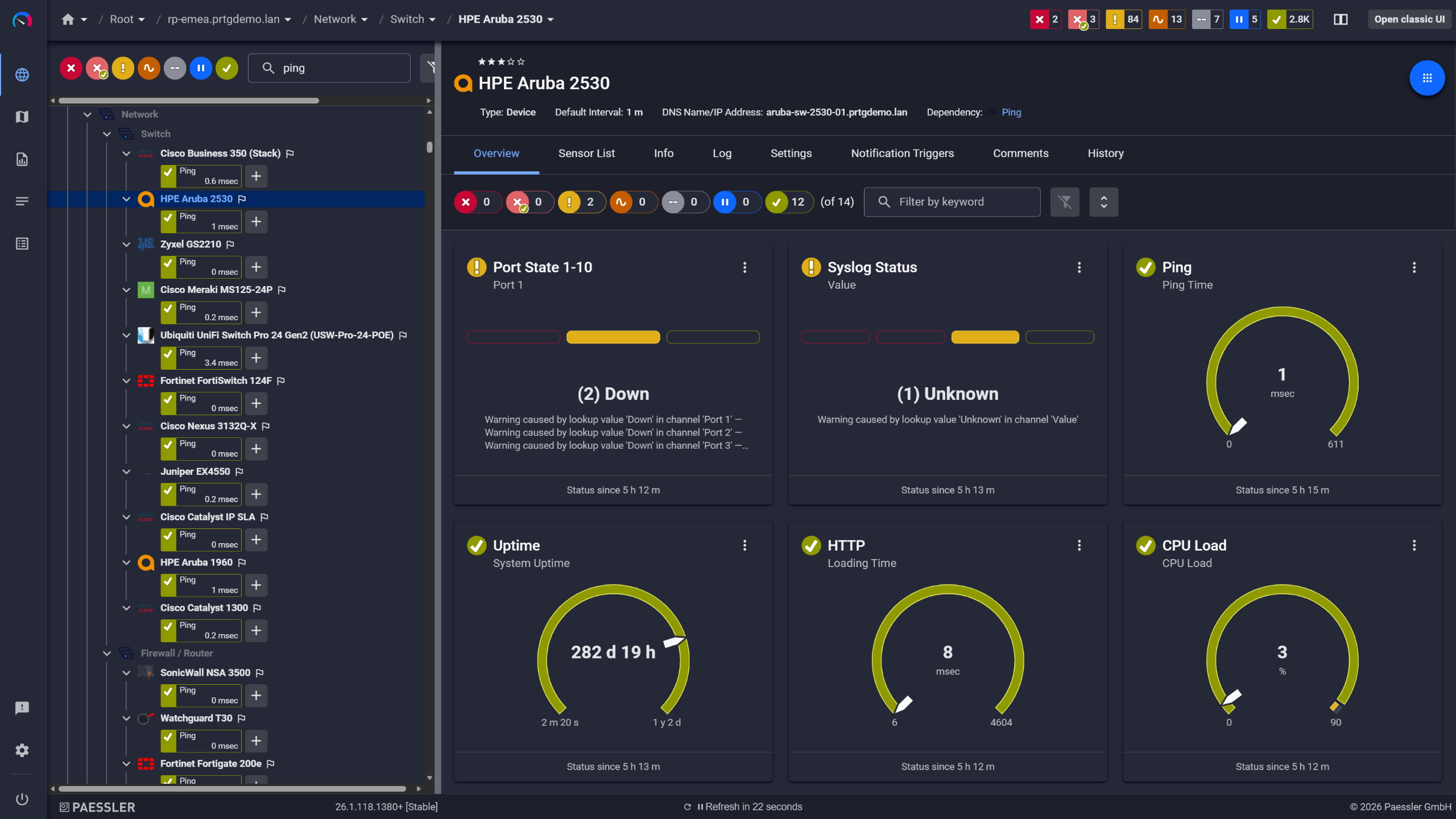
Network switches monitored across vendors

Scheduled reports, always on time
A centralized view across all sites means bandwidth issues anywhere in your network surface in one place. PRTG remote probes run locally at each site and report back to a central server. Same threshold logic, same alert configuration, same reporting, regardless of how many locations you're managing or which ISP they're on. You see which internet connection has a problem before the local team does.
Start monitoring your infrastructure in minutes. No professional services, no complex configuration, no risk.
Historical bandwidth data makes transient events diagnosable after the fact. A backup job that finished, a deployment that completed, traffic that dropped back to normal: PRTG's historical bandwidth graphs show when a spike occurred and how large it was. The protocol and traffic type breakdown for that time window shows what was elevated and whether it was competing with business-critical applications. You cross-reference that with your own backup schedule or deployment log and you have the context to make a call: reschedule the job, or use the data to make the case for a bigger link.

Full device list, instant overview
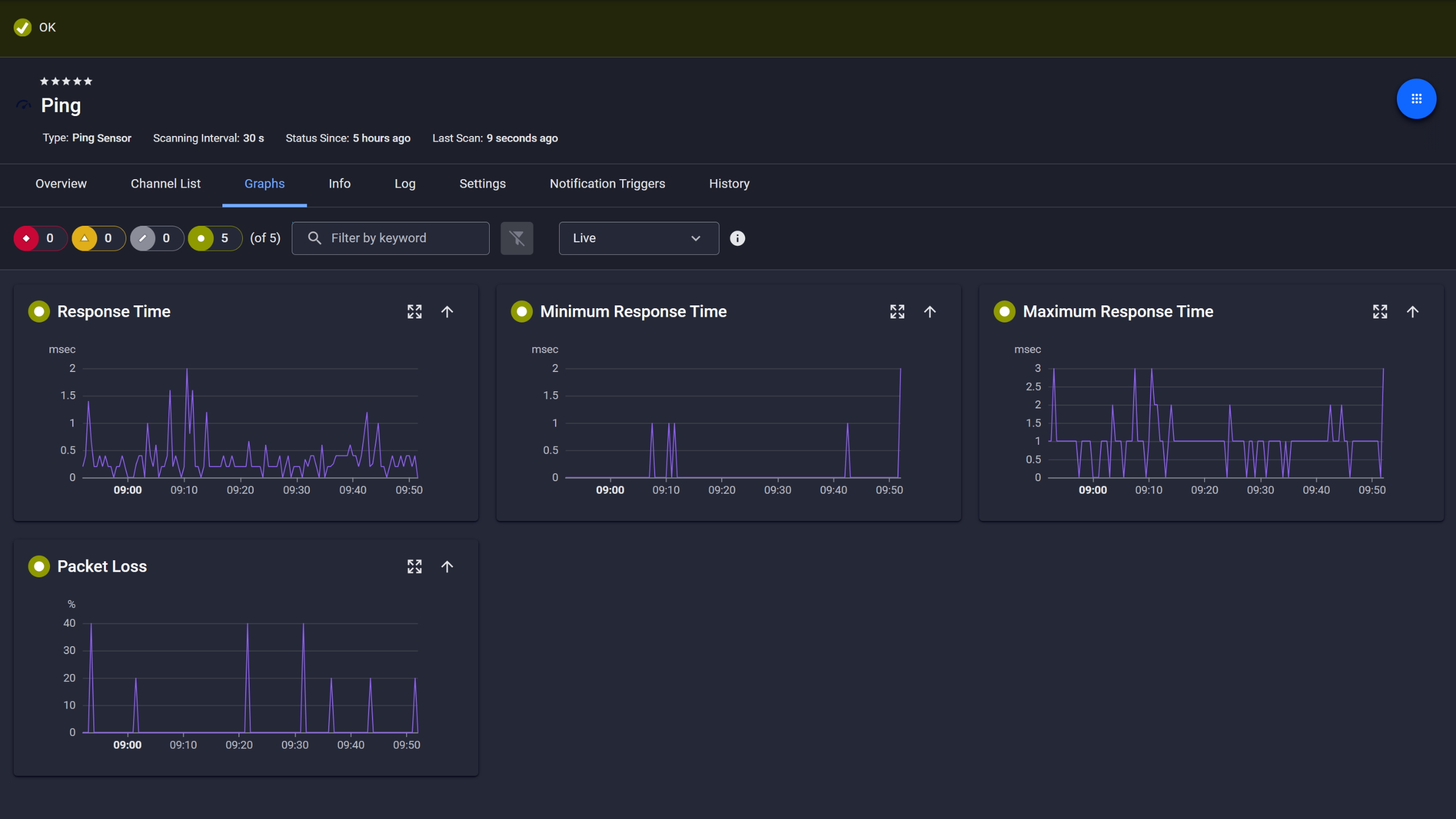
Ping response and packet loss
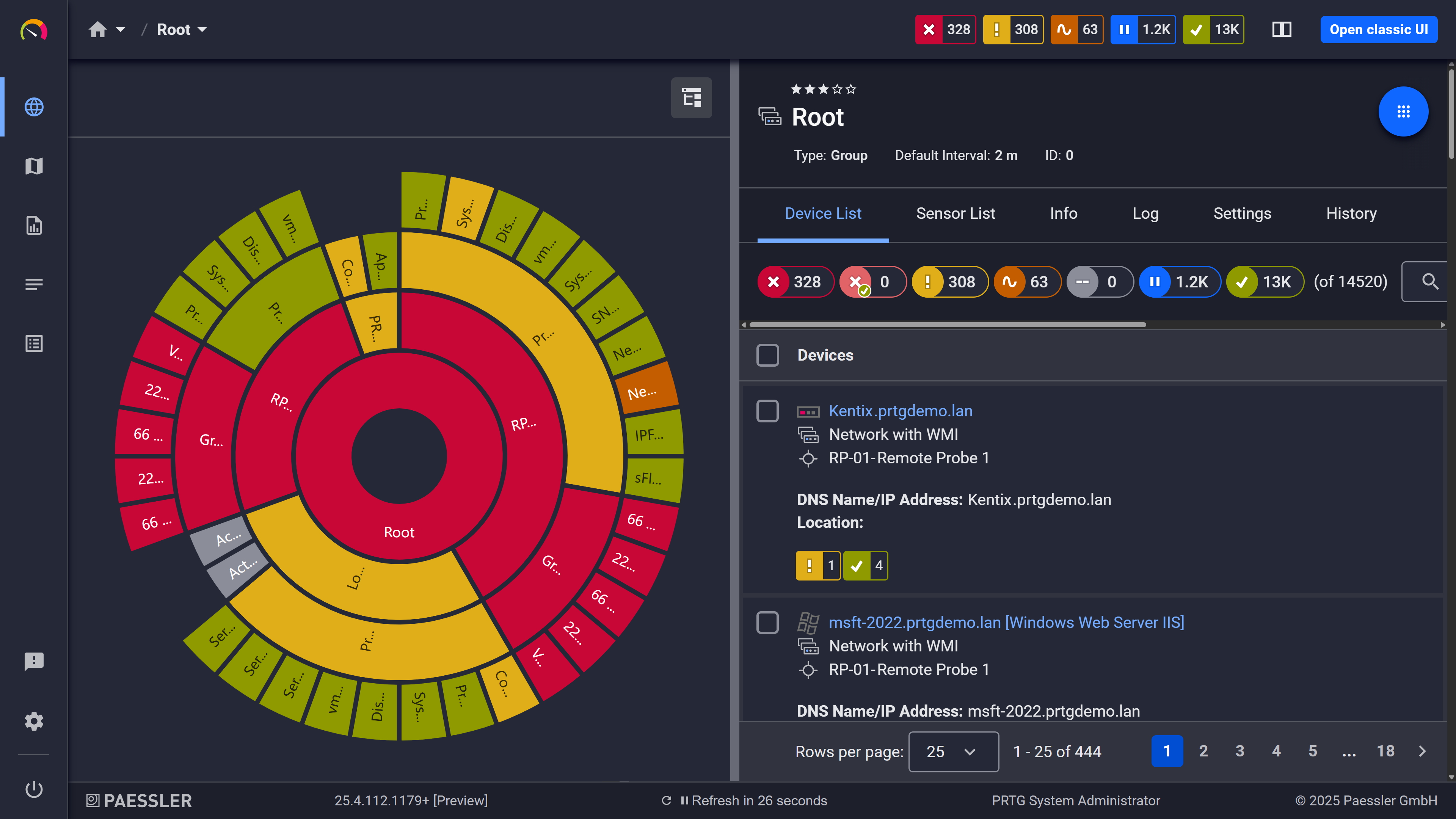
Your entire network, visualized instantly
Capacity decisions land better when they're backed by months of actual interface utilization data. PRTG stores that data continuously. If the link consistently saturates during peak hours, that shows up clearly in the trend graphs. If it doesn't, that data is just as useful. It's there when someone pushes you toward a higher bandwidth allocation you don't actually need. You export the data, bring it to the conversation, and let it make the case.
PRTG uses several complementary methods for bandwidth monitoring. Which ones apply depends on what your infrastructure supports. Most environments end up using more than one.
Capability | Without dedicated monitoring Without dedicated monitoring | With PRTG With PRTG |
|---|---|---|
Identify which IP uses the most bandwidth | Without dedicated monitoring Manual log review or CLI, no near real-time view | With PRTG Top Talkers by IP, port, and protocol from flow data |
WAN link utilization per interface | Without dedicated monitoring Check each device individually via vendor portal or CLI | With PRTG SNMP sensor per interface, centralized, historical, alerting included |
Traffic breakdown by protocol/type | Without dedicated monitoring Requires a separate flow analyzer tool | With PRTG NetFlow/IPFIX/sFlow sensors included natively |
Alert when bandwidth exceeds a threshold | Without dedicated monitoring Users report problems first | With PRTG Configurable threshold alerts via email, SMS, push, or webhook |
Multi-site visibility in one view | Without dedicated monitoring Log into each site's devices separately | With PRTG Remote probes feed a single central dashboard |
Historical trend data for capacity decisions | Without dedicated monitoring Export logs manually, process in spreadsheets | With PRTG Stored automatically, visualized with configurable retention |
Choose the PRTG Network Monitor subscription that's best for you.
| License Name | License description | Price | License Details | Get started | Pricing Details | |
|---|---|---|---|---|---|---|
| PRTG 500 | $200 | per month paid annually | Buy nowBuy now | Enough to monitor multiple aspects of 50 devices | ||
| PRTG 1000 | $358 | per month paid annually | Buy nowBuy now | Enough to monitor multiple aspects of 100 devices | ||
| PRTG 2500 | $742 | per month paid annually | Buy nowBuy now | Enough to monitor multiple aspects of 250 devices | ||
| PRTG 5000 | $1,300 | per month paid annually | Buy nowBuy now | Enough to monitor multiple aspects of 500 devices | ||
| PRTG 10000 | $1,642 | per month paid annually | Buy nowBuy now | Enough to monitor multiple aspects of 1000 devices |

SNMP tells you how much traffic is moving through an interface: total in/out, errors, discards. It's fast to set up and works on almost any managed device. Flow-based monitoring (NetFlow, IPFIX, sFlow) goes a level deeper. It shows you what that traffic is, which IPs, ports, and protocols are driving bandwidth usage. For basic utilization and alerting, SNMP is enough. For understanding what's consuming your bandwidth, you want flow data. Most environments use both.
Yes. SD-WAN devices and VPN concentrators that support SNMP can be monitored at the interface level. You get in/out utilization, errors, and threshold-based alerts per link. If the device also exports flow data, you can add flow sensors on top for deeper traffic visibility. PRTG doesn't integrate with SD-WAN management APIs natively, but SNMP coverage handles most use cases.
Yes, with some nuance. Wireless access points that support SNMP can be monitored per radio or per SSID interface, depending on what the device exposes via its MIB. For client-level breakdown on a wireless network, flow data needs to come from an upstream device. The AP itself typically doesn't export flow records.
Not by application name. PRTG identifies traffic by IP address, port, and protocol. You can see that traffic on port 443 from a known IP range is consuming bandwidth, but you won't see "Microsoft Teams" or "Zoom" as a labeled entry. For most network troubleshooting and bandwidth control use cases, IP/port/protocol-level visibility is sufficient. Application-layer identification requires a dedicated deep packet inspection tool. Worth knowing before you set expectations for what flow data can tell you.
No. PRTG is a monitoring tool, not a traffic shaper. It shows you what's happening on your network and sends an alert when thresholds are crossed, but it doesn't restrict or prioritize traffic. For bandwidth limiting or QoS enforcement, you need a firewall, router policy, or a dedicated WAN optimization tool. PRTG gives you the data to inform those decisions, but the controls sit elsewhere.
PRTG monitors what's visible at your network edge, specifically the WAN interfaces and uplinks your traffic passes through. SaaS usage shows up as outbound traffic on your internet connection. You can see volume, trends, and saturation at the link level, but you can't see inside the SaaS provider's infrastructure. For end-user experience monitoring of specific SaaS services, you'd need additional tooling.
A sensor in PRTG is one monitored data point: one network interface, one flow source, one device metric. For bandwidth monitoring, a typical starting point is one SNMP Traffic sensor per WAN interface, plus one or more flow sensors per router or firewall that exports flow data. Add sensors for each remote probe site on top of that. The exact number depends on your environment. PRTG's trial gives you full access for 30 days. After the trial, a free tier with up to 100 sensors lets you keep monitoring a smaller environment at no cost, enough to get started in most small to mid-size setups.
Network Monitoring Software – Version 26.1.116.1532 (February 9th, 2026)
Download for Windows and cloud-based version PRTG Hosted Monitor available
English, German, Spanish, French, Portuguese, Dutch, Russian, Japanese, and Simplified Chinese
Network devices, bandwidth, servers, applications, virtual environments, remote systems, IoT, and more
Choose the PRTG Network Monitor subscription that's best for you



