
- English
- Deutsch
- Español
- Français
- Italiano
- Português
A practical computer monitoring tool should give you real-time visibility into system health and availability, not just one-off snapshots. It should collect consistent metrics across Windowscomputer systems (and connect to broader IT infrastructure and network monitoring) and present the results in clear dashboards with thresholds and notifications.
With PRTG, you can use one monitoring solution for computer monitoring, system monitoring, and performance monitoring. You can track key Windows metrics like uptime, disk health status for hard drives, and CPU usage, so IT professionals can start diagnostics and troubleshooting with data instead of guesswork.
Supported technologies: Windows monitoring via WMI and performance counters (hybrid approach where applicable), auto-discovery for devices reachable in the probe’s network (primarily intended for devices in the same network as your probes), disk health monitoring (WMI Disk Health sensor), uptime monitoring (Windows System Uptime sensor), battery/UPS monitoring (metrics depend on what the laptop/UPS exposes; SNMP UPS support depends on the device), and Windows update status monitoring (Windows Updates Status (PowerShell) sensor).

Disk health status across Windows systems is most useful when it's tracked consistently over time, not checked reactively after performance changes.
PRTG's computer monitoring software includes the WMI Disk Health sensor, so you can track disk health and operational status over time. Set thresholds and use notifications to react to changes you care about, using the same dashboard view you already use for other monitoring capabilities.
Consistent uptime tracking gives post-incident reviews a reliable data foundation and makes troubleshooting timelines easier to reconstruct.
With PRTG monitoring software, you can track uptime consistently on Windows computer systems and keep history for reviews. This supports clearer reporting for IT infrastructure operations and helps with troubleshooting because you can compare downtime with other system metrics on your dashboards.

Full device list, instant overview
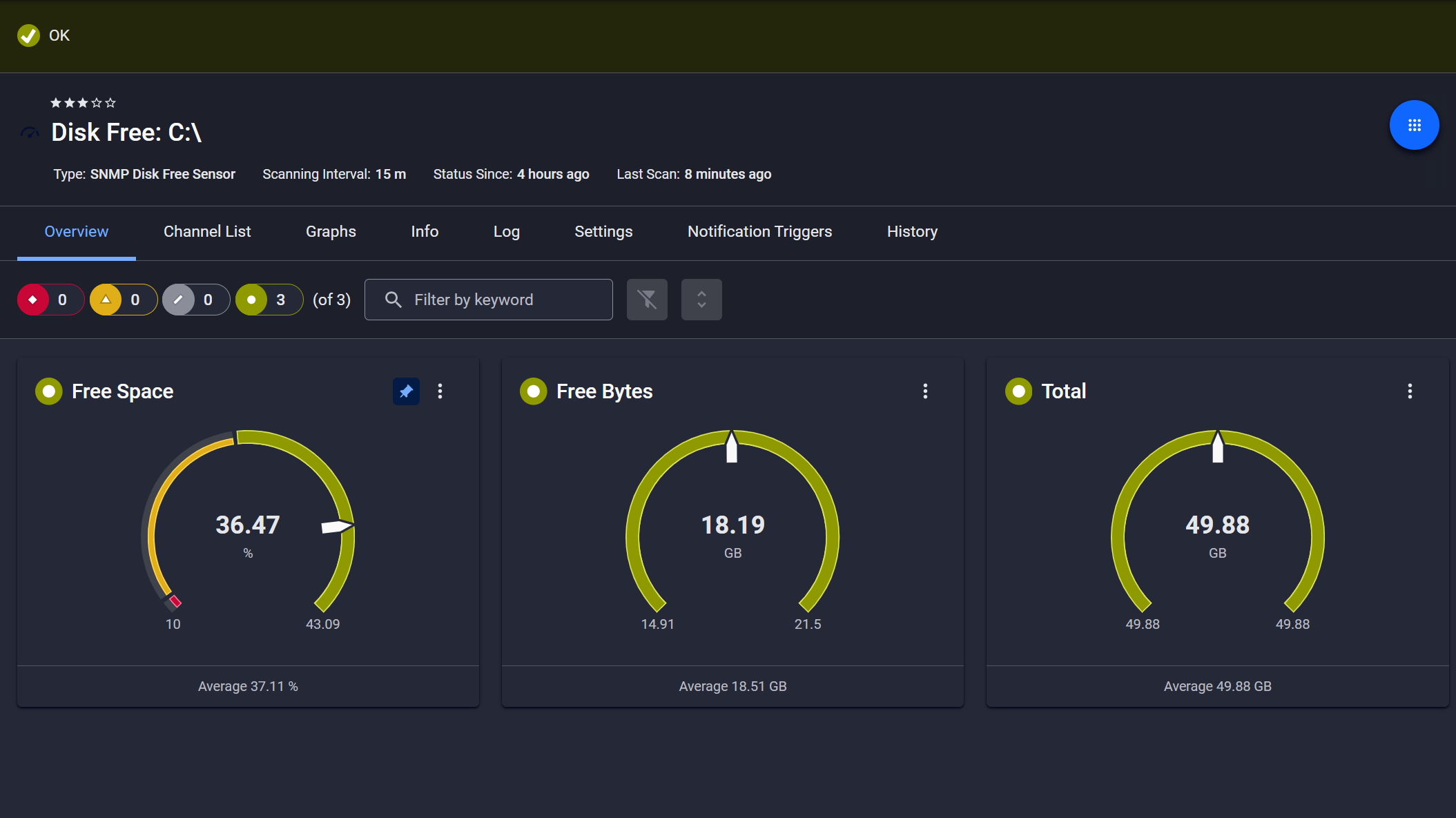
Disk space monitored, alerts ready

Live graphs, real-time performance data
A central view of patch status makes it straightforward to see what's current across your Windows systems and act on what needs attention.
PRTG includes the Windows Updates Status (PowerShell) sensor to monitor Windows update status and counts of available and installed updates from Microsoft or WSUS. That gives you one place to track update-related metrics, set thresholds, and use notifications to keep the status visible without turning this into a separate tool.
Start monitoring your infrastructure in minutes. No professional services, no complex configuration, no risk.
Battery wear and UPS runtime are worth tracking consistently, especially with laptops and UPS-backed workstations where gradual decline affects day-to-day operations.
PRTG can support hardware monitoring for battery/UPS runtime where the device exposes the data. You can track those metrics on a dashboard, set thresholds, and use notifications when runtime drops below what you consider safe, without claiming the same data is available on every model.
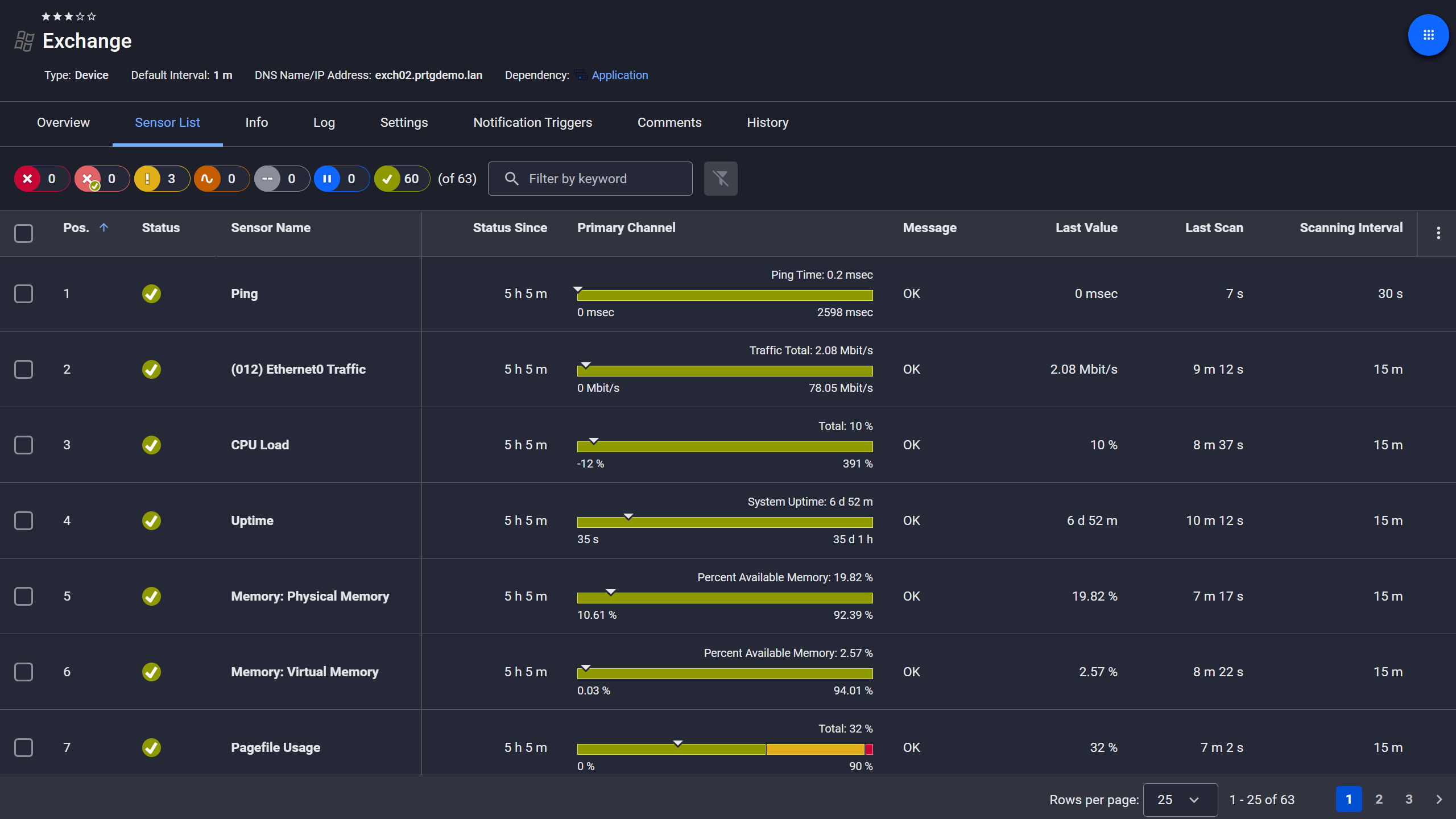
Exchange server, fully under control

Scheduled reports, always on time
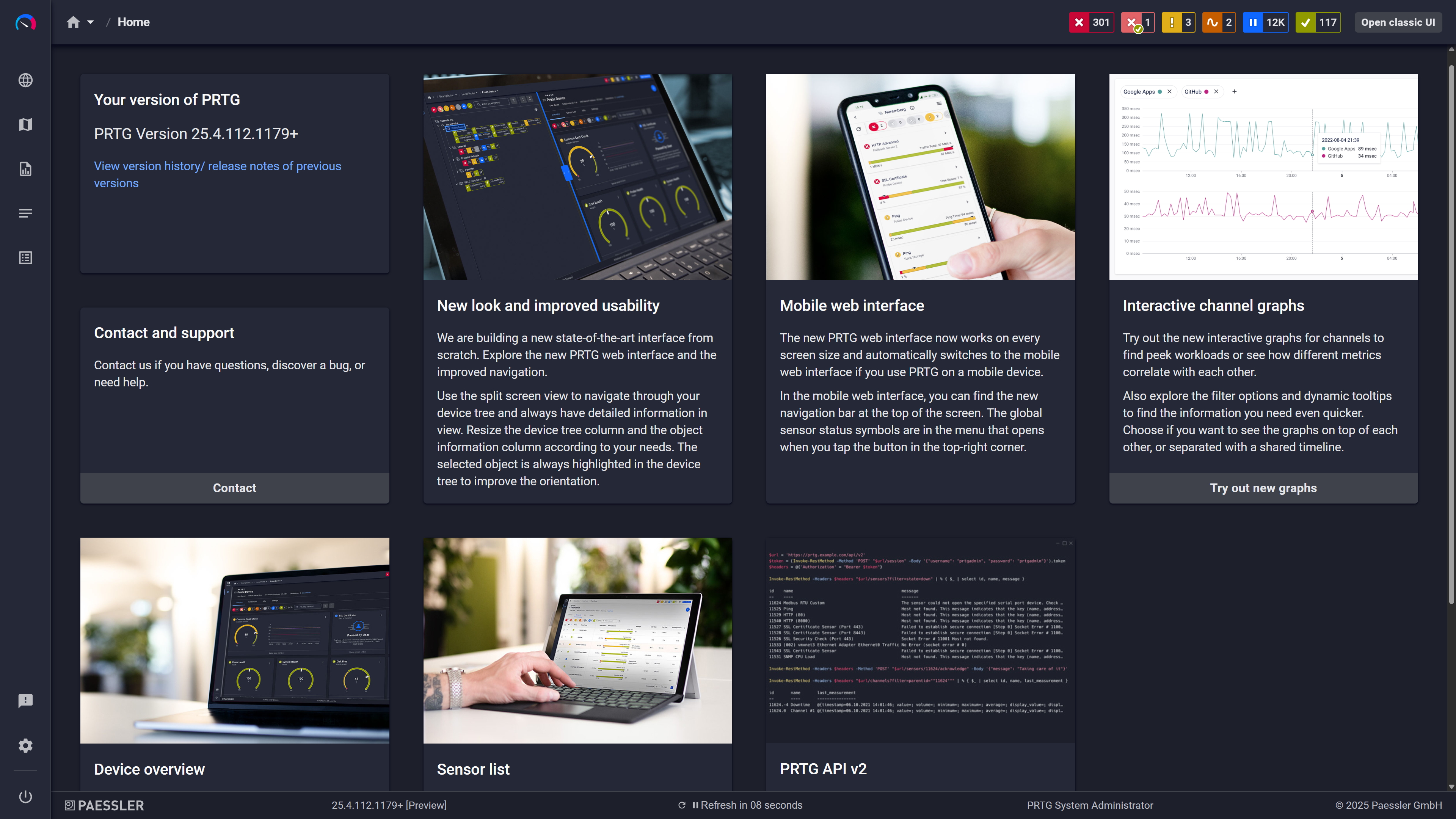
Modern interface, everything within reach
Bringing Windows system monitoring and broader network monitoring into one place means your team works from shared data and context during troubleshooting.
PRTG is a monitoring tool that can combine Windows system checks with broader network monitoring and other monitoring capabilities in one place. You can build dashboards that match how your team works, and use thresholds and notifications to keep the signal clear. The result is a shared view that supports faster troubleshooting, without claiming business-style KPI reporting.
This section summarizes the main ways PRTG collects Windows metrics and how it structures them so you can trend, alert, and review the data.
FEATURE | Without PRTG Without PRTG | With PRTG With PRTG |
|---|---|---|
Disk health monitoring signals and alerts | Without PRTG Spot checks and ad-hoc reviews | With PRTG Continuous monitoring with thresholds and notifications |
Uptime measurement and reporting | Without PRTG Inconsistent checks and partial logs | With PRTG Continuous uptime history for reviews and troubleshooting |
Patch status visibility | Without PRTG Per-system checks | With PRTG Central view of update status and counts of available/installed updates |
Battery/UPS runtime visibility | Without PRTG Local checks, device-by-device | With PRTG Monitoring where the device exposes metrics, with thresholds |
Troubleshooting workflow | Without PRTG Guesswork and scattered data | With PRTG Historical metrics + dashboards + consistent thresholds |
Choose the PRTG Network Monitor subscription that's best for you.
| License Name | License description | Price | License Details | Get started | Pricing Details | |
|---|---|---|---|---|---|---|
| PRTG 500 | $200 | per month paid annually | Buy nowBuy now | Enough to monitor multiple aspects of 50 devices | ||
| PRTG 1000 | $358 | per month paid annually | Buy nowBuy now | Enough to monitor multiple aspects of 100 devices | ||
| PRTG 2500 | $742 | per month paid annually | Buy nowBuy now | Enough to monitor multiple aspects of 250 devices | ||
| PRTG 5000 | $1,300 | per month paid annually | Buy nowBuy now | Enough to monitor multiple aspects of 500 devices | ||
| PRTG 10000 | $1,642 | per month paid annually | Buy nowBuy now | Enough to monitor multiple aspects of 1000 devices |

In IT, computer monitoring means tracking availability and performance metrics for endpoints and servers so you can spot potential issues early and shorten troubleshooting. A good monitoring solution focuses on metrics you can trend, alert on, and review.
PRTG is commonly used for Windows monitoring, including Windows 10 systems in Microsoft environments. Exact compatibility depends on what you monitor (WMI, performance counters, PowerShell, SNMP) and your setup.
Typical system monitoring includes uptime, CPU usage, disk-related status, and update status. The exact metrics depend on the sensors you use and what the target system exposes via WMI, counters, or PowerShell.
PRTG can be used across different operating systems as part of broader IT infrastructure monitoring, including Linux and mac systems. The available metrics and methods depend on the platform and protocol.
You define thresholds for selected metrics, then choose how you want notifications to be sent. This keeps alerts tied to measurable values, and helps you optimize signal vs noise.
PRTG supports access options for mobile devices, including apps for Android and iOS, so you can check dashboards and receive notifications while away from your desk.
PRTG pricing depends on the edition and monitoring scale (for example, how many sensors you use and what scope you monitor). For a decision, it’s best to match pricing to the monitoring capabilities you need.
Sometimes, but it depends on what the hardware and Windows expose. For things like CPU temperature, fan speeds, GPU data, overheating signals, or other processor-level telemetry, you may need vendor interfaces or custom sensors. Avoid assuming these are available out of the box on every system.
Network Monitoring Software – Version 26.1.116.1532 (February 9th, 2026)
Download for Windows and cloud-based version PRTG Hosted Monitor available
English, German, Spanish, French, Portuguese, Dutch, Russian, Japanese, and Simplified Chinese
Network devices, bandwidth, servers, applications, virtual environments, remote systems, IoT, and more
Choose the PRTG Network Monitor subscription that's best for you



