
Multi-Platform Probe for PRTG
Architecture
In this section, you can find an overview of the components of the multi-platform probe and how it works.
Overview
The multi-platform probe connects directly to the PRTG core server via the PRTG probe adapter.
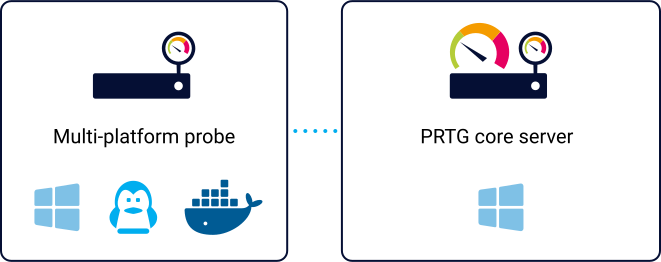
Multi-platform probe architecture
Component |
Description |
PRTG core server |
The PRTG core server receives monitoring data from a multi-platform probe and displays the data using sensors. |
PRTG probe adapter |
The PRTG probe adapter runs on the PRTG core server system and accepts multi-platform probe connections. It converts monitoring requests from PRTG into job requests for a multi-platform probe, and the monitoring results back into sensor results for PRTG. |
Multi-platform probe |
The multi-platform probe is a small piece of software that is installed on a non-Windows system in your local or remote network. It scans the network and sends monitoring results to a PRTG core server. |
Connection
The multi-platform probe always opens the connection to the PRTG probe adapter. The PRTG core server never connects to a multi-platform probe, so you do not have to open an inbound port on the remote probe system.
Aspect |
Description |
Connection type |
QUIC over UDP For networks that block UDP, the probe falls back to TCP connections. Both connection types use port 23563 by default. |
Encryption |
Transport Layer Security (TLS) The multi-platform probe verifies the certificate of the PRTG probe adapter against a certificate authority (CA) certificate in the configuration or against the system trust store of the remote probe system. |
Authentication |
The multi-platform probe proves its identity with a private key that never leaves the remote probe system. PRTG recognizes the multi-platform probe by the access token that you add to the Access Tokens list in the PRTG web interface. |
