Custom alerts and data visualization let you quickly identify and prevent network flow and other performance issues.
NetFlow monitoring lets you analyze traffic patterns and get a picture of network traffic flow, including detailed traffic reports. This can help you understand which process, user, or application might cause speed problems or network outages. With our PRTG NetFlow analyzer, you get a holistic view of your network, keep an eye on your network traffic and what your bandwidth is being used for.
Our NetFlow monitoring tool PRTG lets you analyze and monitor your bandwidth and determine, for example, the amount of IP traffic caused by IP addresses, protocols, or programs. To carry out such an analysis, configure your routers in a way that flow packets are sent to a PRTG server or a computer that has a PRTG remote probe installed.
NetFlow puts only little strain on your CPU and is especially adapted for networks with heavy data traffic. With its flexible licensing model, PRTG is easy to adapt to changing network demands.
PRTG automatically alerts you by SMS, email, push notification, or many other customizable notification methods when threshold values are exceeded. Notifications sent by PRTG reach you wherever you are – even while on the go.
PRTG displays your network traffic data on highly customizable, easy-to-read dashboards and maps . As a cross-manufacturer monitoring software, PRTG eliminates the need to juggle a number of different software solutions – just combine your NetFlow monitoring with data from all other devices in your IT infrastructure and visualize them the way you need.
Diagnose network issues by continuously tracking the health, availability, and performance of your network devices such as routers or firewalls. Show NetFlow records, network bandwidth bottlenecks, and other key performance metrics in real time. Visualize monitoring data in clear graphs and dashboards to identify problems more easily. Gain the network visibility you need to troubleshoot flow traffic issues as well as potential network security threats.
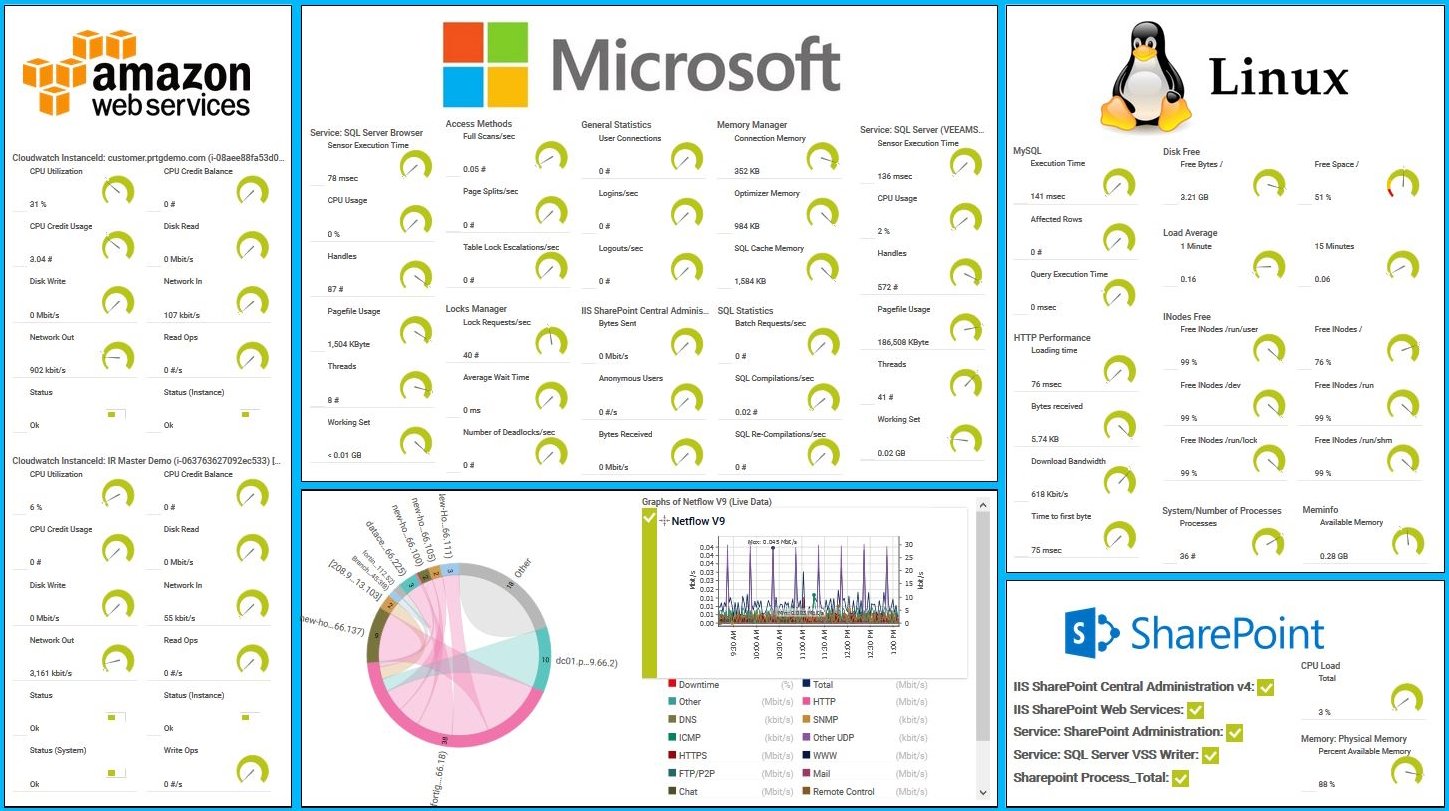
Map with AWS, Linux, Windows services in PRTG
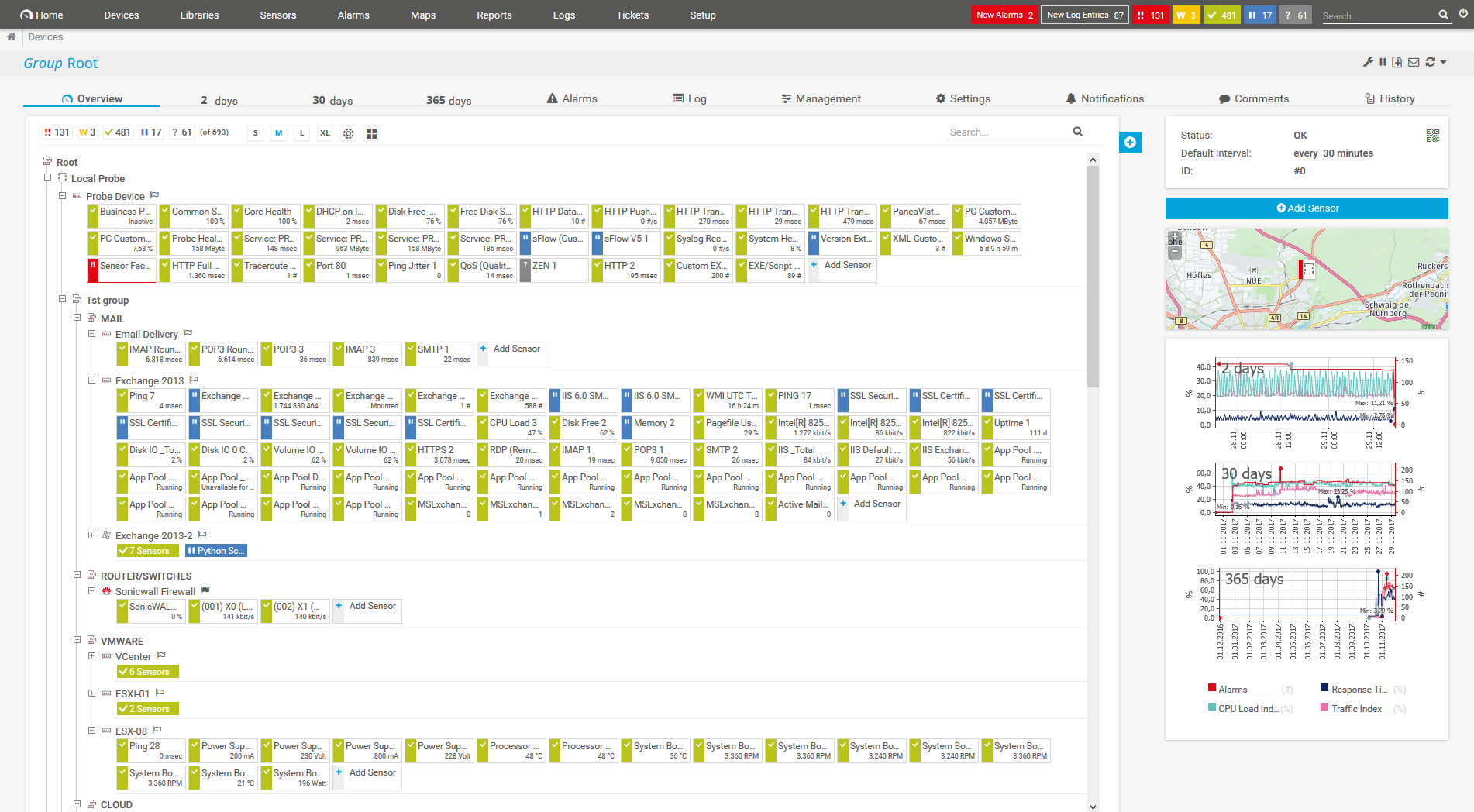
Device tree view of the complete monitoring setup

Custom PRTG dashboard for keeping an eye on the entire IT infrastructure

Live traffic data graph in PRTG

“All-around winning
network monitor”

“The real beauty of PRTG is the endless possibilities it offers”

“PRTG Network Monitor
is very hard to beat”
With PRTG, you can easily detect, for example, if your switches are not equipped to handle the quantity of data that passes them – before they become completely overloaded. What’s more: should these switches actually overload during a backup , for example, PRTG helps you to quickly find the root cause of the issue.
Different sources like individual users, programs, or specific data often use disproportionately high amounts of bandwidth. With NetFlow monitoring, you can break down traffic, for example, by IP address and this way discover bandwidth hogs real quick.
Many companies experience fluctuations regarding access to various websites or applications that are used internally. Define your own warning and error thresholds so that PRTG can alert you as early as possible if values are exceeded – ideally, before the performance of your system goes down.
Thorough backups can lead to problems for the entire network. Such issues are frequently the result of individual routers or switches that overload during the backup and thwart the entire network. Use NetFlow monitoring to find the root cause of a problem and troubleshoot the issue quickly to optimize your network in the best way possible.
The Simple Network Management Protocol is extremely popular and offers an easy way to read device data. SNMP monitoring provides you with deeper insights into, for example, bandwidth and CPU usage, or the temperature of your hardware, but also into your network traffic.
For more detailed information on your network traffic and bandwidth usage, use packet sniffing to take a closer look at the packets passing through individual routers or switches. This technology only analyzes the header traffic.
NetFlow is a protocol supported by Cisco hardware. You therefore need a monitoring solution as well as hardware that supports NetFlow. This technology lets you analyze your network traffic in detail without putting much strain on your network.
PRTG comes with more than 250 native sensor types for monitoring your entire on-premises, cloud, and hybrid cloud environment out of the box. Check out some examples below!
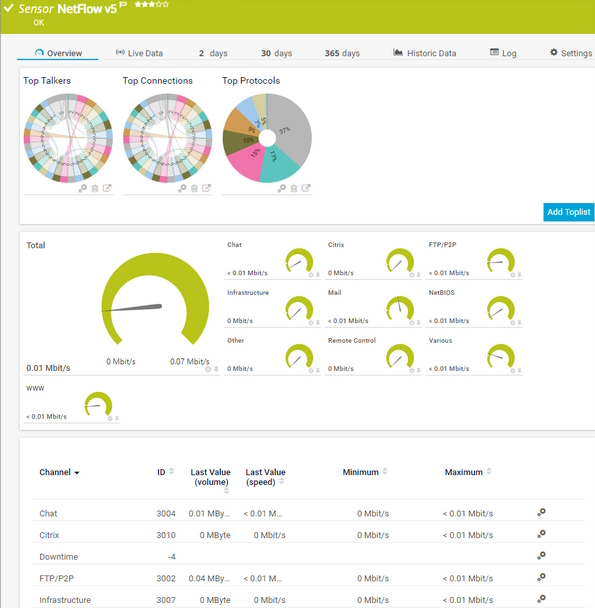
The NetFlow v5 sensor receives traffic data from a NetFlow v5-compatible device and shows the traffic by type. This sensor has several filter options to divide traffic into different channels. It can show the following and more:
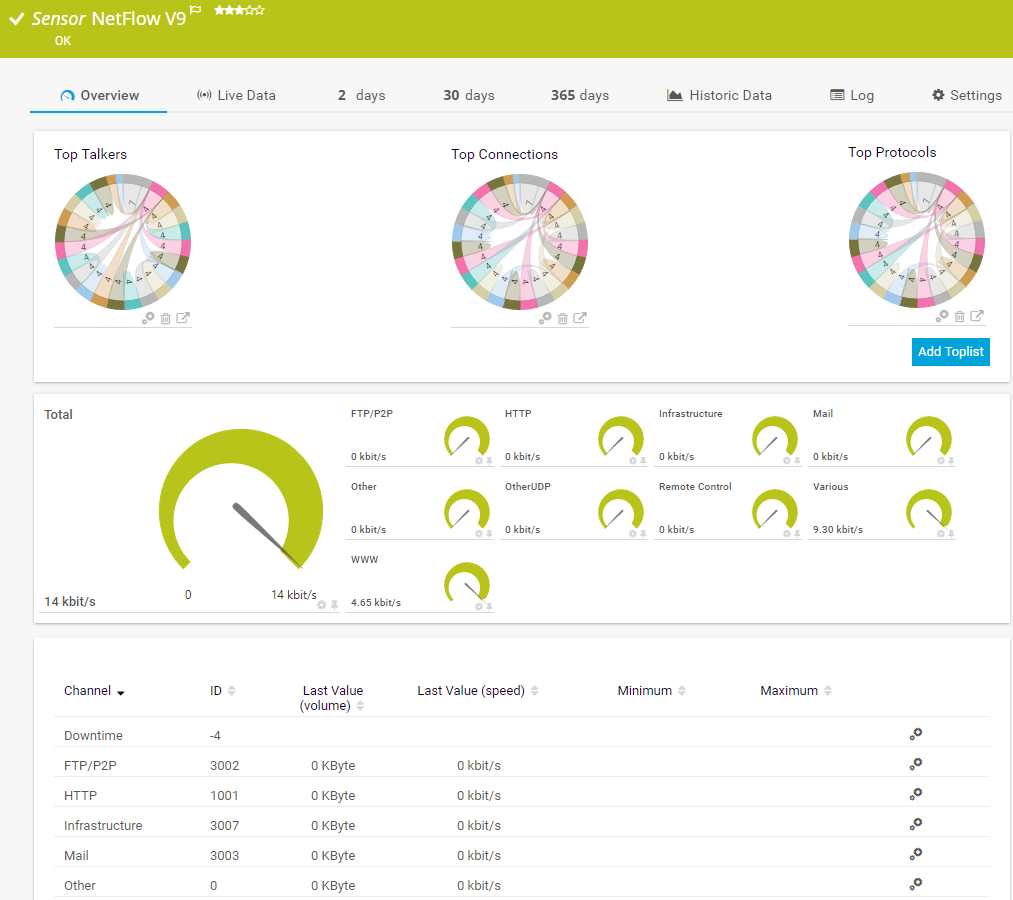
The NetFlow v9 sensor receives traffic data from a NetFlow v9-compatible device and shows the traffic by type. This sensor has several filter options to divide traffic into different channels. It can show the following and more:
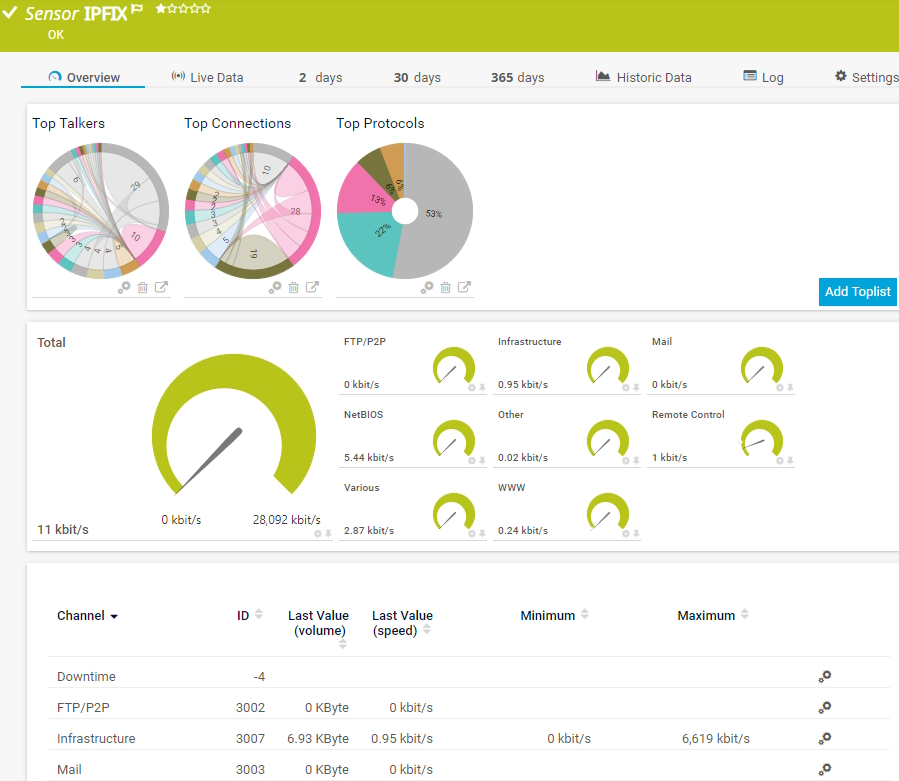
The IPFIX sensor receives traffic data from an Internet Protocol Flow Information Export (IPFIX) compatible device and shows traffic by type. It can show the following and more:
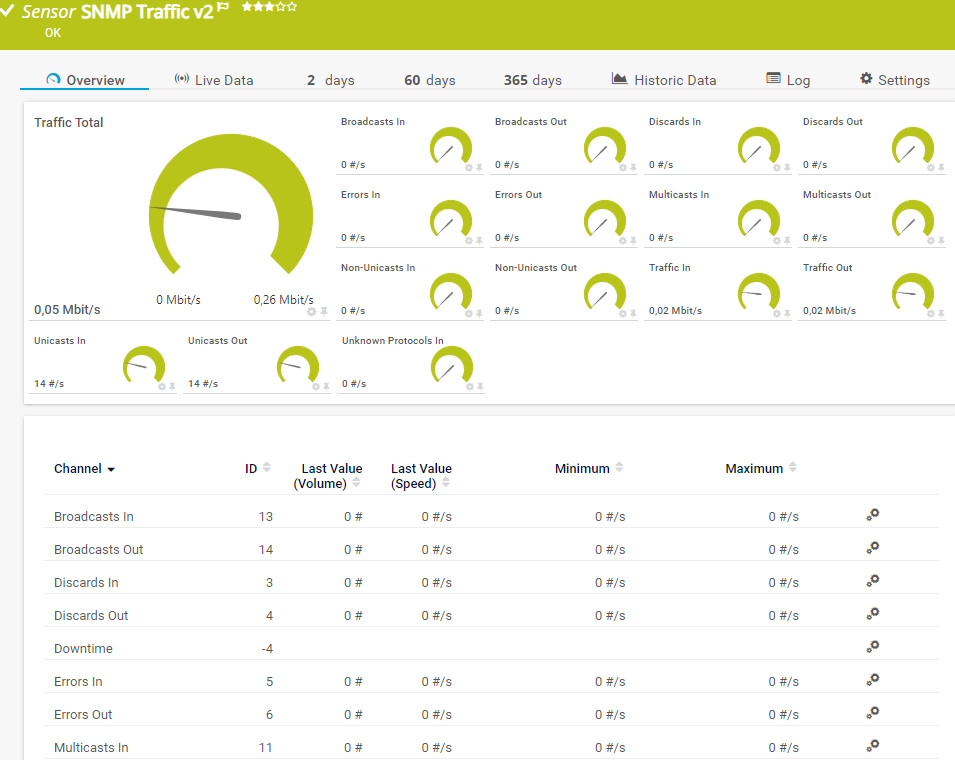
The SNMP Traffic v2 sensor monitors bandwidth and traffic on a device. It can show the following:
See the PRTG Manual for a list of all available sensor types.
Real-time notifications mean faster troubleshooting so that you can act before more serious issues occur.

VMware uses NetFlow technology in the "vSphere Distributed Switches (vDS)" product line. These virtual switches connect the virtual network cards of virtual machines (VMs) to the network by way of the hosts’ physical network cards. VMware integrates NetFlow for these virtual switches.
Set up NetFlow in the VMware vCenter and configure it in such a way that these flows are sent to PRTG, where a corresponding flow sensor monitors and displays the data. As long as the correct NetFlow version is used, it will make no difference to PRTG where the flows come from.
Custom alerts and data visualization let you quickly identify and prevent network flow and other performance issues.
PRTG is set up in a matter of minutes and can be used on a wide variety of mobile devices.


As a member of the Cisco Partner Program, Paessler is one of the market leaders that enhances the Cisco technology portfolio with products that are proven to easily integrate with Cisco devices.
What does this mean for you?
Partnering with innovative IT vendors, Paessler unleashes synergies to create
new and additional benefits for joined customers.

Combining PRTG’s broad monitoring feature set with IP Fabric’s automated network assurance creates a new level of network visibility and reliability.

Paessler and Plixer provide a complete solution adding flow and metadata analysis to a powerful network monitoring tool.
UVexplorer integrates tightly with PRTG to bring fast and accurate network discovery, detailed device inventory, and automatic network mapping to the PRTG platform.
Real-time notifications mean faster troubleshooting so that you can act before more serious issues occur.
Network Monitoring Software – Version 25.3.110.1313 (August 27, 2025)
Download for Windows and cloud-based version PRTG Hosted Monitor available
English, German, Spanish, French, Portuguese, Dutch, Russian, Japanese, and Simplified Chinese
Network devices, bandwidth, servers, applications, virtual environments, remote systems, IoT, and more
Choose the PRTG Network Monitor subscription that's best for you



NetFlow is a protocol for collecting, aggregating, and recording traffic flow data in a network. NetFlow data provides a more granular view of how bandwidth and network traffic are used than other network protocols such as SNMP.
NetFlow was developed by Cisco. It is natively integrated into Cisco’s IOS software that runs on Cisco routers and switches. Many other hardware manufacturers either support NetFlow or use alternative flow technologies such as jFlow or sFlow.
Many tools can collect and analyze flow data. When choosing a tool, you should consider your needs, and the extent to which you would like to analyze your data. It might also make sense to use several different tools concurrently. We have found, for example, that many administrators use Wireshark in addition to PRTG. Thanks to its flow monitoring, PRTG can give you an overall picture while allowing you to rule out possible causes of network problems. Wireshark, on the other hand, offers a detailed look at individual data packets.
A NetFlow collector captures, saves, and processes NetFlow data. Some of these tools are more effective than others at providing in-depth data analysis. Many administrators, however, use one single tool like PRTG to perform the functions of both NetFlow collectors and NetFlow analyzers.
With a NetFlow analyzer, you not only capture flow data but also perform an in-depth analysis of this data. PRTG is both a NetFlow collector and a NetFlow analyzer. It captures and processes NetFlow data and shows this data on easy-to-read dashboards.
PRTG uses so-called toplists to display top talkers, top connections, and top protocols, and lets you drill down into the collected data for further analysis.
Using a single tool like PRTG for NetFlow data collection and analysis can be more efficient and cost-effective than using two separate tools. A single tool usually provides a unified interface for both tasks, making it easier to navigate and use.
Additionally, having one tool for both tasks can reduce the complexity and maintenance required for the system, as there is only one set of software to update and troubleshoot.
Furthermore, using only one tool can ensure consistency in data collection and analysis, reducing the risk of errors or discrepancies between the two separate tools.of your organization.
PRTG is a NetFlow collector and analyzer that runs on Windows. As our focus has always been on Windows systems, we have acquired quite a bit of expertise in the area of NetFlow monitoring with Windows. It also uses technologies that enable you to monitor non-Windows operating systems.
Many administrators wonder if there is an effective, free NetFlow analysis tool on the market, or if they should consider using a professional one. PRTG comes with 100 free sensors for life. And if you decide to expand your monitoring in the future, you can purchase a professional license at any time.
In PRTG, “sensors” are the basic monitoring elements. One sensor usually monitors one measured value in your network, for example the traffic of a switch port, the CPU load of a server, or the free space on a disk drive. On average, you need about 5-10 sensors per device or one sensor per switch port.
Paessler conducted trials in over 600 IT departments worldwide to tune its network monitoring software closer to the needs of sysadmins. The result of the survey: over 95% of the participants would recommend PRTG – or already have.

Paessler PRTG is used by companies of all sizes. Sysadmins love PRTG because it makes their job a whole lot easier.
Bandwidth, servers, virtual environments, websites, VoIP services – PRTG keeps an eye on your entire network.
Everyone has different monitoring needs. That’s why we let you try PRTG for free.