Paessler NetFlow Tester
Control of NetFlow Based Monitoring Configurations
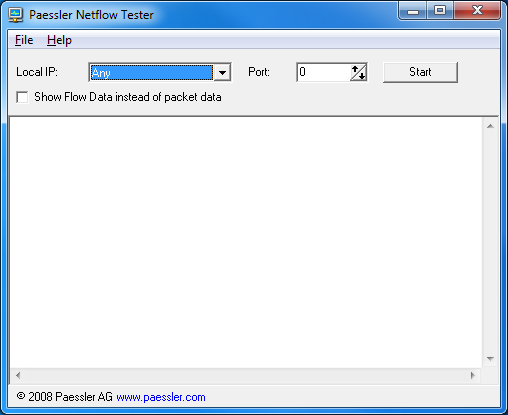
NetFlow Tester is a small program that simply dumps the data of all NetFlow packets that a computer receives from a Cisco router. This can be useful when debugging bandwidth monitoring configurations based on Cisco's NetFlow protocol.
First the NetFlow protocol must be enabled and configured on the router. The router must be given the IP address of the computer running NetFlow tester so that the UDP data packets with NetFlow data are sent to this computer.
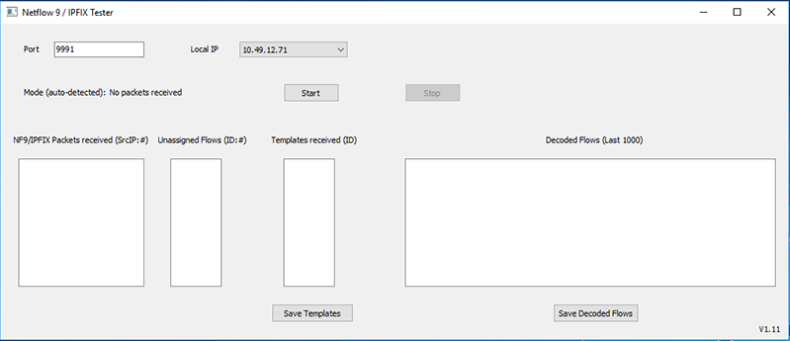
For more Cisco NetFlow configuration tips see this knowledgebase article.
Instructions
- Download the ZIP file below and start netflowtest.exe
- Enter the IP and port number that you have configured
as netflow packet target in your Cisco
Router
- Usually selecting "any IP" should work, in some cases the IP must be
explicitly selected
- Enable "Start Netflow Collector"
- You should now see a line in the logfile for each packet the
computer receives
- Each line shows the time, netflow version, number of flows and
the IP of a packet (note: You need netflow version 5 for
PRTG Traffic Grapher!)
- Enable "Show Flow Data" to also show the corresponding flow data
- If you do not see any activity then the system does not receive any
netflow data (e.g. due to misconfiguration of the router or a firewall
blocking the packets, etc.)
Important Note: NetFlow Tester Supports Two Modes
It is important to distinguish between the actual NetFlow packets (the UDP packets sent from the router to PRTG that contain the NetFlow data) and the "flows" (the information inside the UDP packets which shows the data passing through the router).
"Show Flow Data Instead of Packet Data" Disabled
In this mode NetFlow Tester lists this information about the UDP packets:
- time: time UDP packet was received
- version: NetFlow version
- count: number of flows in the packet
- peer: remote address the neflow packet is received from
"Show Flow Data Instead Of Packet Data" Enabled
Now the information of the flow data inside the UDP packet is displayed. Note: There can be several flow data sets in one netflow packet!
- time: time netflow packet received
- start: flow start
- end: flow end
- source: flow source (this is not the source of the netflow packet!)
- destination: flow destination
- size: flow size
Download
Please download the program here (400 kb).
Notes
This Freeware program is provided free for Paessler customers, mainly as a diagnostic tool for users of PRTG Traffic Grapher. Please understand that we can not provide support for the program.