

Virtualization monitoring
with PRTG

PRTG monitors all aspects of your virtualization environment
PRTG captures all performance data of your virtual machines
PRTG supports virtualization software from well-known vendors
Avoid downtime with virtualization monitoring with PRTG
What is virtualization monitoring?
In virtualization, hardware, software, network functions, and thus also servers, operating systems, and applications are replicated virtually. This means that in virtualized environments, several servers are consolidated on a small amount of hardware, for example. This way, several virtual servers can run on one physical system, which saves energy costs and space, as the data center can be kept small.
However, virtualization has even more advantages: With network, operating system, and server virtualization, resources such as storage capacities (e.g. hard disk space) and computing capacities (e.g. RAM) are allocated dynamically. This allows virtual servers, also known as virtual machines (VM), to be better utilized because the virtual servers share physical resources. This way, you can provision capacity more quickly and without much effort.
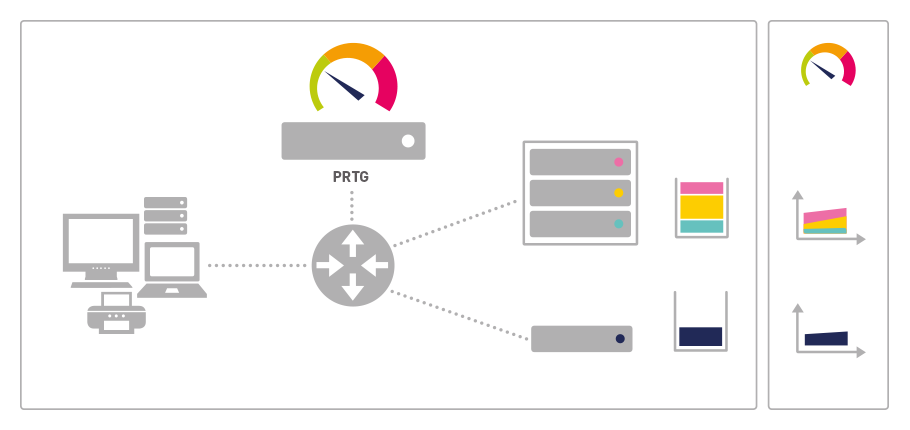
Why you should not do without virtualization monitoring
With virtualization, there can be a higher risk of having lower computing performance and reduced network throughput. This is because the more virtual machines run on a host system, the less CPU or RAM is available for the individual virtual machines. To detect such problems in good time, you should perform virtualization monitoring for your virtualized environment using virtual machine monitoring software.
Virtualization monitoring gives you detailed insights into the status of the virtualized environment and makes it possible for you to analyze the collected data in real-time. This allows you to identify issues related to several aspects at an early stage. Such as:
- Availability
- Resource utilization
- Memory overload
How does virtual server monitoring work?
 How PRTG defines sensors
In PRTG, “sensors” are the basic monitoring elements. One sensor usually monitors one measured value in your network, e.g. the traffic of a switch port, the CPU load of a server, the free space of a disk drive. On average you need about 5-10 sensors per device or one sensor per switch port.
Via virtualization monitoring, you not only monitor the entire virtualization environment and virtual infrastructure, but also the virtual servers and VMs. Monitoring also includes the applications and operating systems on the virtual machines.
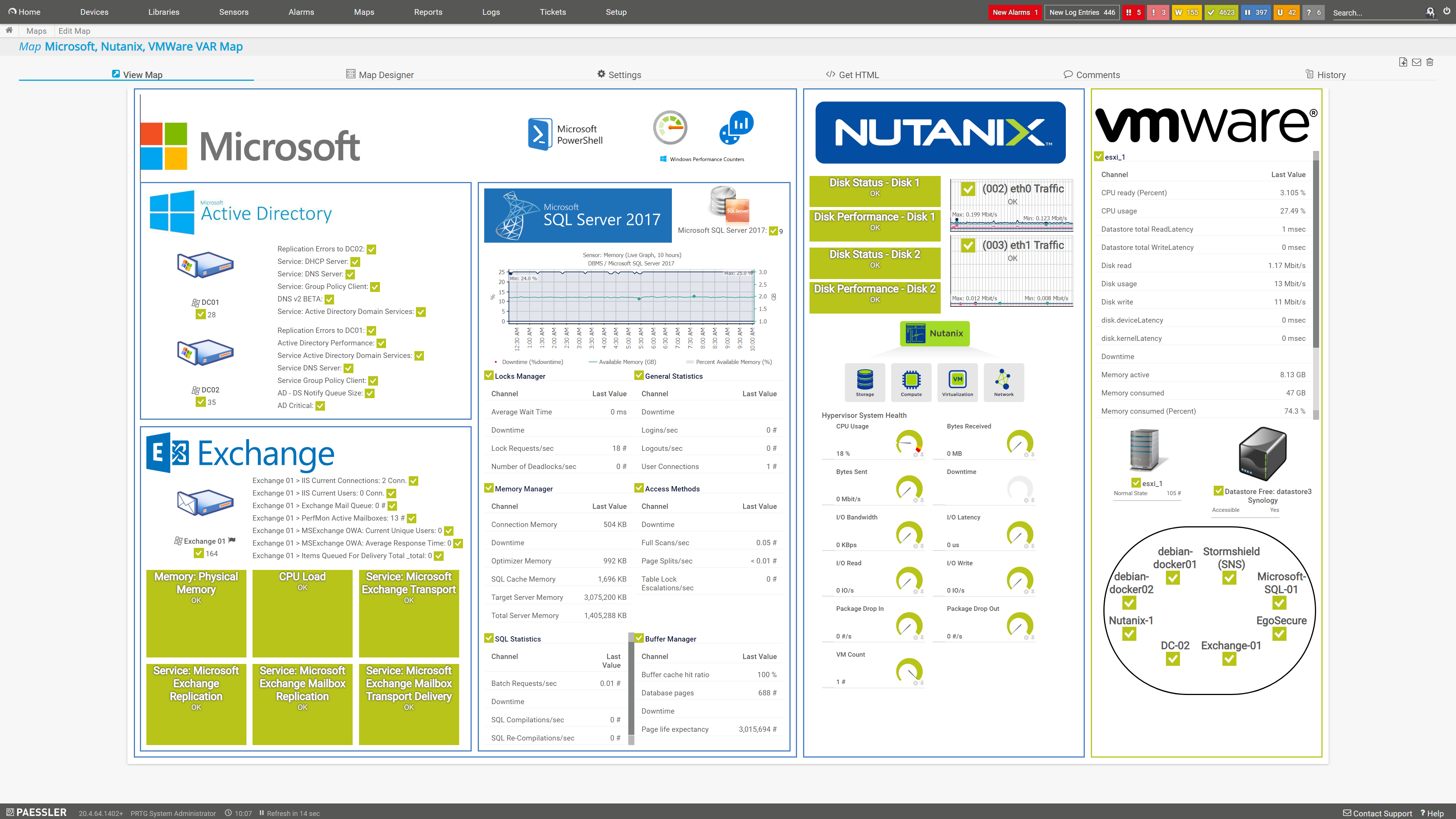
PRTG is a monitoring solution that supports the virtualization software from many well-known vendors. These include VMware, Microsoft Hyper-V, Citrix XenServer and Nutanix, among others.
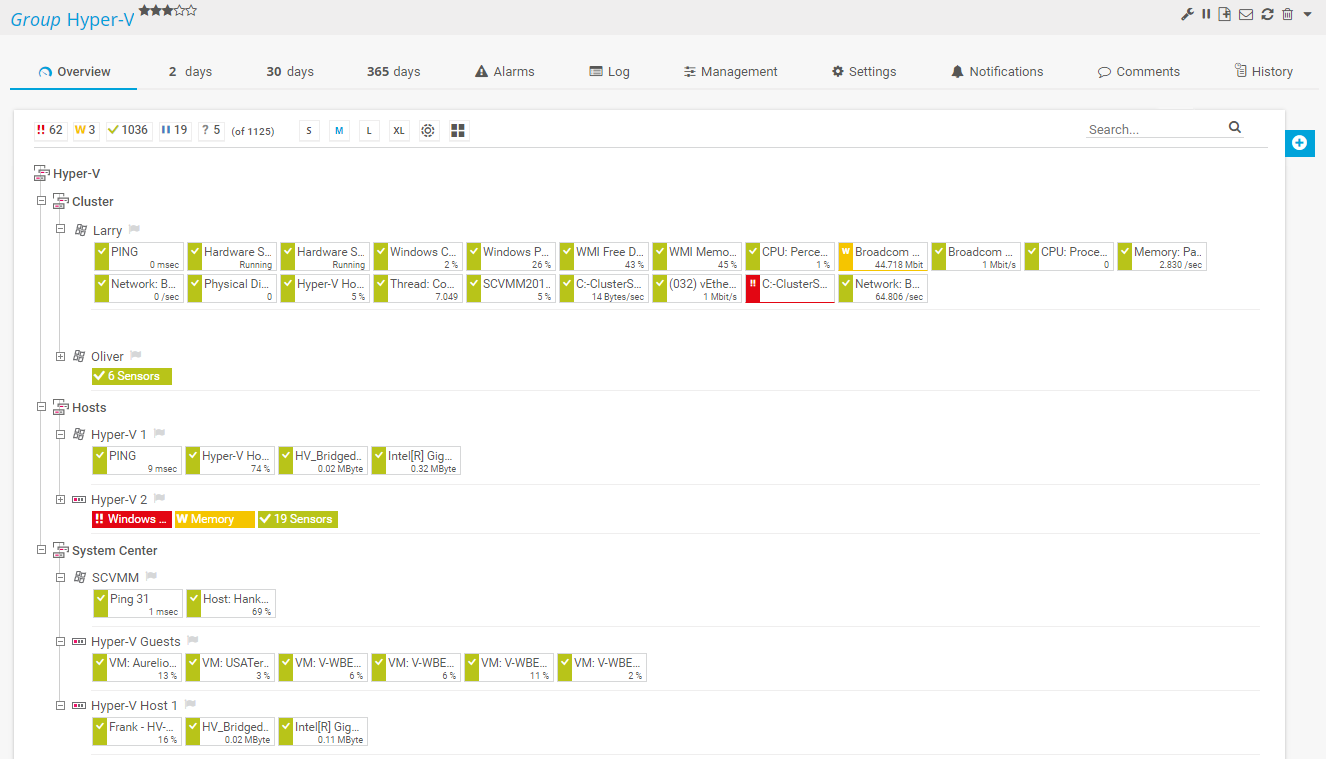
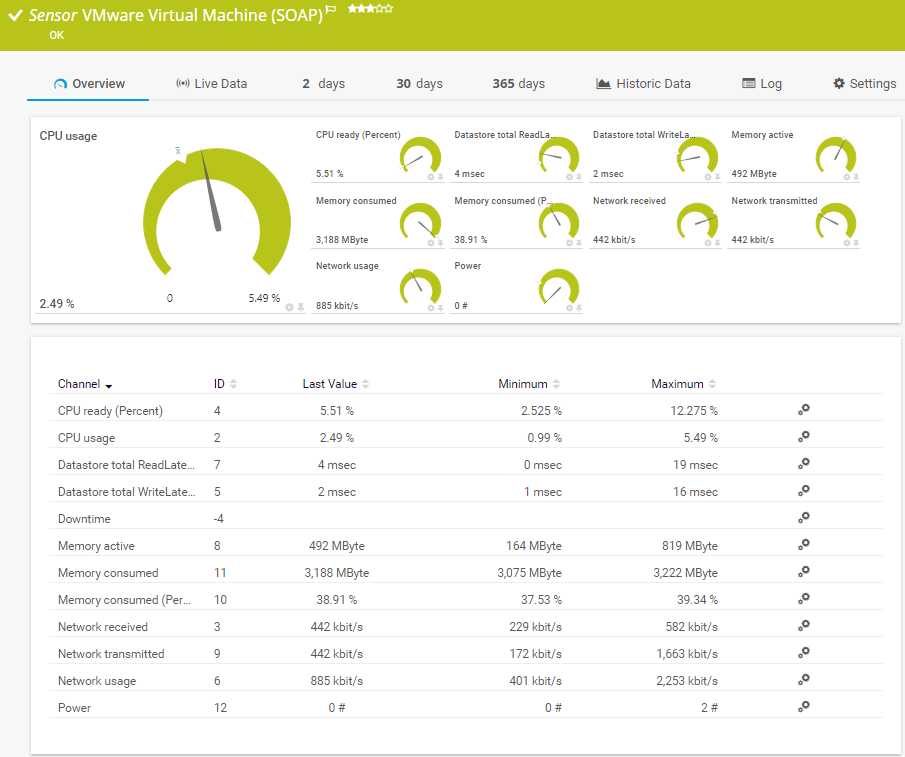
For your virtualization monitoring, a variety of preconfigured sensors are available to instantly monitor all aspects of your virtualization environment such as CPU utilization, memory capacity, data traffic, network speed, or host status. What's more, VM monitoring lets you collect and analyze application and performance data from your VMs.
The following sensors are available for virtualization monitoring in PRTG:
- Citrix XenServer Host
- Citrix XenServer Virtual Machine
- Dell EMC Unity VMware Datastore v2
- Hyper-V Cluster Shared Volume Disk Free
- Hyper-V Host Server
- Hyper-V Virtual Machine
- Hyper-V Virtual Network Adapter
- Hyper-V Virtual Storage Device
- Microsoft Azure Virtual Machine
- SNMP Nutanix Cluster Health
- SNMP Nutanix Hypervisor
- VMware Datastore (SOAP)
- VMware Host Hardware (WBEM)
- VMware Host Hardware Status (SOAP)
- VMware Host Performance (SOAP)
- VMware Virtual Machine (SOAP)
“I'd use both our VMware VM sensors as well as vSphere host and environment sensors. If there are problems with the host, then the virtual services are also affected.” Dieter Loskarn, sensor development for Paessler AG
“Hey Dieter, what kind of advice would you give to an administrator who wants to monitor VMware with PRTG?”
The advantages of PRTG for virtualization monitoring

Central virtualization monitoring and a comprehensive overview
Virtualization monitoring of your virtual machines and virtual environment, along with the monitoring of the hardware that is running your virtual system, is important for another reason. Consolidating different VMs, applications, operating systems, etc. on a physical server results in a single point of failure. This means in particular: if the physical system fails, it will affect the entire virtual system, including all VMs that are set up on that server. Furthermore, to ensure that the dynamic allocation of capacities is logical and efficient, and that the virtual servers are functioning correctly, you should definitely use a monitoring solution.
Virtualization only makes sense if the CPU load, data traffic, network utilization, and other performance data of your VMs are monitored. With a comprehensive monitoring tool like PRTG, you get a complete overview of the entire virtualization environment – from the host server to the applications running on the virtual machines.

Alerts and detailed reports for proactive troubleshooting
With efficient virtualization monitoring and appropriate, timely alerts, you can detect problems in advance and counteract system failures or service interruptions. For example in the event of an imminent system overload, which occurs when too many VMs are running on a host. To do this, you set appropriate thresholds. If these are reached, PRTG sends you a corresponding notification, for example in the form of an SMS, email, or push notification.
The notification system is extremely flexible because it can be customized to your needs. You can create schedules for alerts. For example, you can avoid PRTG sending low-priority alerts at night. In addition, you can export the monitoring data and generate reports on a regular basis (e.g. daily, weekly or monthly) in PDF, HTML, XML, or CSV format.

PRTG is the optimal combination of feature set, user-friendliness, and cost efficiency
Regardless of the pricing model you choose, PRTG combines all the functions for monitoring your entire IT infrastructure, including your virtual environment, in a single monitoring solution. Each license includes all sensors, reporting, and alerting features. You can upgrade your license at any time, based on the number of sensors you need. This flexible pricing ensures that you never pay too much, depending on the size of your virtualization environment.
PRTG is installed and configured in just a few minutes. The required sensors can be added, edited, and deleted intuitively. At the same time, the structured dashboards make analyzing the monitoring data particularly easy.
Trusted by 500,000 users and recognized
by industry analysts as a leader

“Fantastic network and infrastructure monitoring solution that is easy to deploy and easier still to use. Simply the best available.”

“Software is absolutely perfect, Support is superior. Meets all needs and requirements, this is a must have solution if you are needing any form of monitoring.”

“The tool excels at its primary focus of being a unified infrastructure management and network monitoring service.”
Create innovative solutions with Paessler’s partners
Partnering with innovative vendors, Paessler unleashes synergies to create
new and additional benefits for joined customers.



UVnetworks
UVexplorer integrates tightly with PRTG to bring fast and accurate network discovery, detailed device inventory, and automatic network mapping to the PRTG platform.
Always keep an eye on your virtualization monitoring – even while on the go
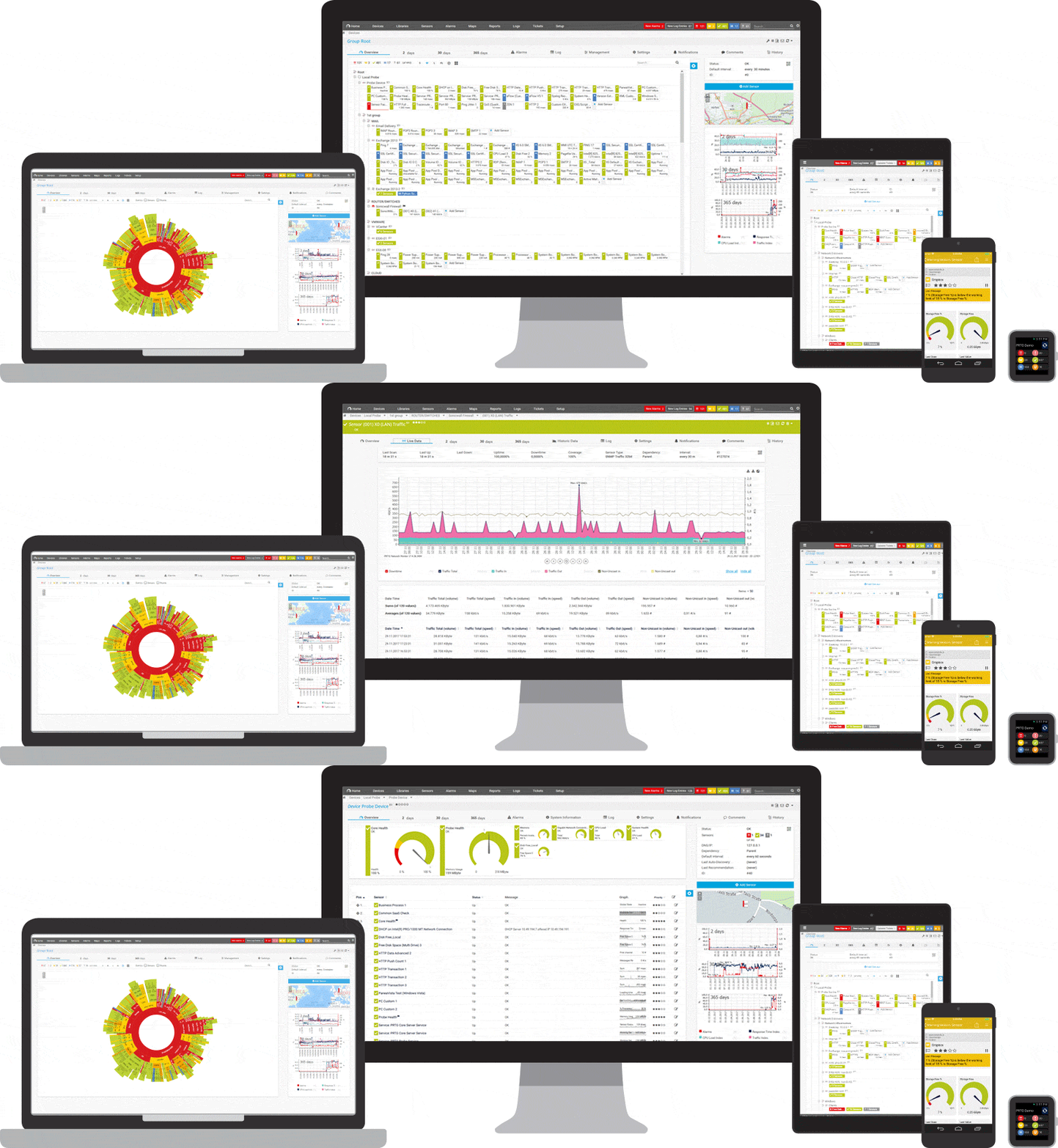
Set up PRTG in minutes and use it on almost any mobile device.

PRTG makes your job easier
Our monitoring software frees you to focus on other tasks by promptly notifying you of potential issues.

Save effort
PRTG gives you one central monitoring tool for your servers and entire network. Enjoy a quick overview of your whole infrastructure via our dashboard and app.

Save time
Getting started with PRTG is a breeze. Setting up or switching from another network monitoring tool is easy thanks to the auto-discovery and pre-configured device templates.

Save money
80% of our customers report substantial cost savings with network monitoring. Your costs of licenses will likely pay for themselves within weeks.

As a certified technology partner of VMware, Paessler AG has a unique insight into VMware. The monitoring solution PRTG is particularly well-suited for the virtualization monitoring of VMware virtual servers with its wide range of functions, the best possible user-friendliness, and its affordable and flexible pricing.
Still not convinced?

More than 500,000 sysadmins love PRTG
Paessler PRTG is used by companies of all sizes. Sysadmins love PRTG because it makes their job a whole lot easier.
Still not convinced?
Monitor your entire IT infrastructure
Bandwidth, servers, virtual environments, websites, VoIP services – PRTG keeps an eye on your entire network.

Try Paessler PRTG for free
Everyone has different monitoring needs. That’s why we let you try PRTG for free. Start now with your trial.
|
PRTG |
Network Monitoring Software - Version 24.2.94.1400 (April 10th, 2024) |
|
Hosting |
Download for Windows and cloud-based version PRTG Hosted Monitor available |
Languages |
English, German, Spanish, French, Portuguese, Dutch, Russian, Japanese, and Simplified Chinese |
Pricing |
Up to 100 sensors for free (Price List) |
Unified Monitoring |
Network devices, bandwidth, servers, applications, virtual environments, remote systems, IoT, and more |
Supported Vendors & Applications |


|
Combining the broad monitoring feature set of PRTG with IP Fabric’s automated network assurance creates a new level of network visibility and reliability.