Custom alerts and data visualization let you quickly identify and prevent all kinds of bandwidth issues.
Diagnose network issues by continuously tracking bandwidth utilization and flow data. Show total network load, network traffic, top talkers, packet loss, latency, jitter, quality of service, and other key metrics in real time. Visualize monitoring data in clear graphs and dashboards to identify problems more easily. Gain the overview you need to troubleshoot bandwidth bottlenecks and other network congestions.
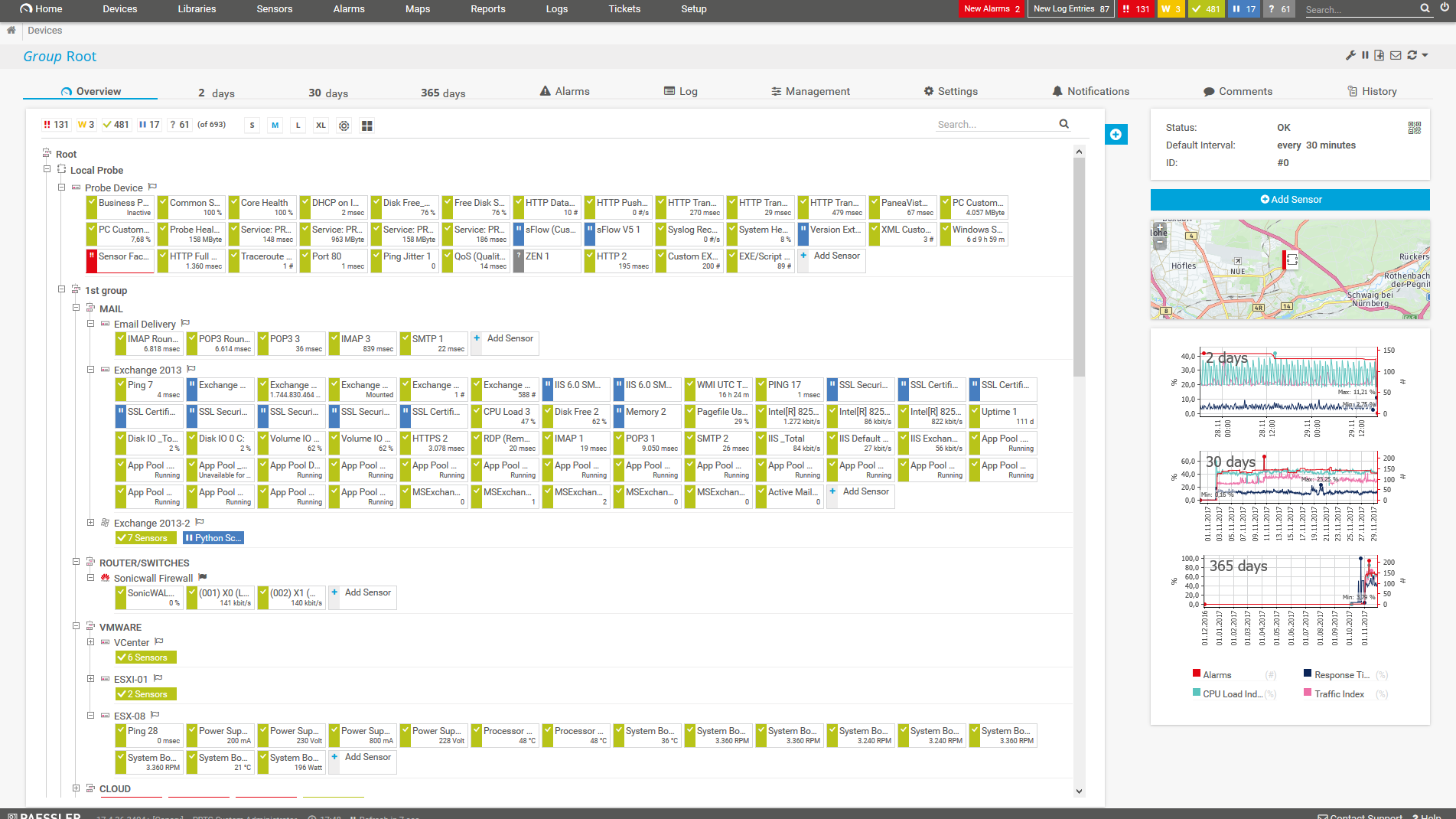
Device tree view of the complete monitoring setup

Custom PRTG dashboard for keeping an eye on the entire IT infrastructure

Live traffic data graph in PRTG

“All-around winning
network monitor”

“The real beauty of PRTG is the endless possibilities it offers”

“PRTG Network Monitor
is very hard to beat”
Monitoring bandwidth usage is key to better network management
PRTG reads the complete traffic data directly from your routers and provides detailed statistics about which services and applications use your bandwidth and where potential bottlenecks could be.
PRTG displays your bandwidth usage in graphs and toplists and shows net bandwidth consumption based on various parameters using, for example, packet sniffing or flow sensors (NetFlow, sFlow, jFlow, or IPFIX).
Customizable alerts notify you about bandwidth shortages. This ensures that you can react proactively to all bandwidth issues and troubleshoot problems before they become critical.
PRTG comes with more than 250 native sensor types for monitoring your entire on-premises, cloud, and hybrid cloud environment out of the box. Check out some examples below!
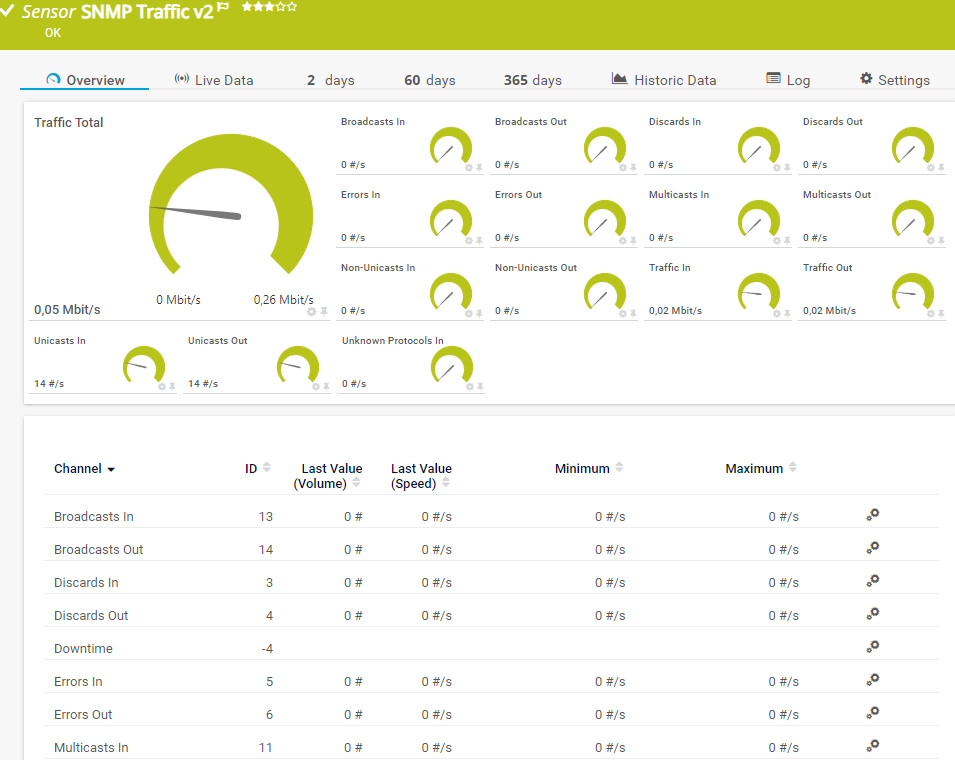
The SNMP Traffic v2 sensor monitors bandwidth and traffic on a device. It can show the following:
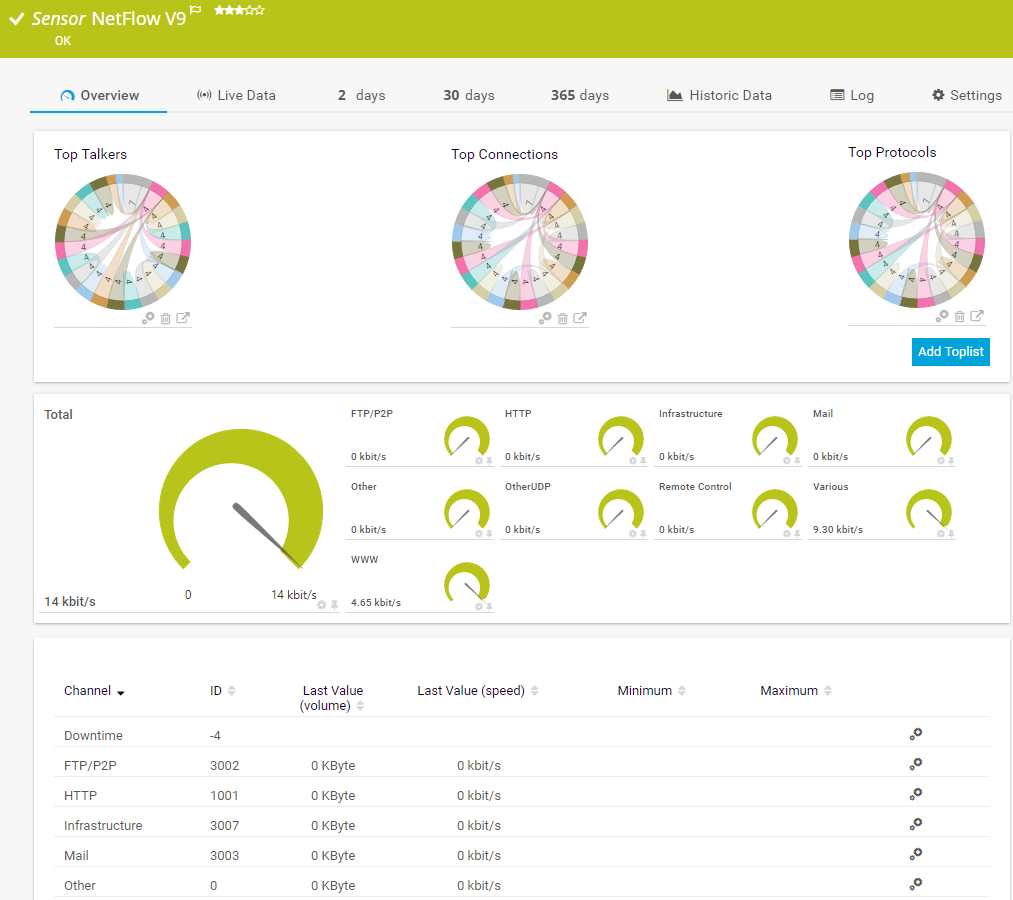
The NetFlow v9 sensor receives traffic data from a NetFlow v9-compatible device and shows the traffic by type. This sensor has several filter options to divide traffic into different channels. It can show the following and more:
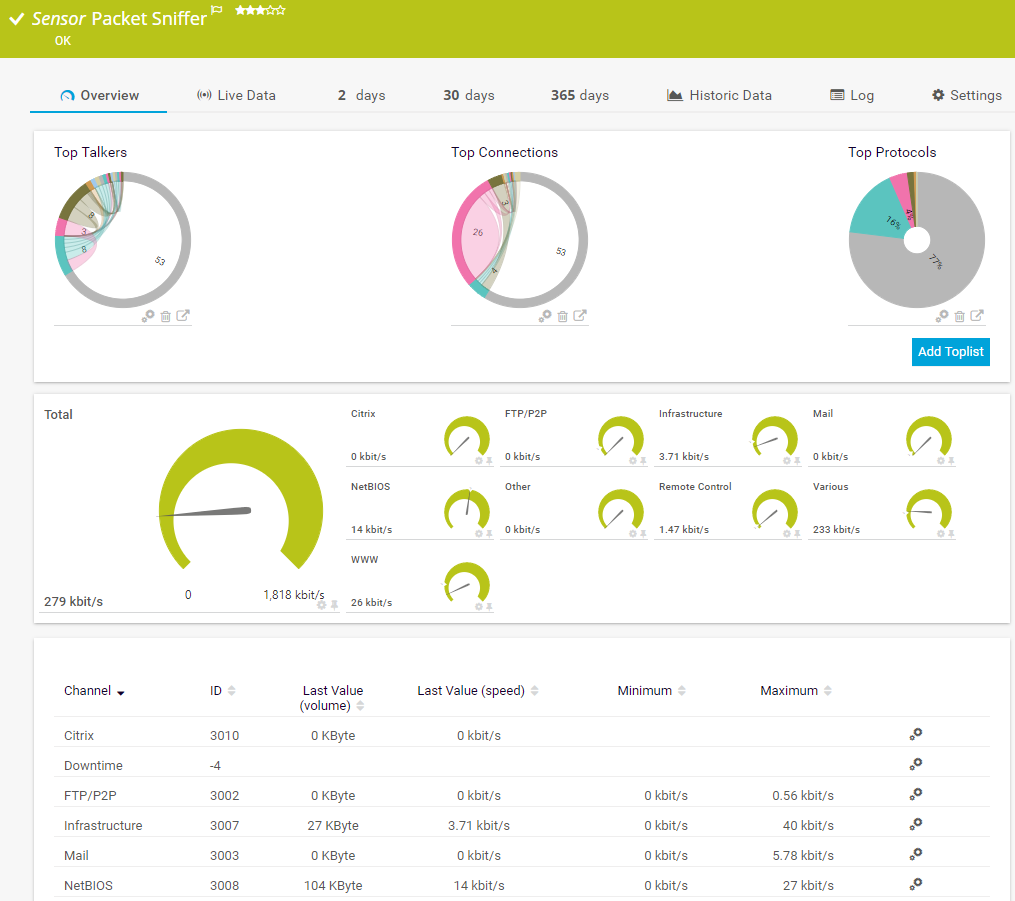
The Packet Sniffer sensor monitors the headers of data packets that pass a local network card using a built-in packet sniffer. You can choose from predefined channels. It can show the following and more:
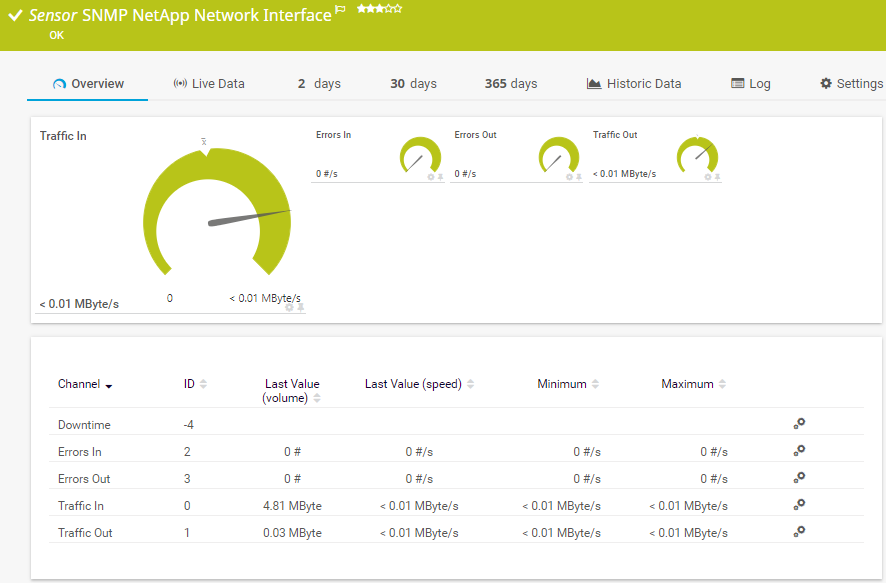
The SNMP NetApp Network Interface sensor monitors a network card of a NetApp storage system. It can show the following:
See the PRTG Manual for a list of all available sensor types.
Real-time notifications mean faster troubleshooting so that you can act before more serious issues occur.
One single network component that overloads can bring your network to its knees. PRTG quickly identifies potential bandwidth bottlenecks and pinpoints the root causes of crashes in likely scenarios.
Every company sends large files, which consumes a lot of bandwidth. PRTG helps you avoid the bottlenecks lurking in your network that slow down or disrupt large file transfers and cost you dearly in time and money.
Your coworkers complain that internal programs are running slowly. Your customers complain that your website seems bogged down. PRTG solves this by showing you the cause of overloads and keeping your network at maximum efficiency.
No IT can do without backups. But database synchronizations and backups require a lot of bandwidth – one overload or bottleneck can disrupt everything. PRTG alerts you of bandwidth shortages so you can prevent overloads before they occur.
Custom alerts and data visualization let you quickly identify and prevent all kinds of bandwidth issues.
Set up PRTG in minutes and use it on almost any mobile device.


“Excellent tool for detailed monitoring. Alarms and notifications work greatly. Equipment addition is straight forward and server initial setup is very easy. ...feel safe to purchase it if you intend to monitor a large networking landscape.”
Partnering with innovative IT vendors, Paessler unleashes synergies to create
new and additional benefits for joined customers.

By integrating PRTG with Martello iQ, you can add a fast analytics layer to improve uptime, visualize your IT environment, and integrate all of your IT systems into a single pane of glass.

Paessler and Plixer provide a complete solution adding flow and metadata analysis to a powerful network monitoring tool.

Siemon and Paessler bring together intelligent building technology and advanced monitoring and make your vision of intelligent buildings and data centers become reality.
Real-time notifications mean faster troubleshooting so that you can act before more serious issues occur.
Network Monitoring Software – Version 26.3.124.1727 (September 16, 2026)
Download for Windows and cloud-based version PRTG Hosted Monitor available
English, German, Spanish, French, Portuguese, Dutch, Russian, Japanese, and Simplified Chinese
Network devices, bandwidth, servers, applications, virtual environments, remote systems, IoT, and more
Choose the PRTG Network Monitor subscription that's best for you


Bandwidth refers to the maximum rate at which data can be transmitted over a network or communication channel in a given amount of time. It's typically measured in bits per second (bps), such as megabits per second (Mbps) or gigabits per second (Gbps).
In networking, bandwidth describes the capacity of a network connection. A higher bandwidth means that more data can flow through the connection simultaneously, enabling faster data transfer. For example, if a home internet connection has a bandwidth of 100 Mbps, it can transfer up to 100 million bits per second.
Bandwidth monitoring is a method to measure the actual bandwidth that is available on a local system (LAN or WiFi). Bandwidth monitoring tools display real-time data such as download and upload speed, or latency and thus help prevent network strain and aid in troubleshooting.
Private individuals and professionals alike use bandwidth monitoring with PRTG to check for available bandwidth.
In professional business settings, it has severe consequences if only limited bandwidth is available. Disruptions lead to idleness on the part of employees and customers – and a corresponding loss of sales and revenue. This is why administrators must be able to immediately determine and eliminate bandwidth hogs.
PRTG solves bandwidth issues by helping you to...
Would you like to know if your Internet service provider actually provides the bandwidth they've promised? Like many administrators, you probably perform many SLA checks – but how do you test your bandwidth?
There are two primary challenges of testing bandwidth:
For these reasons, you cannot measure the bandwidth directly during the entire test, but must test the speed of the connection by generating short load peaks. You can do this, for example, by downloading a small file (a few KB) every few minutes and measuring the time it takes for the download to finish.
Create three HTTP Advanced sensors that access several files of about 500 KB each from various "fast servers" (for example, the static websites of your Internet service provider).
Let the sensors run for a few hours with a 5-minute scanning interval. The sensors have a channel that specifies the bandwidth achieved during the file download in Kbps.
If you have a data line with a specified bandwidth of 4 Mbps, for example, the network test of downloading a 500 KB file should last 1 second: 4 Megabits per second = 0.5 MB per second = 500 KB per second
If your line is used by others during the network test, you will see jitter (unwanted fluctuations) on the curve because your test did not always run with the full amount of available bandwidth. If during the test there was no other traffic on the line, your curve should closely resemble a straight line.
Bandwidth checks with PRTG will allow you to monitor your network closely and detect potential bottlenecks before they can cause real harm.
In PRTG, “sensors” are the basic monitoring elements. One sensor usually monitors one measured value in your network, for example the traffic of a switch port, the CPU load of a server, or the free space on a disk drive. On average, you need about 5-10 sensors per device or one sensor per switch port.
Paessler conducted trials in over 600 IT departments worldwide to tune its network monitoring software closer to the needs of sysadmins. The result of the survey: over 95% of the participants would recommend PRTG – or already have.

Paessler PRTG is used by companies of all sizes. Sysadmins love PRTG because it makes their job a whole lot easier.
Bandwidth, servers, virtual environments, websites, VoIP services – PRTG keeps an eye on your entire network.
Everyone has different monitoring needs. That’s why we let you try PRTG for free.