Custom alerts and data visualization let you quickly identify and prevent unplanned downtime and other reachability issues.
Regardless of the reason for the failed ping test: if a component in a network (e.g., a router, service, application, or website) cannot be pinged, then it will be unavailable to both customers and employees. This can have serious consequences for a company, including unhappy customers and lost work time and revenue.
The IP address of the destination host may be incorrect, the subnet mask of the local system may be configured incorrectly, or one of the two systems may be on the wrong LAN.
The firewall between the server and the ping tester may not be allowing packets through due to its firewall rules.
A router firewall rule may be preventing communication or the routing table may be incomplete.
The connection may be down, a cable may be damaged, or the router may not be working.
How do you test a ping?
PRTG checks whether a network system is available and communicating with other systems. You can set up PRTG to continually (and automatically) run ping tests. In this way, you can monitor uptime much more reliably and effectively than with single, manual ping tests. If a ping fails, PRTG’s customizable alerting system notifies you immediately via email, SMS, or in-app push notification.
When used as a ping tester, PRTG lets you monitor your infrastructure proactively and avoid costly network downtime. In order to troubleshoot properly, uptime and downtime must be monitored continuously.
Among other things, availability problems can be caused by a faulty hardware system, a poor network connection, or an incorrect configuration. With a ping monitoring tool like PRTG, you can detect such problems at a glance.
Diagnose network issues by continuously tracking and testing the availability of your network using ICMP (Internet Control Message Protocol) ping requests. Show download speed, upload speed, ICMP packet round-trip time, latency, packet loss, and other test result metrics in real time. Visualize monitoring data in clear graphs and dashboards to identify problems more easily. Gain the overview you need to troubleshoot network connectivity and other issues.
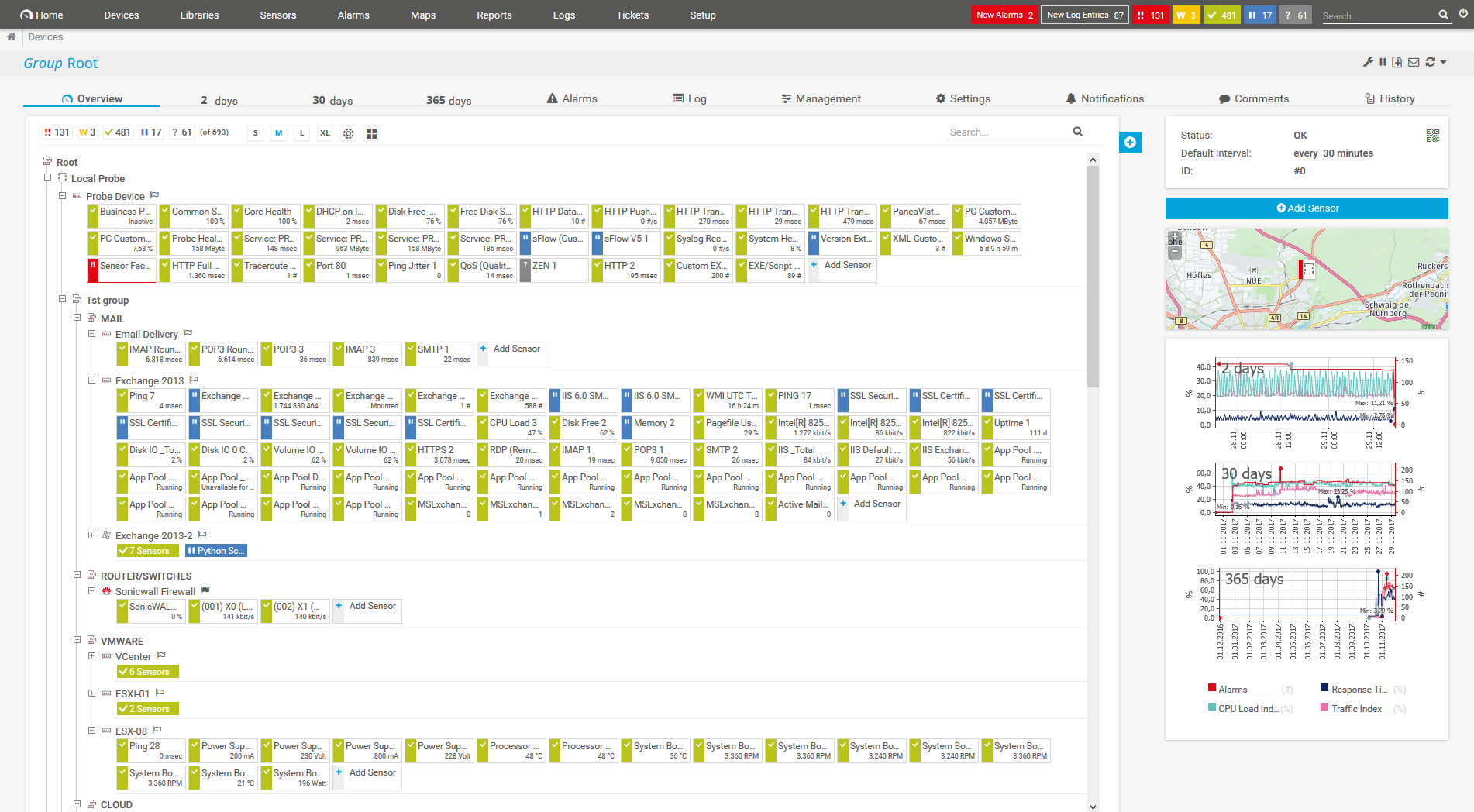
Device tree view of the complete monitoring setup

Custom PRTG dashboard for keeping an eye on the entire IT infrastructure

Live traffic data graph in PRTG

“All-around winning
network monitor”

“The real beauty of PRTG is the endless possibilities it offers”

“PRTG Network Monitor
is very hard to beat”
PRTG comes with more than 250 native sensor types for monitoring your entire on-premises, cloud, and hybrid cloud environment out of the box. Check out some examples below!
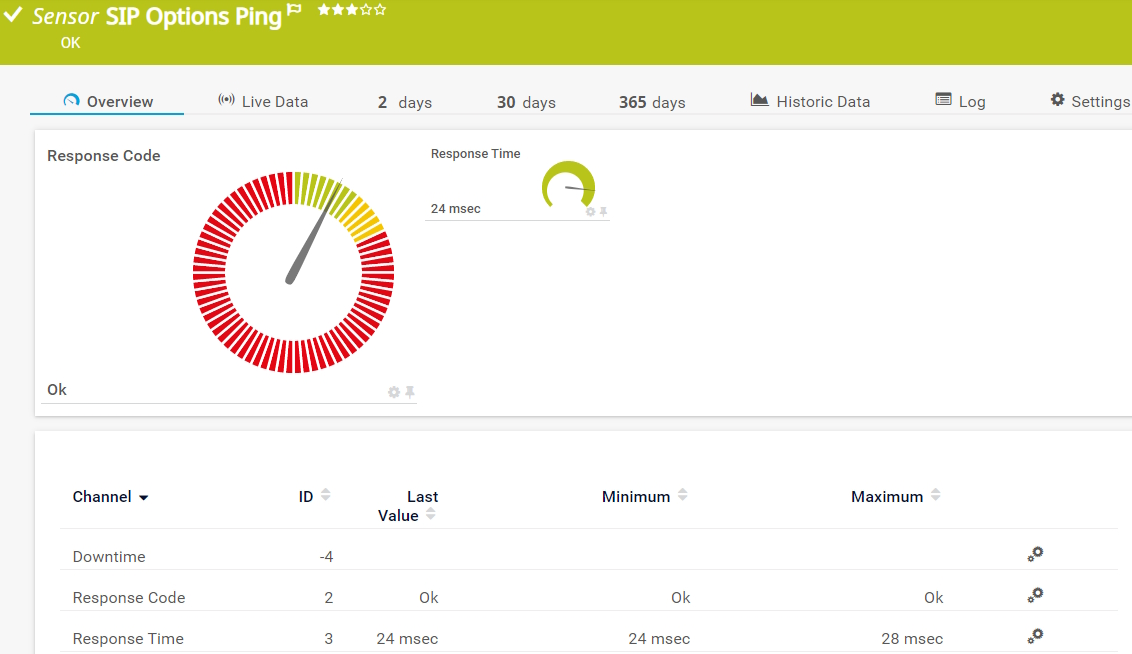
The SIP Options Ping sensor monitors the connectivity to a Session Initiation Protocol (SIP) server using SIP options "ping". The sensor sends auth and options requests to the SIP server. It can show the following:
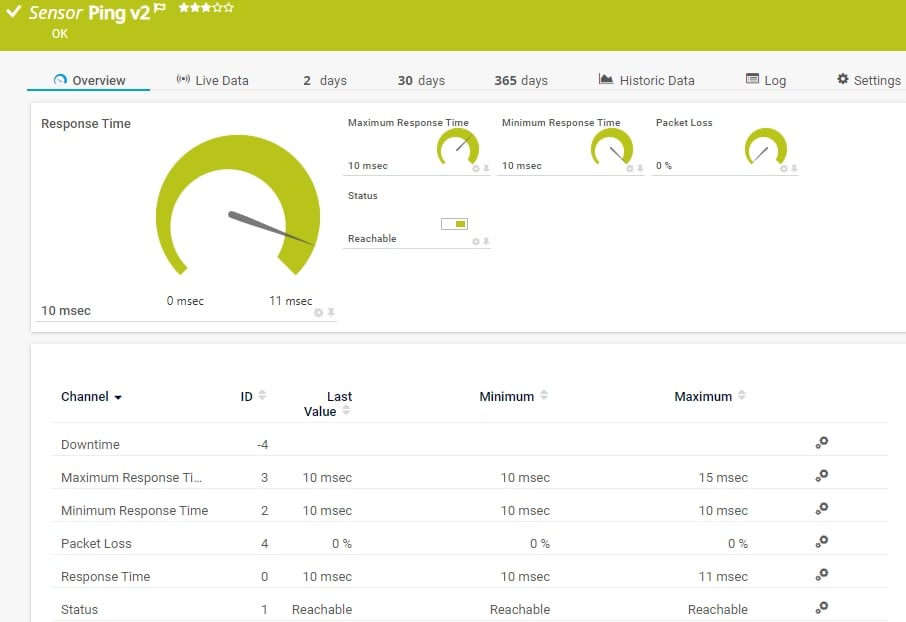
The Ping v2 sensor sends an Internet Control Message Protocol (ICMP) echo request ("ping") from the probe system to the parent device to monitor its availability. It can show the following:
• Response time
• Packet loss
• Target status
• Minimum and maximum ping time
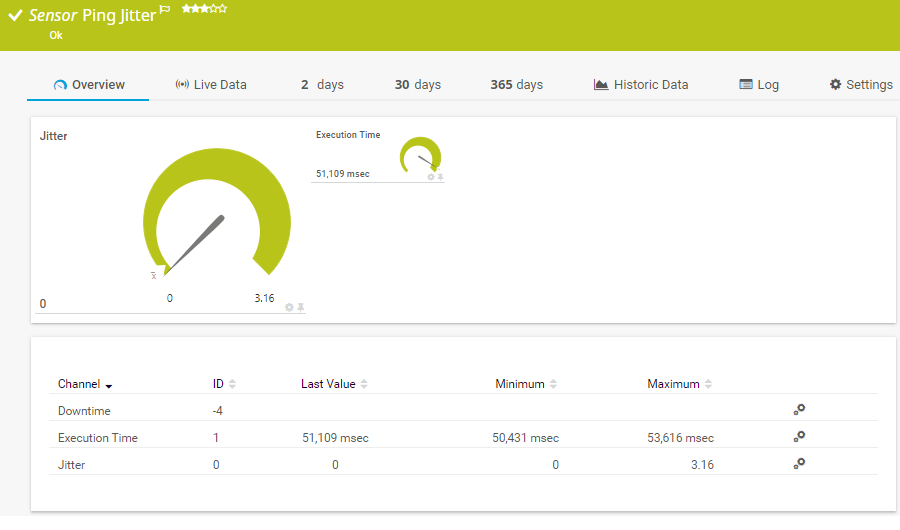
The Ping Jitter sensor sends a series of Internet Control Message Protocol (ICMP) echo requests ("pings") to a URI to determine the statistical jitter. It can show the following:
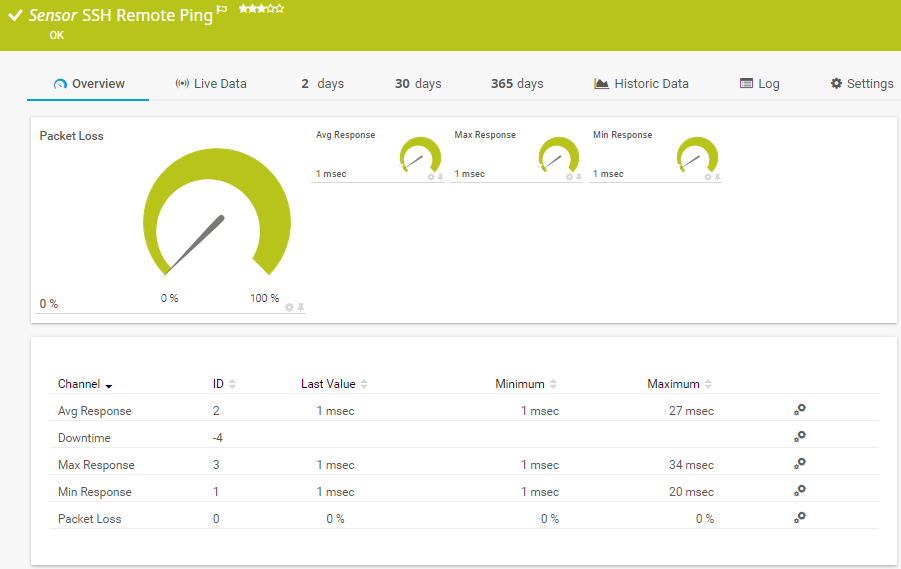
The SSH Remote Ping sensor remotely monitors the connectivity between a system running Linux/macOS X and another device, using Internet Control Message Protocol (ICMP) echo requests ("ping") and Secure Shell (SSH). It can show the following:
See the PRTG Manual for a list of all available sensor types.

Custom alerts and data visualization let you quickly identify and prevent unplanned downtime and other reachability issues.
PRTG is set up in a matter of minutes and can be used on a wide variety of mobile devices.


“Excellent tool for detailed monitoring. Alarms and notifications work greatly. Equipment addition is straight forward and server initial setup is very easy. ...feel safe to purchase it if you intend to monitor a large networking landscape.”
Partnering with innovative IT vendors, Paessler unleashes synergies to create
new and additional benefits for joined customers.

baramundi and PRTG create a secure, reliable and powerful IT infrastructure where you have everything under control - from the traffic in your firewall to the configuration of your clients.

With the combination of PRTG and Insys, the monitoring specialist Paessler and the industrial gateway manufacturer INSYS icom offer a practical possibility to merge IT and OT.

Siemon and Paessler bring together intelligent building technology and advanced monitoring and make your vision of intelligent buildings and data centers become reality.
Real-time notifications mean faster troubleshooting so that you can act before more serious issues occur.
Network Monitoring Software – Version 26.1.116.1532 (February 9th, 2026)
Download for Windows and cloud-based version PRTG Hosted Monitor available
English, German, Spanish, French, Portuguese, Dutch, Russian, Japanese, and Simplified Chinese
Network devices, bandwidth, servers, applications, virtual environments, remote systems, IoT, and more
Choose the PRTG Network Monitor subscription that's best for you


Ping is a command line and analysis tool in an operating system such as Windows or Linux. A ping tester tool can determine whether a system or computer with a network or Internet connection is reachable. These tools are therefore ideal for checking the functionality and availability of servers, network systems, and computers.
Monitoring ping values makes it possible to ascertain two key parameters of your network:
The “ping” command is used to send a data packet from one system to another. If the ping is successful, the pinged computer sends a response in the form of a data packet back to the sender (system).
If the data packet is corrupted or gets lost on the way back to the sender, then the ping fails. With successful pings, valuable connectivity-related information can be determined by the amount of time the data packet takes to arrive at its destination.
What is a good ping value? In general: the lower the ping value, the faster and better the connection.
A so-called “ping check” or “speed test” can therefore be used to determine whether (and how well) a computer can communicate with another computer over your corporate network.
A ping tester tool helps IT teams perform detailed network analyses and bypass problems.
In PRTG, “sensors” are the basic monitoring elements. One sensor usually monitors one measured value in your network, for example the traffic of a switch port, the CPU load of a server, or the free space on a disk drive. On average, you need about 5-10 sensors per device or one sensor per switch port.
Paessler conducted trials in over 600 IT departments worldwide to tune its network monitoring software closer to the needs of sysadmins. The result of the survey: over 95% of the participants would recommend PRTG – or already have.

Paessler PRTG is used by companies of all sizes. Sysadmins love PRTG because it makes their job a whole lot easier.
Bandwidth, servers, virtual environments, websites, VoIP services – PRTG keeps an eye on your entire network.
Everyone has different monitoring needs. That’s why we let you try PRTG for free.