

WMI stands for "Windows Management Instrumentation" and is the technology from Microsoft for monitoring and management of Windows based systems.
If you run into problems while accessing a remote PC via WMI, please review our guide to troubleshooting WMI issues.
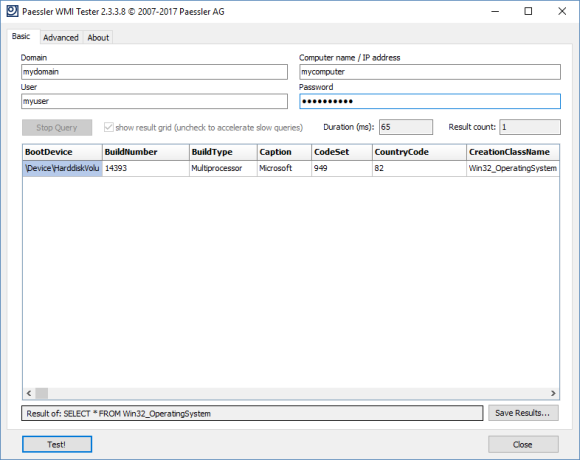
WMI works like a database and offers a variety of useful monitoring values of computers running Microsoft Windows. Products like Paessler's PRTG Network Monitor make use of the WMI functionality to monitor computers in network environments. WMI allows a process to read out data for many Windows configuration parameters as well as current system status values. Access can take place locally or remotely via a network connection. WMI is based on COM and DCOM and is integrated in Windows 2000, XP, 2003, Vista and later.
As WMI access over a network is not quite trivial, the Paessler WMI Tester is a tool for testing the accessibility of WMI in a quick and easy-to-use way.
After starting Paessler WMI Tester you can enter the following data:
Now click the “Test!” button. After a short time you will either see a result table showing information about the Windows system on the machine or an error message if something went wrong.
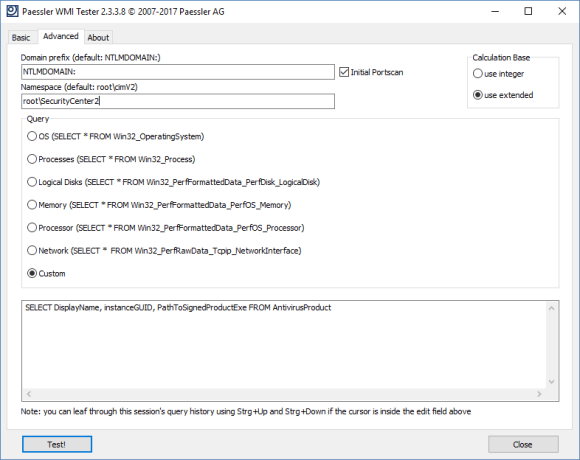
On this tab you can enter:
WMI Tester (2.3 MB)
This program is provided as a freeware and thus for free for Paessler customers, mainly as an add-on for PRTG. Please understand that we cannot provide technical support for this program.