


Monitor your IT, OT, & Industrial IT

Ideal for distributed monitoring

Leave the hosting to us
SUPPORTED VENDORS AND APPLICATIONS:


Overview | PRTG Network Monitor  | PRTG Enterprise Monitor  | PRTG Hosted Monitor  |
|---|---|---|---|
Hosting | PRTG Network Monitor On premises | PRTG Enterprise Monitor On premises | PRTG Hosted Monitor Cloud-based |
Licensing | PRTG Network Monitor Perpetual license | PRTG Enterprise Monitor Subscription (annually) | PRTG Hosted Monitor Subscription (annual and monthly) |
Pricing | PRTG Network Monitor Starting from $ 2,149 per license | PRTG Enterprise Monitor Starting from $ 17,599 per year | PRTG Hosted Monitor Starting from $ 1,699 per year |
Hardware requirements | PRTG Network Monitor Windows-based server | PRTG Enterprise Monitor Windows-based server | PRTG Hosted Monitor No dedicated hardware needed |
Server installations | PRTG Network Monitor 1 server installation | PRTG Enterprise Monitor Unlimited server installations | PRTG Hosted Monitor 1 server installation |
Monitoring aspects | PRTG Network Monitor 500 to 10,000 aspects | PRTG Enterprise Monitor Unlimited sensors and devices | PRTG Hosted Monitor 500 to 10,000 aspects |
Maintenance | PRTG Network Monitor Renewable on request | PRTG Enterprise Monitor Included | PRTG Hosted Monitor Included |
Technical support | PRTG Network Monitor Email support | PRTG Enterprise Monitor High-priority email support, Certified Enterprise Partners | PRTG Hosted Monitor High-priority email support |
FEATURES | PRTG Network Monitor | PRTG Enterprise Monitor | PRTG Hosted Monitor |
Maps & dashboards | PRTG Network Monitor  | PRTG Enterprise Monitor | PRTG Hosted Monitor |
ITOps Board (multi-server dashboards) | PRTG Network Monitor  | PRTG Enterprise Monitor | PRTG Hosted Monitor |
Alerts & notifications | PRTG Network Monitor | PRTG Enterprise Monitor | PRTG Hosted Monitor |
Distributed monitoring | PRTG Network Monitor | PRTG Enterprise Monitor | PRTG Hosted Monitor |
Multiple user interfaces | PRTG Network Monitor | PRTG Enterprise Monitor | PRTG Hosted Monitor |
Customizable reporting | PRTG Network Monitor | PRTG Enterprise Monitor | PRTG Hosted Monitor |
SLA reporting | PRTG Network Monitor | PRTG Enterprise Monitor | PRTG Hosted Monitor |
Automatic network discovery | PRTG Network Monitor | PRTG Enterprise Monitor | PRTG Hosted Monitor |
Failover cluster | PRTG Network Monitor | PRTG Enterprise Monitor | PRTG Hosted Monitor |
Optimized for MSPs | PRTG Network Monitor | PRTG Enterprise Monitor | PRTG Hosted Monitor |
PRTG Network Monitor I'm looking for reliable | PRTG Enterprise Monitor I need IT monitoring for large infrastructures | PRTG Hosted Monitor I'd like to have Paessler |





Companies around the world trust PRTG when it comes to ensuring that their IT systems run smoothly.

Just about every camper in Europe has heard of Truma. Truma was founded in 1949 and has been offering accessories for recreational vehicles (RVs) ever since. Truma requires an IT infrastructure that incorporates distributed locations, provides a centralized overview, and above all, is always available and efficient. Truma uses Paessler PRTG and Derdack Enterprise Alert to monitor and secure the company’s network.

SMS group GmbH provides production plants for the steel industry worldwide that rely on modern control technology as well as automation systems with corresponding real-time networks. The company uses PRTG to ensure performance and reliability during the construction, testing, and start-up of metallurgical plants (steel production plants), and thereby optimizes the quality of its production lines.

The Carbon Drawdown Initiative GmbH was founded in January 2020 and is focused on promoting research, public discourse, and impact investment in the field of negative emissions. The Carbon Drawdown Initiative launched its own enhanced weathering project: “Project Carbdown” which uses PRTG Hosted Monitor as an important building block in the overall data collection.

Gain practical knowledge on how to monitor your infrastructure with Paessler PRTG. Our training sessions are planned and provided by Paessler system engineers and are suitable for different experience levels.
Paessler PRTG is an IT monitoring software that helps businesses monitor their entire IT infrastructure – no matter if it is an on-premises, cloud, or hybrid environment.
With PRTG, system administrators can keep an eye on the health and performance of their network devices, traffic, applications, services, and much more, to make sure that their IT and business processes run smoothly at all times.
If there is an issue in the IT infrastructure, PRTG alerts the responsible person or team immediately via customizable notifications so that they can react quickly before a failure causes more severe problems.
The freeware edition of PRTG always includes up to 100 monitoring aspects – or PRTG sensors – which can be distributed over your network devices as needed.
Commercial editions of PRTG differ in license types and pricing depending on the PRTG product you choose. For PRTG Network Monitor, there are perpetual licenses from 500 to 10,000 sensors. With PRTG Hosted Monitor, you can choose from flexible subscription plans for more scalability. PRTG Enterprise Monitor offers subscription licenses with an opex-based cost model.
Both freeware and commercial editions of PRTG include all monitoring features.
In PRTG, “sensors” are the basic monitoring elements. One sensor usually monitors one measured value in your network, for example the traffic of a switch port, the CPU load of a server, or the free space on a disk drive.
On average, you need about 5-10 sensors per device or one sensor per switch port.
What is a monitoring aspect?
“Monitoring aspect” is a more descriptive term for “sensor”.
PRTG is an all-in-one monitoring solution, which means that no matter which license or subscription plan you choose, you're able to set up comprehensive monitoring for your entire IT infrastructure. With PRTG, you get the full package:
Supports the most important monitoring technologies and protocols
IT monitoring is the process of monitoring an IT infrastructure such as a LAN, WAN, or any other computer system – no matter if it is an on-premises, cloud-based, or hybrid infrastructure. The purpose of IT monitoring is to ensure that all components in a network run smoothly and to be able to quickly troubleshoot issues if they occur.
To keep an eye on the entire IT environment, there are specialized IT monitoring tools that constantly collect, log, and analyze data about the health, availability, and performance of all hardware and software in the respective network. This includes, for example:
In modern business environments, there are practically no work modes, tasks, or processes anymore that do not rely on any kind of IT infrastructure. Therefore, it is all the more important that a company’s IT infrastructure runs flawlessly and that issues are detected and resolved as quickly as possible. The best way to do this is via IT monitoring, which has several benefits:
Here you find useful Paessler network tools, our official PRTG development roadmap, as well as user testimonials of Paessler PRTG.

We provide free network tools from our innovative programming labs. Here you can find useful helpers that will support you in your everyday job – no matter if your goal is to troubleshoot network issues or to optimize performance.
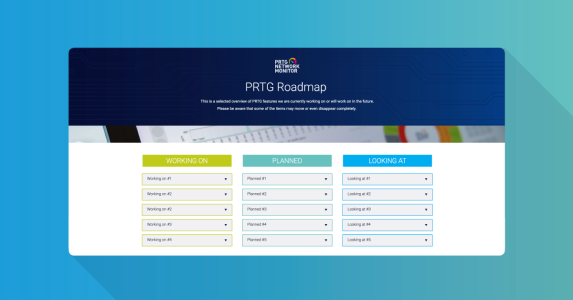
At Paessler, we place great value on transparency in all areas. PRTG is constantly evolving and with our official PRTG roadmap, you will always know what’s going on in the PRTG product development.

Our users love PRTG and praise it on popular IT portals, writing reviews and sharing how PRTG helps them meet their IT challenges every day. Have a look at our users' feedback to see if PRTG is the right fit for your monitoring needs, too.