




When evaluating Zabbix alternatives, PRTG stands out with its comprehensive feature set and ease of use. At first glance, “free” software like Zabbix seems like a good deal compared to PRTG. However, the open-source monitoring tool will likely cost you more in the long run in terms of wasted hours, effort, and negative impact on your business.
Especially in the case of frequently used software that’s vital for smooth business operations, the purchasing price is only one part of the cost.
PRTG saves you time and helps keep your business running with easy-to-use software, superior daily usability, expert tech support, and faster, more intuitive operation and setup.
Enjoy IT infrastructure monitoring from a single dashboard – from network, storage systems, cloud services, virtual systems, databases, and applications, to medical devices, CCTV systems, industrial environments, and more.
Custom alerts and data visualization let you quickly identify and prevent all kinds of network issues.
Quick installation with automatic network discovery and smart setup for instant monitoring
Custom dashboard creation via drag & drop with easy-to-read visualized overviews
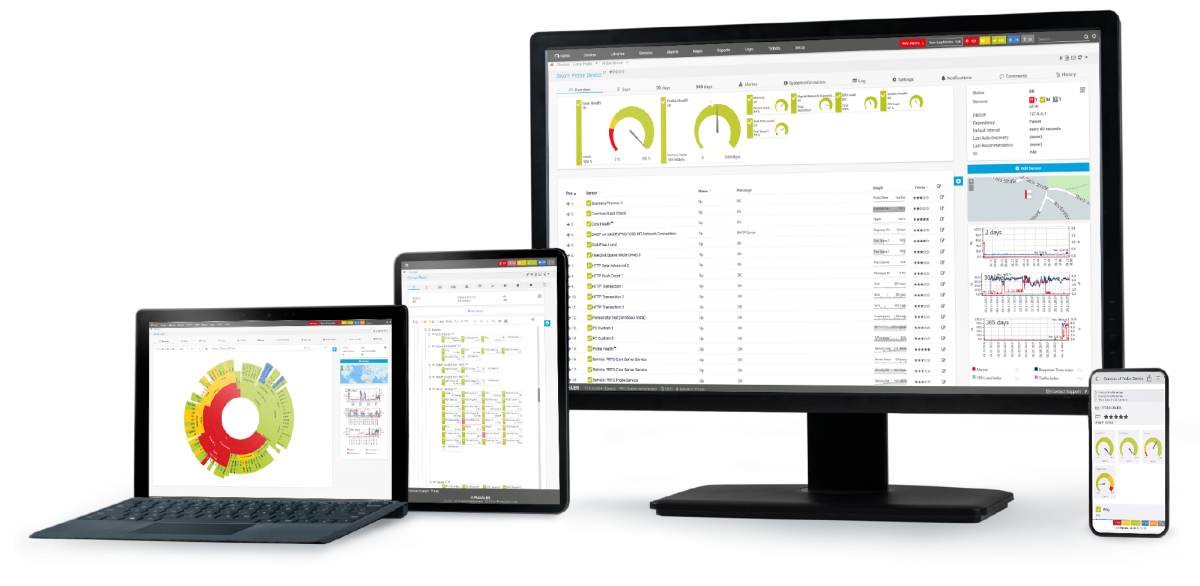
Different user interfaces for web, desktop, and mobile apps for monitoring on the go
Network of qualified implementation partners to support you with a smooth migration to PRTG
Diagnose network issues by continuously tracking the health, availability, and performance of your entire IT infrastructure. Show hardware parameters, application performance, network traffic, bandwidth usage, and other key metrics in real time. Visualize data in clear graphs and dashboards to identify problems more easily. Gain the overview you need to troubleshoot all kinds of issues in your network.
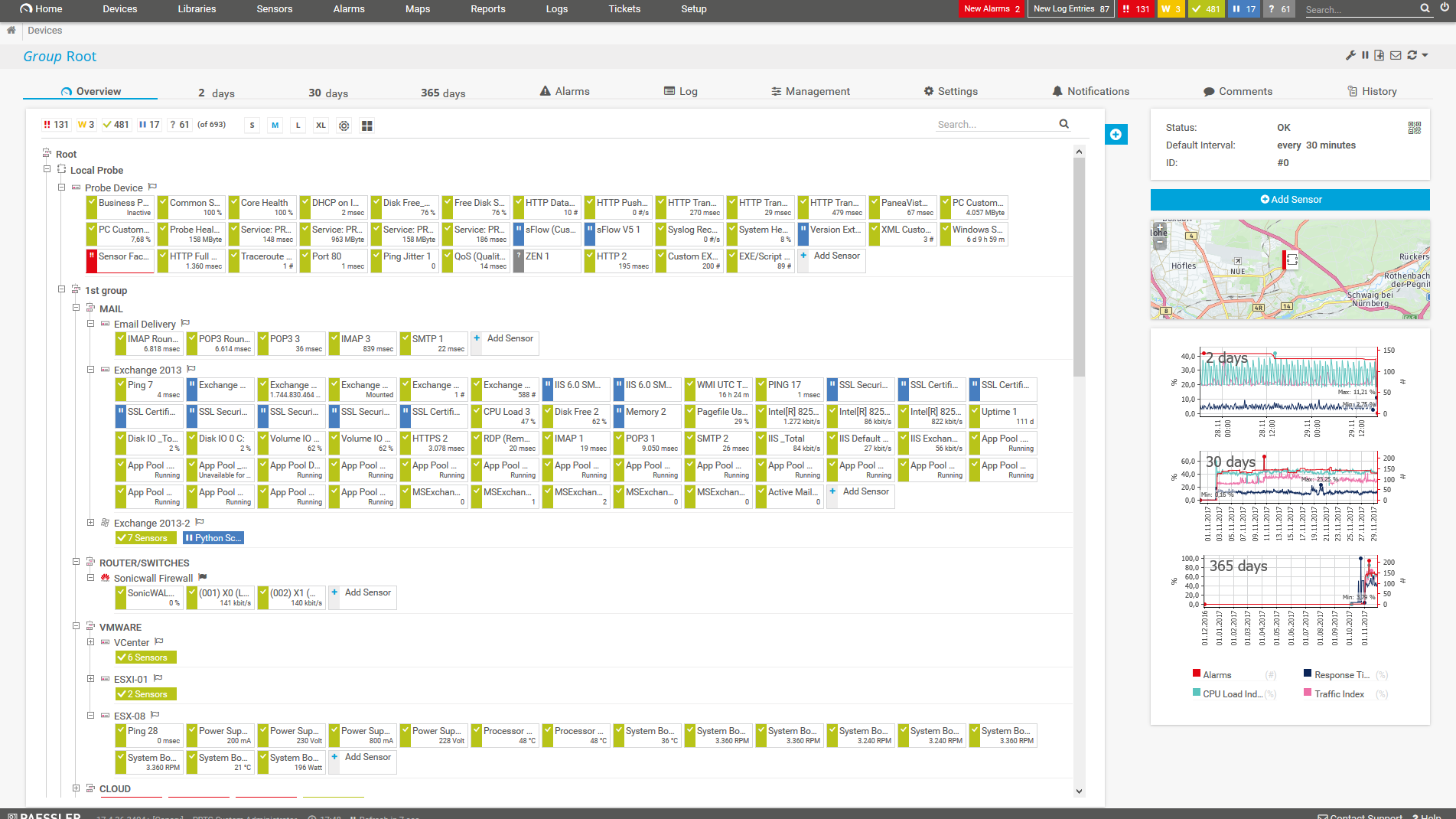
Device tree view of the complete monitoring setup
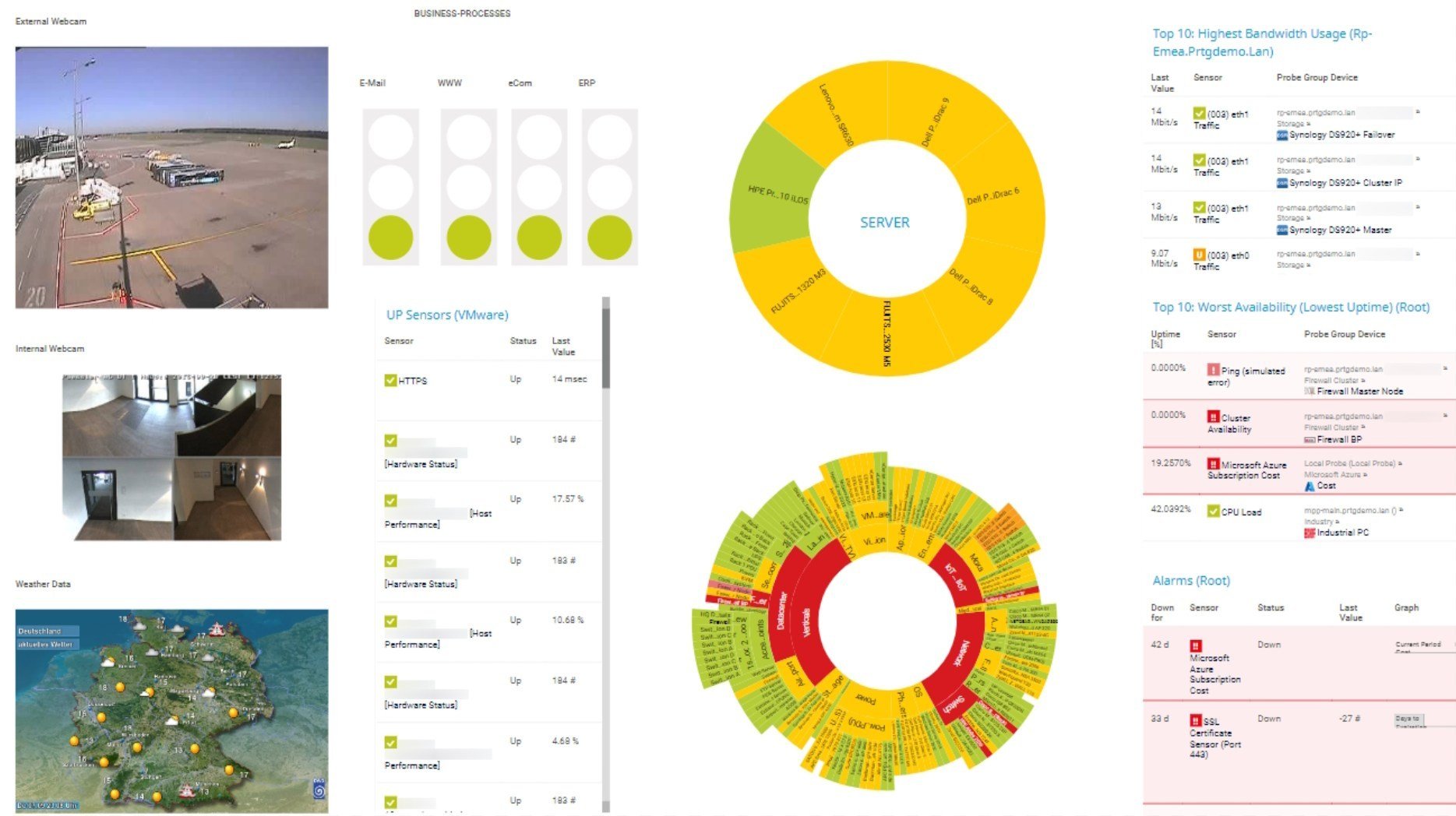
Custom PRTG dashboard for keeping an eye on the entire IT infrastructure
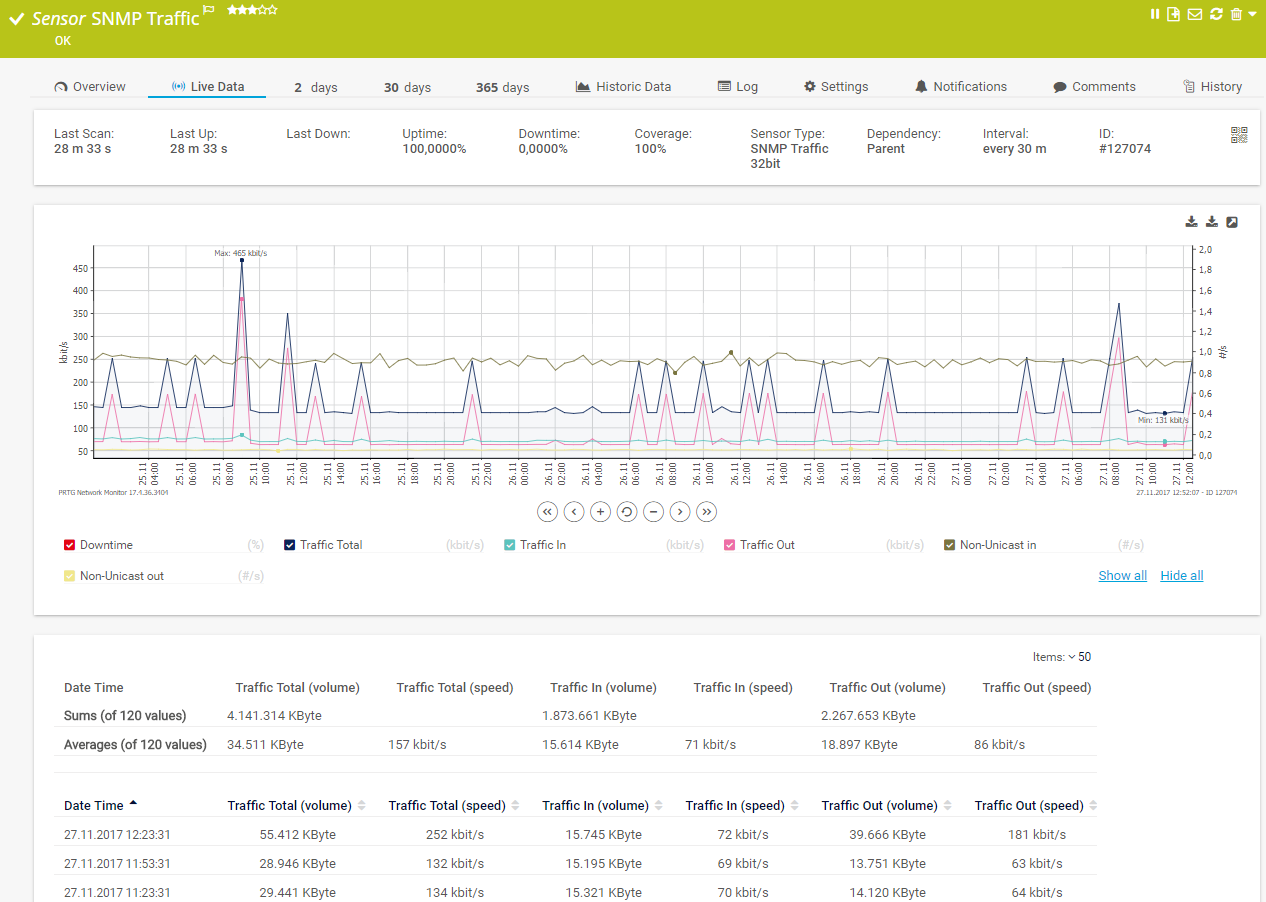
Live traffic data graph in PRTG
FEATURE | PRTG PRTG | Zabbix Zabbix |
|---|---|---|
One tool for your entire network | PRTG All monitoring features included | Zabbix All monitoring features included but requires extensive technical knowledge to configure them |
Easy setup, intuitive monitoring | PRTG User-friendly interfaces for web, desktop, and mobile | Zabbix Functional, but less intuitive web interface with steep learning curve and complex configuration requirements |
Automatic network discover | PRTG Included | Zabbix Requires detailed configuration |
Real-time alerts & notifications | PRTG Advanced, highly customizable alerting via different notification methods | Zabbix Standard alerts only |
Custom maps & dashboards | PRTG Custom dashboard creation via drag & drop | Zabbix Standard customization options only |
Agentless monitoring | PRTG No need to install agents on the monitored systems | Zabbix Yes, but manual configuration required |
On-premises or cloud-based | PRTG Flexible deployment options available | Zabbix Yes, both available |
Enterprise version | PRTG Available | Zabbix Yes, enterprise version available |
Freeware version | PRTG Available for up to 100 sensors, free for life | Zabbix Yes, but extensive setup required to achieve enterprise level monitoring |
Distributed network monitoring | PRTG Monitoring an unlimited number of remote locations included | Zabbix Included |
Server & application monitoring | PRTG Out-of-the-box integration, no extra cost | Zabbix Supported |
Network performance monitoring | PRTG Out-of-the-box integration, no extra cost | Zabbix Supported, but often additional modules are required for full functionality |
Bandwidth monitoring | PRTG Out-of-the-box integration, no extra cost | Zabbix Supported, but you need additional plugins for full functionality |
Network traffic analyzer | PRTG Out-of-the-box integration, no extra costs | Zabbix Not out-of-the-box, requires additional plugins |
Cloud services monitoring | PRTG Out-of-the-box integration, no extra cost | Zabbix No direct cloud service monitoring support (only with additional plugins) |
Virtual infrastructure monitoring | PRTG Out-of-the-box integration, no extra cost | Zabbix Possible, but detailed configuration required |
Storage resource monitoring | PRTG Out-of-the-box integration, no extra cost | Zabbix Possible, but detailed configuration required |
Database monitoring | PRTG Out-of-the-box integration, no extra cost | Zabbix Possible, but detailed configuration required |
Web performance monitoring | PRTG Out-of-the-box integration, no extra cost | Zabbix Possible, but detailed configuration required |
Supports leading technologies | PRTG SNMP, flow protocols, packet sniffing, WMI, HTTP, ping, SQL, and much more | Zabbix No native support for packet sniffing; additional plugins or configuration required to achieve full functionality |
Create your own scripts | PRTG Own PRTG API included for custom sensors and scripts | Zabbix Yes |
Includes technical support | PRTG Expert support included, no extra costs | Zabbix Technical support available |

“All-around winning
network monitor”

“The real beauty of PRTG is the endless possibilities it offers”

“PRTG Network Monitor
is very hard to beat”
You are interested to know if PRTG could be an alternative to your Zabbix implementation?
“For its easy-to-use interface, configuration, and graphical environment, PRTG is immensely better compared with the competition, for example Zabbix is very tedious to configure and it took us months versus hours with PRTG.”
PRTG is set up in a matter of minutes and can be used on a wide variety of mobile devices.
Real-time notifications mean faster troubleshooting so that you can act before more serious issues occur.
Choosing between Paessler PRTG and Zabbix depends on several factors, such as your specific network monitoring needs, budget, and technical resources available in your organization.
PRTG is ideal:
Zabbix might be your choice:
You should consider buying PRTG instead of using the free tool Zabbix if you prioritize ease of use, quick setup, and a user-friendly interface. PRTG is designed to be intuitive, even for users without extensive technical expertise, and offers comprehensive support from Paessler, which can be crucial for ensuring smooth operation and quick resolution of issues.
Additionally, PRTG includes built-in sensors, auto-discovery, and straightforward integration with third-party systems, making it a convenient choice for small to medium-sized networks where simplicity and dedicated support are valued over the extensive customization and scalability offered by Zabbix.
Yes, PRTG has a Freeware Edition with which you get:
With the free version of PRTG, you can get started with network monitoring in a matter of minutes. Our Auto-Discovery feature detects all the devices within a given IP address range and automatically integrates them into your monitoring environment.
PRTG’s flexible subscription licensing makes it easy to scale as needed. You pay only for the number of sensors you need. After your 30-day free trial of the unlimited version of PRTG, you can still use the Freeware Edition with 100 free sensors. Or you upgrade to a paid license.
When evaluating Zabbix alternatives, it's important to consider factors beyond price. PRTG stands out among Zabbix alternatives with its all-in-one solution that doesn't require piecing together multiple modules. Unlike many Zabbix alternatives that need extensive configuration, PRTG provides immediate value with auto-discovery and an intuitive interface. Enterprise customers often find that PRTG delivers better ROI than other Zabbix alternatives due to its comprehensive features and included technical support.
Transitioning from Zabbix to a reliable Zabbix alternative like PRTG follows a structured approach. Paessler offers dedicated migration assistance to help you plan your move to this Zabbix alternative. The process typically begins with running PRTG alongside your existing Zabbix implementation, allowing you to configure your new monitoring environment while maintaining operational visibility.
As a leading Zabbix alternative, PRTG delivers significant performance benefits in several key areas. This Zabbix alternative excels in scalability, with enterprise implementations supporting thousands of devices without the complex distributed architecture that Zabbix requires. Additionally, this Zabbix alternative provides superior visualization capabilities through customizable dashboards and maps, allowing teams to identify and resolve issues faster.
In PRTG, “sensors” are the basic monitoring elements. One sensor usually monitors one measured value in your network, for example the traffic of a switch port, the CPU load of a server, or the free space on a disk drive. On average, you need about 5-10 sensors per device or one sensor per switch port.

You are interested to know if PRTG could be an alternative to your Zabbix implementation?