



Paessler
                    - The Monitoring Experts
  • Free download

Bandwidth Monitoring 
with PRTG

Continuously check bandwidth utilization and analyze traffic flow

  • Visually analyze bandwidth using graphs and toplists
  • Customize alerts of bandwidth shortages & bottlenecks
  • Identify traffic patterns to maximize network performance
free download

Our Users Give Top Ratings for Monitoring With Paessler PRTG

Gartner peer insights
spiceworks
G2
Capterra

PRTG makes bandwidth monitoring as easy as it gets

Custom alerts and data visualization let you quickly identify and prevent all kinds of bandwidth issues.

free downLoad

Why choose PRTG for bandwidth monitoring?

Troubleshoot "bandwidth hogs" faster

Paessler PRTG helps you troubleshoot bandwidth issues faster with a comprehensive network bandwidth monitor. You can choose from around 20 preconfigured sensors for bandwidth monitoring that are set up with just a few clicks. This way, you can more quickly find out which devices or applications are hogging your bandwidth.

Measure all traffic in your network

Most bandwidth analysis solutions only check traffic on a single device. The bandwidth monitoring software PRTG measures all network traffic by monitoring data directly on your routers using protocols like SNMP, WMI, flow (NetFlow, jFlow, sFlow, IPFIX), or packet sniffing. Monitor all ingoing and outgoing traffic and see which applications or servers are using the most bandwidth.

Monitor over a longer period of time

PRTG lets you keep an eye on your bandwidth over a longer period of time and recognizes when utilization spikes. This helps you plan for more bandwidth at key times, like when your website is in high demand, when users draw heavily upon applications, or when an update is pending.

Diagnose capacity & plan more efficiently

When your bandwidth is slowly reaching its limit, PRTG bandwidth monitor notifies you even before maximum capacity has been reached. This lets you plan for new resources in a timely manner, ensures a high QoS and helps prevent performance issues.

Reduce costs & improve satisfaction

By removing bandwidth hogs, you'll increase the efficiency of your network. These savings quickly compensate for the cost of PRTG. You'll also boost the reliability of your network and enjoy greater control of your IT infrastructure. This way, you'll improve employee performance and boost customer satisfaction.

What bandwidth monitoring looks like in PRTG

Diagnose network issues by continuously tracking bandwidth utilization and flow data. Show network traffic, top talkers, packet loss, latency, jitter, quality of service, and other key metrics in real time. Visualize monitoring data in clear graphs and dashboards to identify problems more easily. Gain the overview you need to troubleshoot bandwidth bottlenecks and other network congestions.
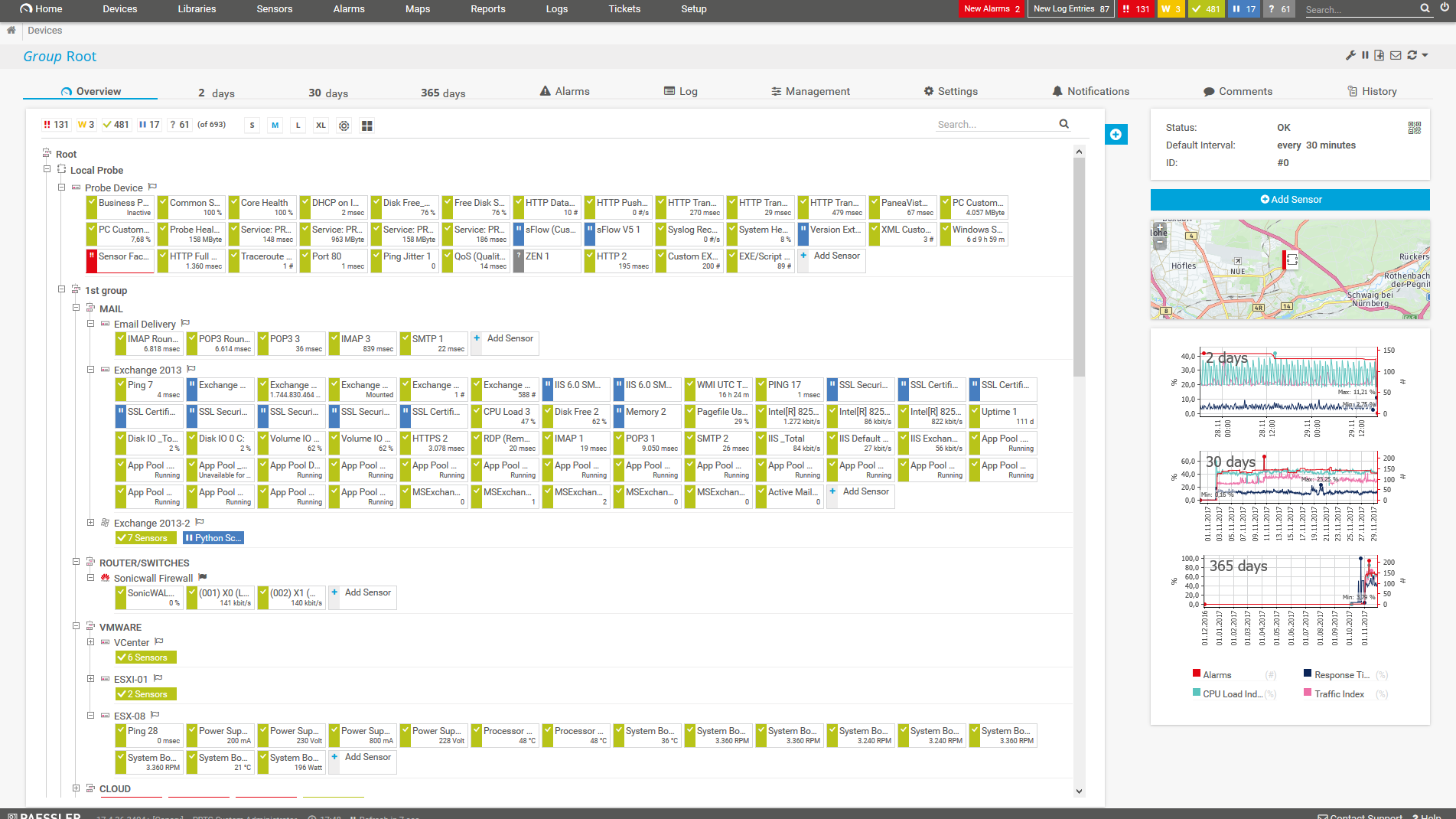
PRTG Screenshot device tree view

Device tree view of the complete monitoring setup
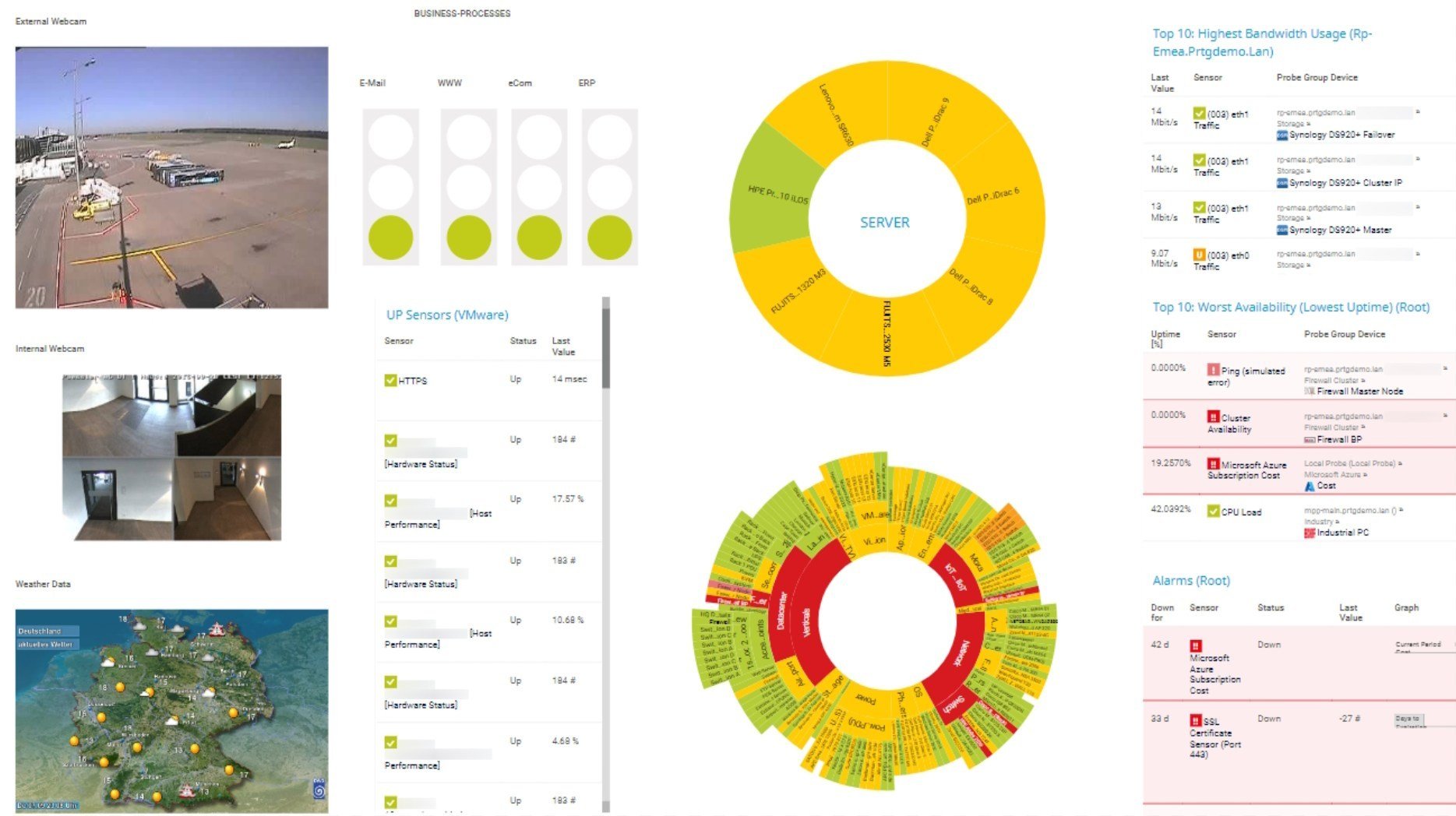
PRTG screenshot map entire it infrastructure

Custom PRTG dashboard for keeping an eye on the entire IT infrastructure
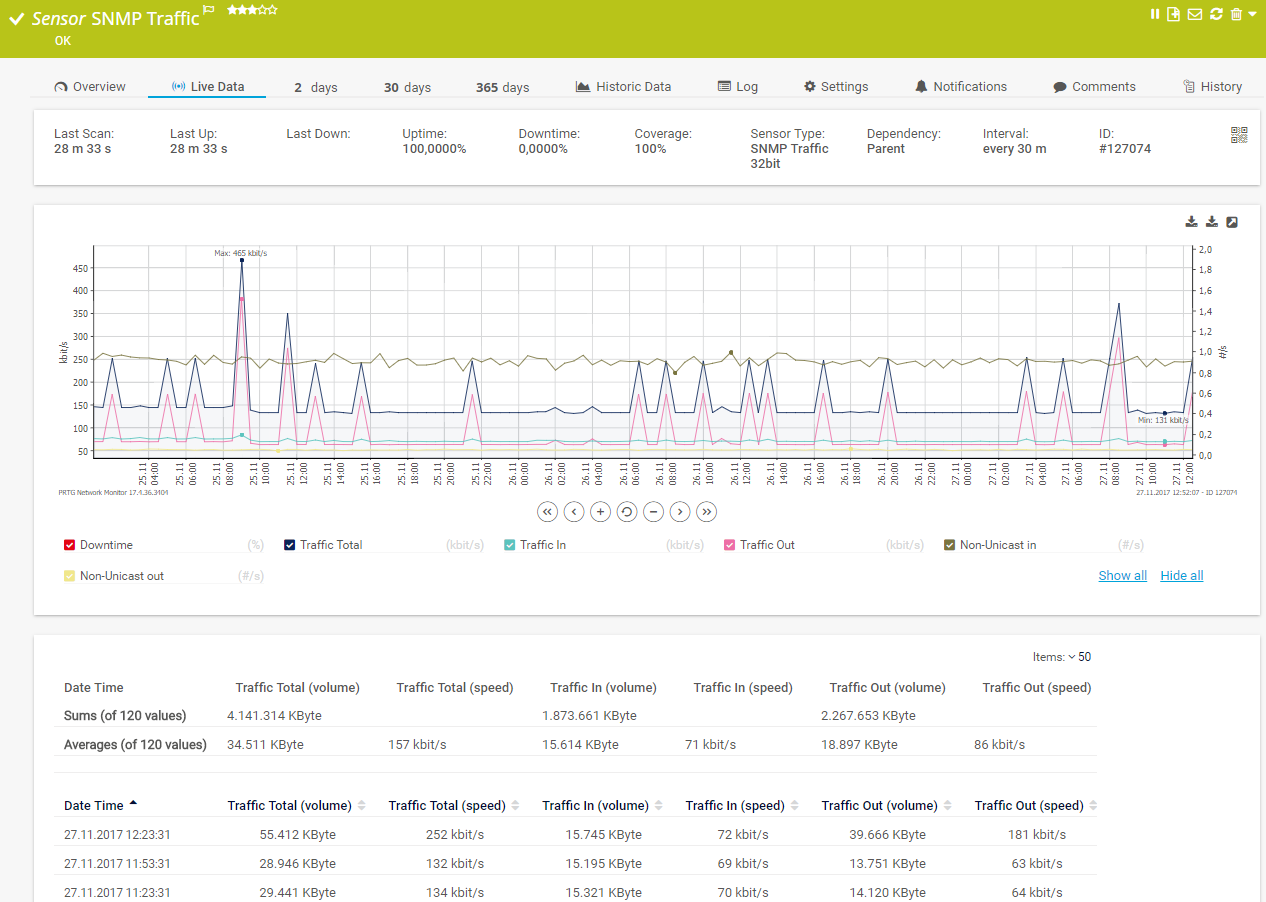
PRTG screenshot graph live data traffic

Live traffic data graph in PRTG

Start bandwidth monitoring with PRTG and see how it can make your network more reliable and your job easier.

free downLoad

IT experts agree: Paessler PRTG is a great solution for IT infrastructure monitoring

PCMag

“All-around winning
 network monitor”

IT Brief

“The real beauty of PRTG is the endless possibilities it offers”

ITPro

“PRTG Network Monitor 
is very hard to beat”

Get a comprehensive overview of your bandwidth usage with PRTG

Monitoring bandwidth usage is key to better network management

Icon Find

Find the source of bottlenecks

PRTG reads the complete traffic data directly from your routers and provides detailed statistics about which services and applications use your bandwidth and where potential bottlenecks could be.

  • Monitor users
  • Monitor devices
  • Monitor services
Icon statistics

Monitor bandwidth by any parameter

PRTG displays your bandwidth usage in graphs and toplists and shows net bandwidth consumption based on various parameters using, for example, packet sniffing or flow sensors (NetFlow, sFlow, jFlow, or IPFIX).

  • Protocol
  • Port number
  • IP address (and more)
Icon Alarm

Configure custom alerts & notifications

Customizable alerts notify you about bandwidth shortages. This ensures that you can react proactively to all bandwidth issues and troubleshoot problems before they become critical.

  • SMS alerts
  • Push notifications
  • Email alerts (and more)

Find the root cause of the problem with our PRTG bandwidth monitoring tool

Real-time notifications mean faster troubleshooting so that you can act before more serious issues occur.

free downLoad

3 use cases for PRTG bandwidth monitoring

One single network component that overloads can bring your network to its knees. PRTG quickly identifies potential bandwidth bottlenecks and pinpoints the root causes of crashes in likely scenarios.

Icon File

Problems with large file transfers

Every company sends large files, which consumes a lot of bandwidth. PRTG helps you avoid the bottlenecks lurking in your network that slow down or disrupt large file transfers and cost you dearly in time and money.

Icon Applications

Slow applications and services

Your coworkers complain that internal programs are running slowly. Your customers complain that your website seems bogged down. PRTG solves this by showing you the cause of overloads and keeping your network at maximum efficiency.

Icon Backup

Backup malfunctions and disruptions

No IT can do without backups. But database synchronizations and backups require a lot of bandwidth – one overload or bottleneck can disrupt everything. PRTG alerts you of bandwidth shortages so you can prevent overloads before they occur.

PRTG makes bandwidth monitoring as easy as it gets

Custom alerts and data visualization let you quickly identify and prevent all kinds of bandwidth issues.

free downLoad

“PRTG helps us to keep control of our IT by making issues visible immediately – and everywhere. We always have an eye on the performance and availability of our IT and can react in time if any failures occur. On a long-term perspective, the monitoring data helps us with capacity planning so that we can deliver the required resources for our own systems as well as for our customers, without wasting money on unwarranted redundancies.”

Stein Erik Høybakk, Senior Network Engineer
TAFJORD

“All our production and business processes depend on SAP. But, of course, IT and production systems also play a crucial role in securing these processes. By incorporating SAP, production, and IT into one centralized monitoring system, we can quickly detect critical drops in performance and identify the causes of these issues. In fact, thanks to PRTG and itesys, this couldn’t be any easier.”

Andreas Schmidt, Senior Systems Engineer
Truma

“Any downtime could be detrimental to our customers. We also strive to provide the best possible service to our customers. PRTG allows us to see the health and performance of the network. Using these measurements we can make decisions on how to repair a piece of equipment before it fails and causes a service interruption.”

James Ott Jr., Communications System Technician and IT Administrator
Federal Radio

Your bandwidth monitor at a glance – even on the go

Set up PRTG in minutes and use it on almost any mobile device.
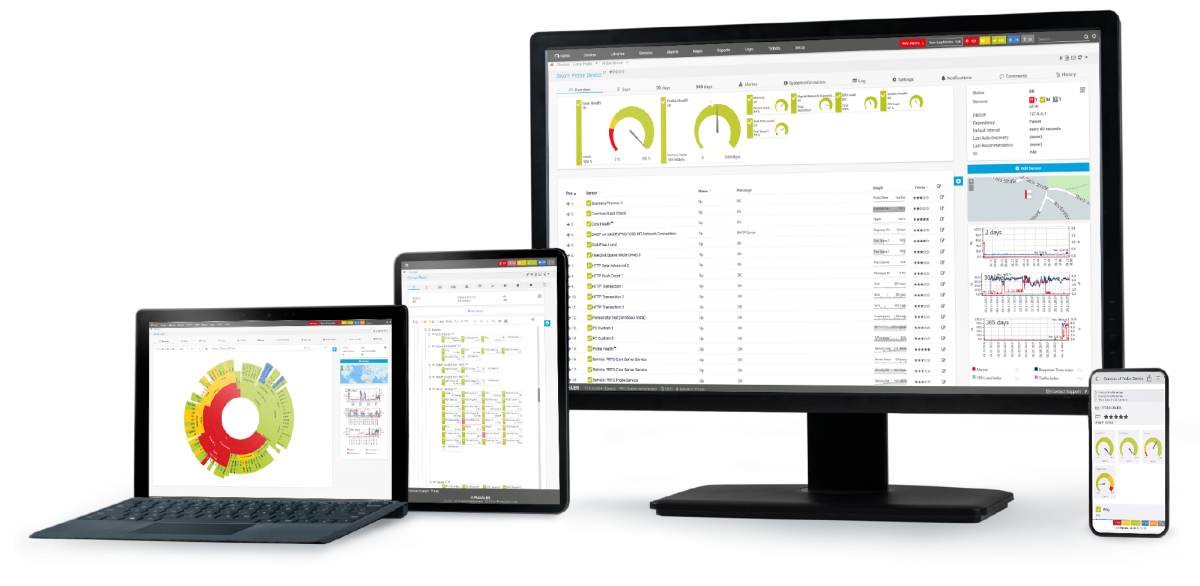
device overview

Find the root cause of the problem with our PRTG bandwidth monitoring solution

Real-time notifications mean faster troubleshooting so that you can act before more serious issues occur.

free downLoad

Bandwidth Monitoring: FAQ


What is bandwidth?

Bandwidth refers to the maximum rate at which data can be transmitted over a network or communication channel in a given amount of time. It's typically measured in bits per second (bps), such as megabits per second (Mbps) or gigabits per second (Gbps).

In networking, bandwidth describes the capacity of a network connection. A higher bandwidth means that more data can flow through the connection simultaneously, enabling faster data transfer. For example, if a home internet connection has a bandwidth of 100 Mbps, it can transfer up to 100 million bits per second.

What is bandwidth monitoring?

Bandwidth monitoring is a method to measure the actual bandwidth that is available on a local system (LAN or WiFi). Bandwidth monitoring tools display real-time data such as download and upload speed, or latency and thus help prevent network strain and aid in troubleshooting.

Private individuals and professionals alike use bandwidth monitoring with PRTG to check for available bandwidth.

Why should I monitor bandwidth with PRTG?

In professional business settings, it has severe consequences if only limited bandwidth is available. Disruptions lead to idleness on the part of employees and customers – and a corresponding loss of sales and revenue. This is why administrators must be able to immediately determine and eliminate bandwidth hogs.

PRTG solves bandwidth issues by helping you to...

  • Easily detect & measure heavy bandwidth overloads
  • Quickly recognize potential disruptions
  • Clearly see which user, service, or device is using the most bandwidth
How does bandwidth testing work?

Would you like to know if your Internet service provider actually provides the bandwidth they've promised? Like many administrators, you probably perform many SLA checks – but how do you test your bandwidth?

There are two primary challenges of testing bandwidth:

  • Paralyzing your network: To test the maximum throughput, you must use your line to maximum capacity. This means that there will be no more resources for other data during the network test. In other words, you'll paralyze your network.
  • Isolating the test track: For a 100% measurement, you'll essentially need two computers which are directly located on the ends of the line whose bandwidth you want to test. Otherwise, you will simultaneously test all network devices found on the "test track".

For these reasons, you cannot measure the bandwidth directly during the entire test, but must test the speed of the connection by generating short load peaks. You can do this, for example, by downloading a small file (a few KB) every few minutes and measuring the time it takes for the download to finish.

How can I test bandwidth with PRTG?

Create three HTTP Advanced sensors that access several files of about 500 KB each from various "fast servers" (for example, the static websites of your Internet service provider).

Let the sensors run for a few hours with a 5-minute scanning interval. The sensors have a channel that specifies the bandwidth achieved during the file download in Kbps.

If you have a data line with a specified bandwidth of 4 Mbps, for example, the network test of downloading a 500 KB file should last 1 second: 4 Megabits per second = 0.5 MB per second = 500 KB per second

If your line is used by others during the network test, you will see jitter (unwanted fluctuations) on the curve because your test did not always run with the full amount of available bandwidth. If during the test there was no other traffic on the line, your curve should closely resemble a straight line.

Bandwidth checks with PRTG will allow you to monitor your network closely and detect potential bottlenecks before they can cause real harm.

What is a sensor in PRTG?

In PRTG, “sensors” are the basic monitoring elements. One sensor usually monitors one measured value in your network, for example the traffic of a switch port, the CPU load of a server, or the free space on a disk drive. On average, you need about 5-10 sensors per device or one sensor per switch port.

Still not convinced?

Love

More than 500,000 sysadmins love PRTG

Paessler PRTG is used by companies of all sizes. Sysadmins love PRTG because it makes their job a whole lot easier.

PRTG

Monitor your entire IT infrastructure

Bandwidth, servers, virtual environments, websites, VoIP services – PRTG keeps an eye on your entire network.

test

Try Paessler PRTG for free

Everyone has different monitoring needs. That’s why we let you try PRTG for free.

PRTG Logo

Start bandwidth monitoring with PRTG and see how it can make your network more reliable and your job easier.

free downLoad
©2026 Paessler GmbHTerms & ConditionsPrivacy PolicyImprintTrust CenterDownload & InstallSitemap
Network Scanning Network Scanning Network Scanning