Custom alerts and data visualization let you quickly identify and prevent network performance issues.
Generally speaking, every network device in a professional setting uses the Simple Network Management Protocol (SNMP). With PRTG, you can comprehensively monitor the health, traffic, and performance of your entire network via SNMP.
Generally speaking, every network device in a professional setting uses the Simple Network Management Protocol (SNMP). With PRTG, you can comprehensively monitor the health, traffic, and performance of your entire network via SNMP.
Diagnose network issues by continuously tracking all your servers and other network devices via SNMP. Show server status and other key metrics in real time. Visualize monitoring data in clear graphs and dashboards to identify problems more easily. Gain the overview you need to troubleshoot all kinds of SNMP issues.
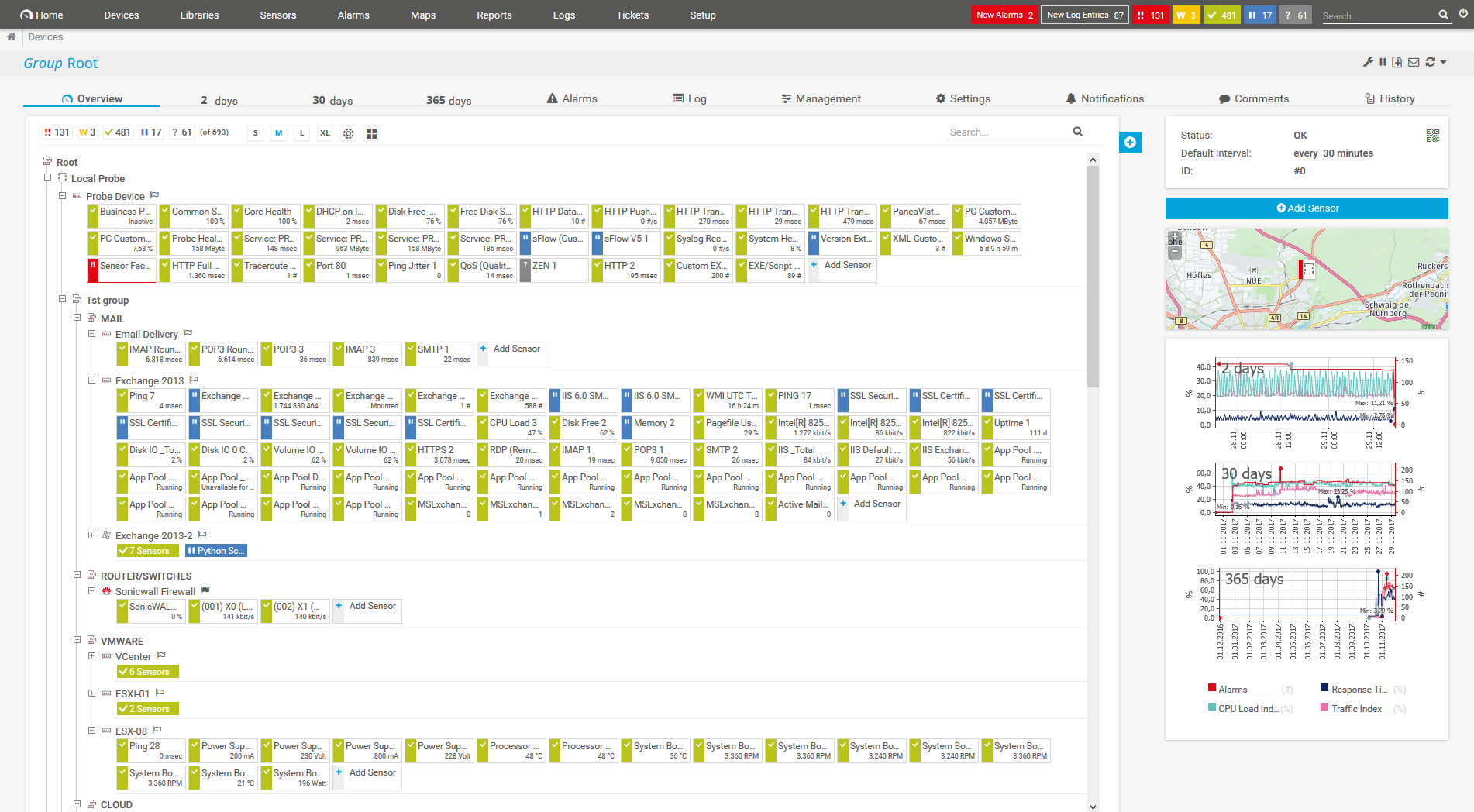
Device tree view of the complete monitoring setup

Custom PRTG dashboard for keeping an eye on the entire IT infrastructure

Live traffic data graph in PRTG

“All-around winning
network monitor”

“The real beauty of PRTG is the endless possibilities it offers”

“PRTG Network Monitor
is very hard to beat”
Network devices that use SNMP are also referred to as SNMP clients. As an administrator, you need SNMP monitoring software that can collect and read data from these clients using SNMP. With PRTG, you monitor your entire IT infrastructure round the clock. If there is a problem in your network, you'll be alerted immediately so that you can take the necessary steps to troubleshoot the issue.
Check to make sure your devices support SNMP. As SNMP has been a standard for several years for manufacturers such as Cisco, Juniper, HPE, Lenovo, Dell, and many others, this should not be a problem.
In addition, PRTG comes with preconfigured SNMP sensors that integrate with almost all major device manufacturers.
Enable SNMP on the devices themselves because for many devices, the default SNMP setting is “off.” If there is a firewall between the devices and the PRTG server, you need to configure the firewall accordingly.
Activate SNMP port 161 and open all outgoing ports greater than 1023 for SNMP on the PRTG side of the firewall.
Let PRTG automatically discover all available devices in your network that have SNMP enabled. PRTG also verifies which SNMP version is supported and creates suitable sensors for each device.
The sensor settings must be compatible with the device’s SNMP version so PRTG can read and display the data.
PRTG comes with more than 250 native sensor types for monitoring your entire on-premises, cloud, and hybrid cloud environment out of the box. Check out some examples below!
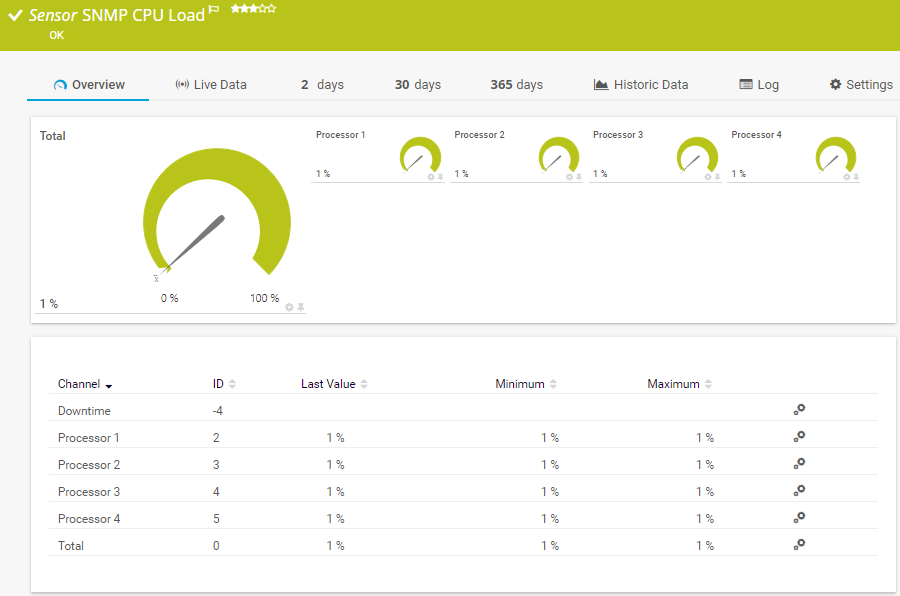
The SNMP CPU Load sensor monitors the system load. It can show the following:
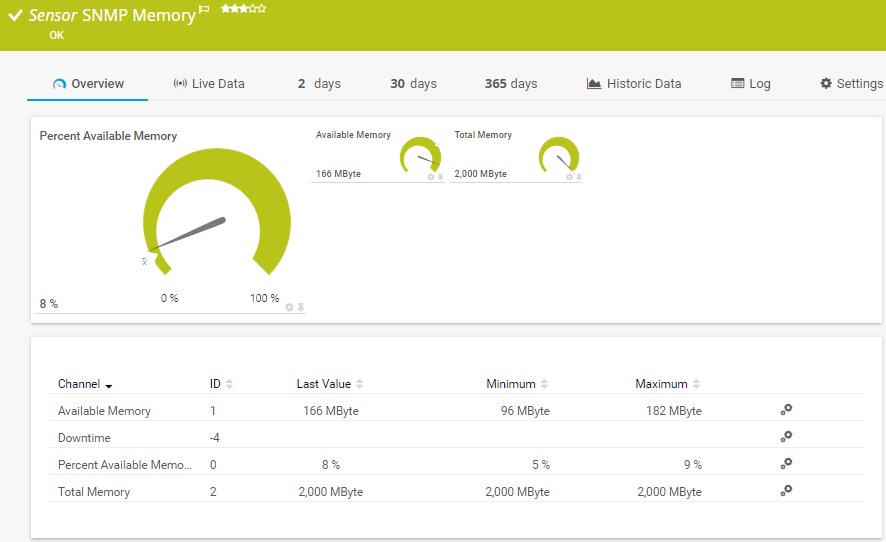
The SNMP Memory sensor monitors the memory usage of a system. It can show the following:
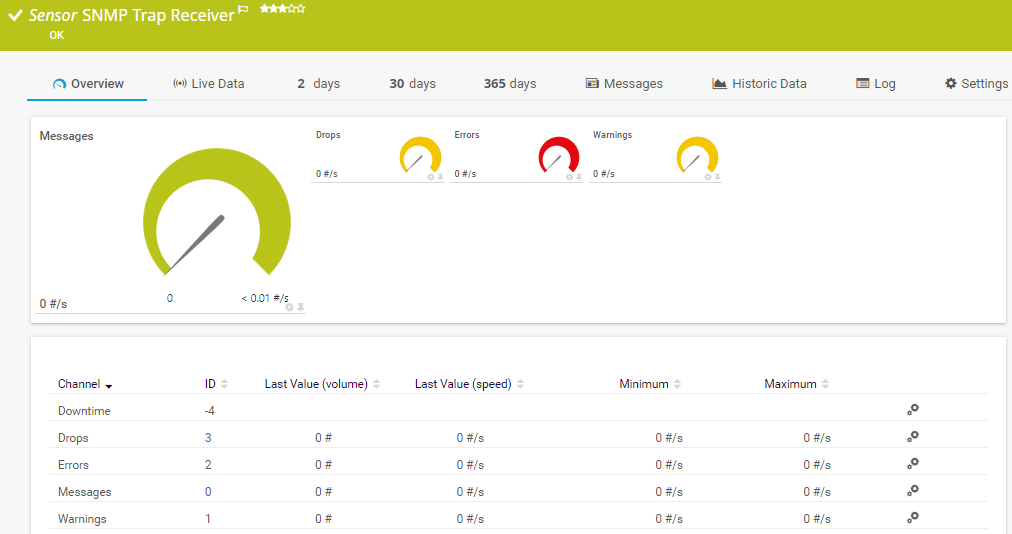
The SNMP Trap Receiver sensor receives and analyzes Simple Network Management Protocol (SNMP) traps. . It can show the following:
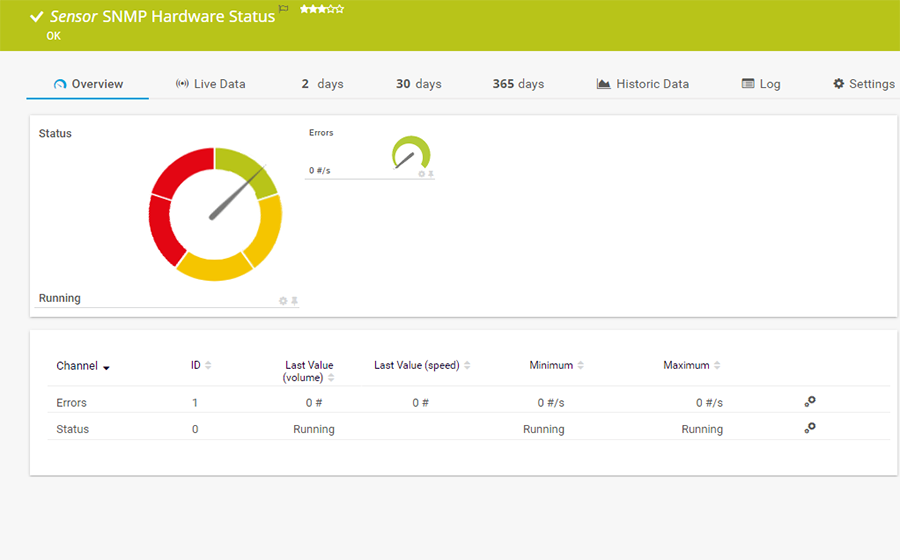
The SNMP Hardware Status sensor monitors the status of a server's hardware component. It can show the following:
See the PRTG Manual for a list of all available sensor types.
Real-time notifications mean faster troubleshooting so that you can act before more serious issues occur.

Monitoring via packet sniffing provides you with detailed insights into your data packets. This is particularly convenient if you'd like to take a closer look at issues with header traffic.
Custom alerts and data visualization let you quickly identify and prevent network performance issues.
PRTG is set up in a matter of minutes and can be used on a wide variety of mobile devices.

Partnering with innovative IT vendors, Paessler unleashes synergies to create
new and additional benefits for joined customers.

By integrating PRTG with Martello iQ, you can add a fast analytics layer to improve uptime, visualize your IT environment, and integrate all of your IT systems into a single pane of glass.

Paessler and Plixer provide a complete solution adding flow and metadata analysis to a powerful network monitoring tool.

Siemon and Paessler bring together intelligent building technology and advanced monitoring and make your vision of intelligent buildings and data centers become reality.
Real-time notifications mean faster troubleshooting so that you can act before more serious issues occur.
Network Monitoring Software – Version 26.1.116.1532 (February 9th, 2026)
Download for Windows and cloud-based version PRTG Hosted Monitor available
English, German, Spanish, French, Portuguese, Dutch, Russian, Japanese, and Simplified Chinese
Network devices, bandwidth, servers, applications, virtual environments, remote systems, IoT, and more
Choose the PRTG Network Monitor subscription that's best for you

SNMP stands for Simple Network Management Protocol and has three key components: managed devices, agents, and network management systems (NMS). The protocol is a set of standards for the communication between devices in a TCP/IP network.
The SNMP community string is like a user ID or password that allows access to a network device's statistics. SNMP community strings are only used by devices that have SNMP v1 or SNMP v2c enabled. SNMP v3 uses username/password authentication, along with an encryption key.
SNMP traps are alert messages that include information about errors and other events on a network device. They are automatically sent by the device to the SNMP server monitoring software without first being requested to do so.
Yes, you can. PRTG not only uses the SNMP protocol to actively request data from network devices. With the preconfigured SNMP Trap Receiver sensor, it also passively collects SNMP traps sent by the SNMP-enabled devices and analyzes them according to the filter rules you set. If there is a critical event, you are immediately notified so that you can react accordingly.
Network devices that use SNMP are also referred to as SNMP client devices. In traditional SNMP client communication, the SNMP server actively requests information from the client. However, the client and the server can also communicate via SNMP traps. These are data packets sent from the client to the server without any explicit request by the server.
Which SNMP version you use depends on your individual needs and requirements. SNMP v1 does not support encryption, so it should only be used in private LANs. For highest security, you should use SNMP v3, which is, however, complex to configure. The SNMP version that is used most is SNMP v2c.
SNMP v1
Recommended only for use in private LANs that are not connected to the Internet.
SNMP v2c
When people speak of SNMP version 2, they usually mean SNMP v2c.
SNMP v3
Significantly increases the security of monitoring via SNMP.
Problem: Can't establish a connection
If you encounter errors when trying to establish a connection between our software and a specific network device, you'll likely see one of the following 3 error messages:
Solution: Select the right SNMP version
One reason for such problems is that you might have selected the wrong SNMP version in PRTG. It is important that the SNMP version enabled on the network device and the version selected in PRTG match.
Open the respective device settings in PRTG and check the selected SNMP version. For more information on how to do this, see our Knowledge Base article.
PRTG sensors use a variety of protocols to monitor your network and servers. The load generated by SNMP is quite insignificant in contrast, for example, to WMI or Windows performance counters, even for extensive monitoring with several thousand sensors. You’ll therefore rarely encounter drops in performance.
SNMP monitoring is useful for anyone who is responsible for servers and network devices such as hosts, routers, hubs, and switches. It lets you keep an eye on network and bandwidth usage, and track important issues such as uptime and traffic levels.
SNMP Tester is a free tool by Paessler with which you can run simple SNMP requests against your network devices to troubleshoot issues with your SNMP monitoring configuration.
In PRTG, “sensors” are the basic monitoring elements. One sensor usually monitors one measured value in your network, for example the traffic of a switch port, the CPU load of a server, or the free space on a disk drive. On average, you need about 5-10 sensors per device or one sensor per switch port.
Paessler conducted trials in over 600 IT departments worldwide to tune its network monitoring software closer to the needs of sysadmins. The result of the survey: over 95% of the participants would recommend PRTG – or already have.

Paessler PRTG is used by companies of all sizes. Sysadmins love PRTG because it makes their job a whole lot easier.
Bandwidth, servers, virtual environments, websites, VoIP services – PRTG keeps an eye on your entire network.
Everyone has different monitoring needs. That’s why we let you try PRTG for free.