Custom alerts and data visualization let you quickly identify and prevent hardware health and performance issues.
Monitor your network devices and prevent downtime with Paessler PRTG’s all-encompassing hardware monitoring solution. From real-time monitoring to predictive maintenance, PRTG empowers you to maintain optimal hardware health and network performance.
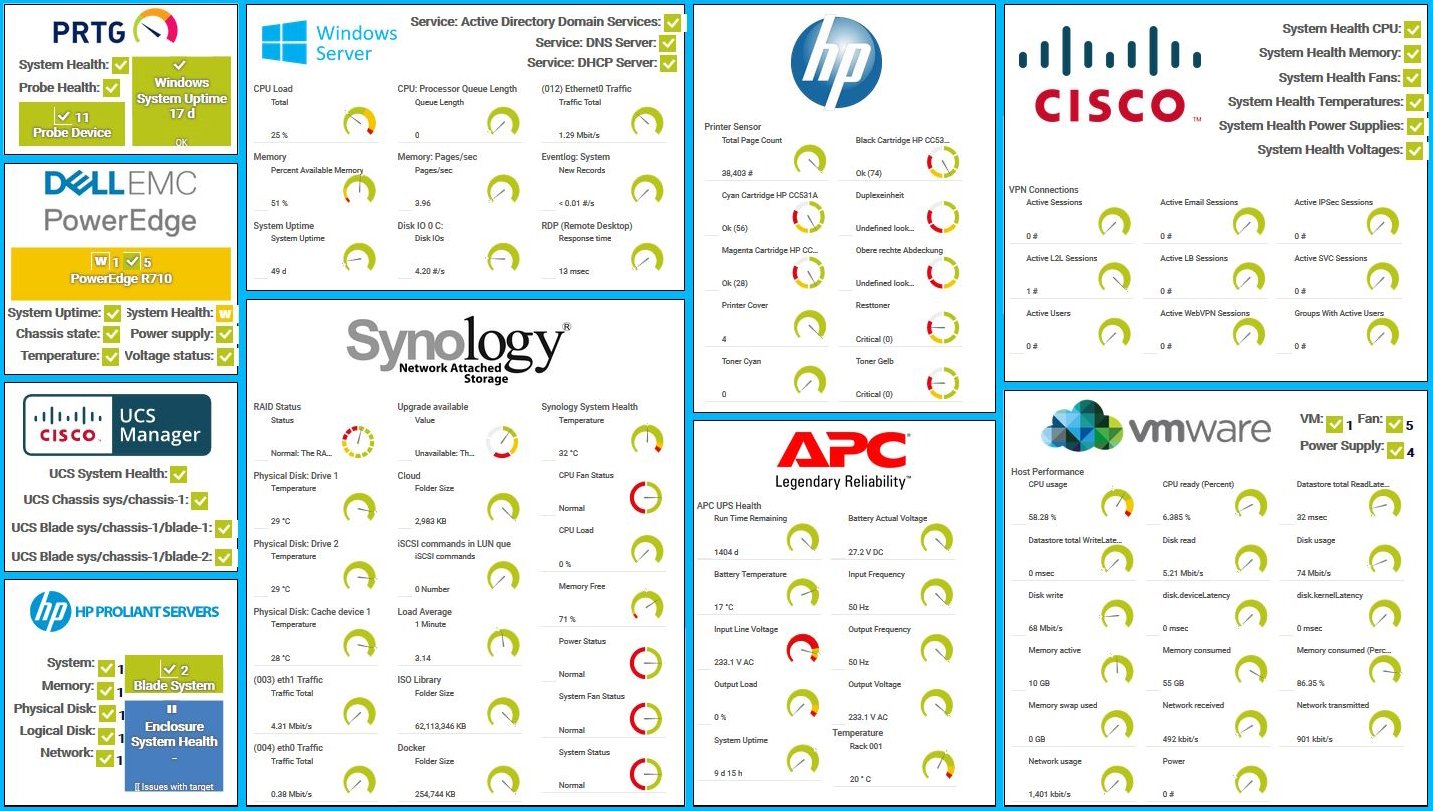
Diagnose network issues by continuously tracking he health and performance of your hardware such as physical servers, printers, routers, or switches. Show CPU load and CPU temperature, memory usage, fan speed, power supply status, and other key metrics in real time. Visualize monitoring data in clear graphs and dashboards to identify problems more easily. Gain the overview you need to troubleshoot hardware-related issues and keep your network up and running efficiently.
Device tree view of the complete monitoring setup

Custom PRTG dashboard for keeping an eye on the entire IT infrastructure

Live traffic data graph in PRTG

“All-around winning
network monitor”

“The real beauty of PRTG is the endless possibilities it offers”

“PRTG Network Monitor
is very hard to beat”
PRTG comes with more than 250 native sensor types for monitoring your entire on-premises, cloud, and hybrid cloud environment out of the box. Check out some examples below!
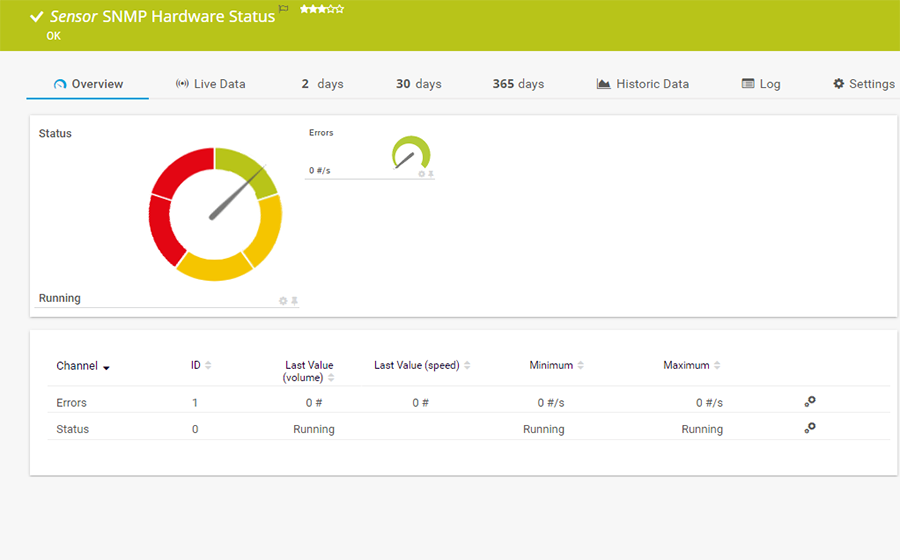
The SNMP Hardware Status sensor monitors the status of a server's hardware component. It can show the following:
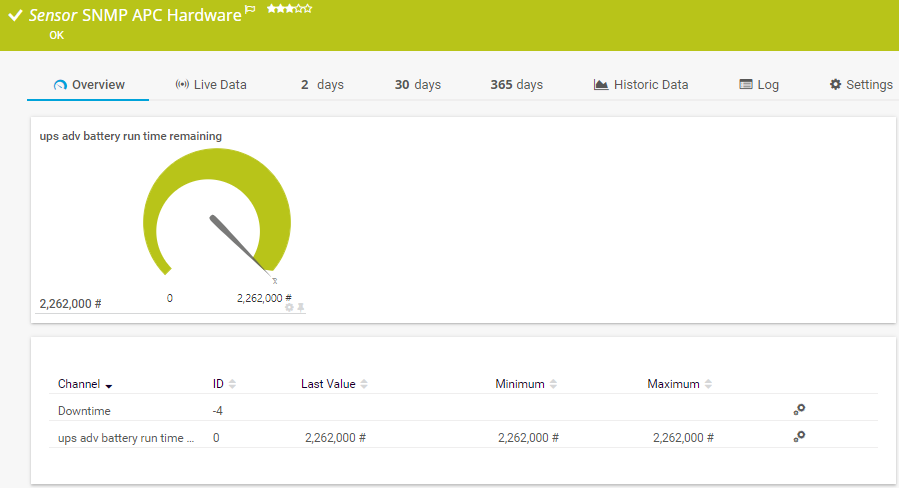
The SNMP APC Hardware sensor monitors performance counters on an APC UPS device. It can show the following:
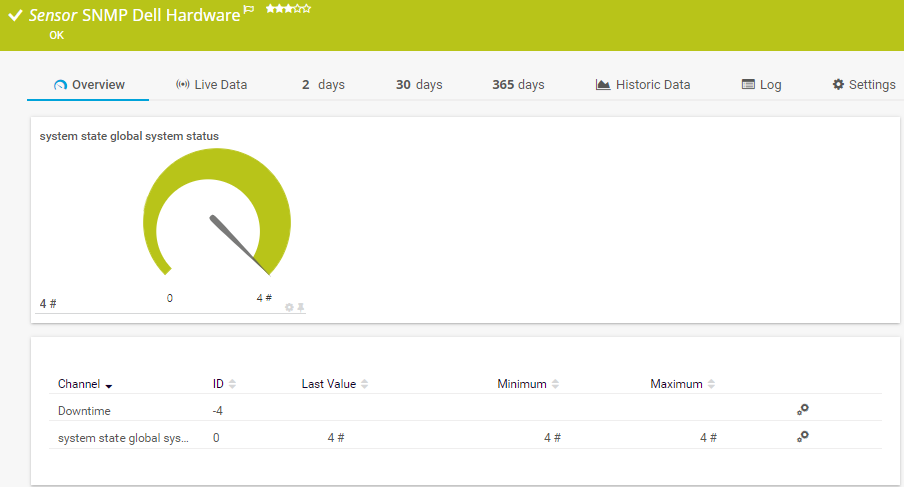
The SNMP Dell Hardware sensor monitors performance counters on a Dell hardware device. It can show the following:
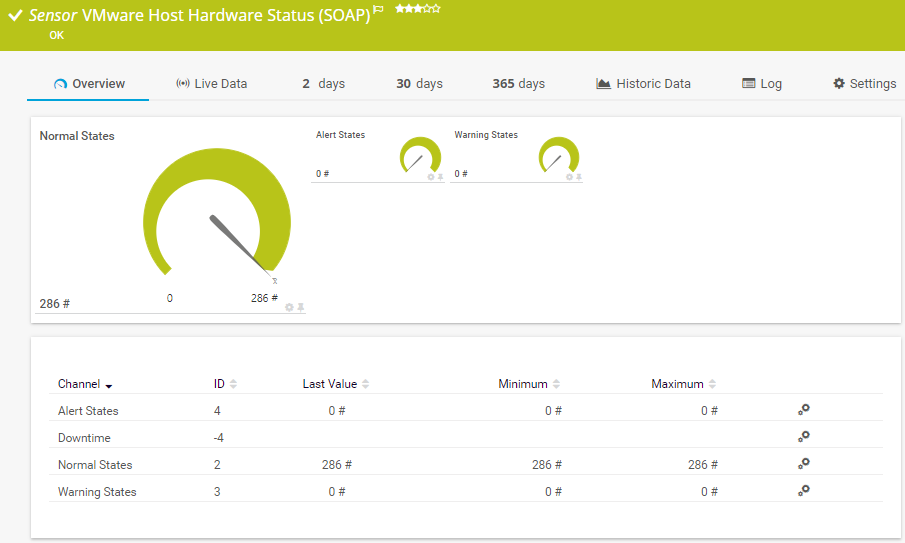
The VMware Host Hardware Status (SOAP) sensor monitors the hardware status of a VMware host server using the Simple Object Access Protocol (SOAP). It gives you a general status overview of the host. It can show the following:
See the PRTG Manual for a list of all available sensor types.

Custom alerts and data visualization let you quickly identify and prevent hardware health and performance issues.
Set up PRTG in minutes and use it on almost any mobile device.


“Excellent tool for detailed monitoring. Alarms and notifications work greatly. Equipment addition is straight forward and server initial setup is very easy. ...feel safe to purchase it if you intend to monitor a large networking landscape.”
Partnering with innovative IT vendors, Paessler unleashes synergies to create
new and additional benefits for joined customers.

baramundi and PRTG create a secure, reliable and powerful IT infrastructure where you have everything under control - from the traffic in your firewall to the configuration of your clients.

With the combination of PRTG and Insys, the monitoring specialist Paessler and the industrial gateway manufacturer INSYS icom offer a practical possibility to merge IT and OT.

Siemon and Paessler bring together intelligent building technology and advanced monitoring and make your vision of intelligent buildings and data centers become reality.
Real-time notifications mean faster troubleshooting so that you can act before more serious issues occur.
Network Monitoring Software – Version 26.1.116.1532 (February 9th, 2026)
Download for Windows and cloud-based version PRTG Hosted Monitor available
English, German, Spanish, French, Portuguese, Dutch, Russian, Japanese, and Simplified Chinese
Network devices, bandwidth, servers, applications, virtual environments, remote systems, IoT, and more
Choose the PRTG Network Monitor subscription that's best for you


Hardware monitoring is the continuous tracking of your network’s hardware performance metrics, environmental conditions, hardware health, and resource utilization. It provides an overview of all hardware systems in order to help pinpoint issues, bottlenecks, and potential failures.
Hardware monitoring is crucial because it helps maintain the health and performance of physical devices that are vital to an organization's IT operations. By continuously tracking parameters such as CPU usage, memory capacity, disk space, and network device performance, hardware monitoring can preemptively identify potential issues before they escalate into serious problems.
This proactive approach minimizes downtime, ensures optimal performance, and can significantly reduce the costs associated with hardware failures and maintenance. Additionally, it aids in resource planning and helps maintain a secure and efficient IT environment.
PRTG can monitor a wide range of hardware in your network, including printers, routers, switches, workstations, hard drives, processors, motherboards, servers, server racks, and more – even NAS systems and SANs.
PRTG is vendor-agnostic monitoring software. This means that it can monitor hardware from every manufacturer if the according device supports SNMP or any other standard protocol. For the most common manufacturers (Dell, Lenovo, HPE, Cisco,…), PRTG comes with preconfigured sensor templates out of the box.
Yes, PRTG provides alerts before and when hardware errors occur, such as memory overloads, printers running out of ink, or router failures, allowing for proactive intervention and quick troubleshooting.
Yes, it can. Paessler PRTG is an all-in-one network monitoring tool that runs on Microsoft Windows or Linux operating systems (needs the multi-platform probe) or as a cloud-based SaaS solution. It can monitor hardware, applications, services, processes, network traffic and bandwidth, virtual environments (for example VMware or Citrix), and much more. PRTG’s licensing is easily scalable and offers fair pricing options.
In PRTG, “sensors” are the basic monitoring elements. One sensor usually monitors one measured value in your network, for example the traffic of a switch port, the CPU load of a server, or the free space on a disk drive. On average, you need about 5-10 sensors per device or one sensor per switch port.
Paessler conducted trials in over 600 IT departments worldwide to tune its network monitoring software closer to the needs of sysadmins. The result of the survey: over 95% of the participants would recommend PRTG – or already have.

Paessler PRTG is used by companies of all sizes. Sysadmins love PRTG because it makes their job a whole lot easier.
Bandwidth, servers, virtual environments, websites, VoIP services – PRTG keeps an eye on your entire network.
Everyone has different monitoring needs. That’s why we let you try PRTG for free.